
Best SD Card for Trail Camera (2026)
As an Amazon Associate I earn from qualifying purchases.
Updated November 2, 2026 · by Zia
On this page:
- The short answer
- At-a-glance comparison
- Pick your card in four steps
- How we picked
- The cards, reviewed
- What a card really holds
- What an SD card for a trail camera really costs
- How to choose: capacity, speed, format, fakes
- Manual-first compatibility table
- When the camera rejects the card
- Resources
- Watch: SD card videos
- FAQ
- Final verdict
The short answer: buy a 32GB SanDisk Ultra SDHC first
Quick answer: Buy a 32GB SanDisk Ultra SDHC, Class 10. It is the full-size card most Bushnell, Simmons, SPYPOINT and Moultrie manuals call for, so it suits nearly any trail camera that caps at 32GB. Drop to 16GB for older, picky cameras, and step up to the Extreme Pro for 4K video.
Best overall: SanDisk Ultra 32GB SDHC See today’s price
Best budget: PNY Elite 32GB SDHC View on Amazon
Best for 4K video: SanDisk Extreme Pro 32GB SDHC View on Amazon
The best SD card for trail camera owners is rarely the biggest or fastest card on the shelf — it is the card your camera’s manual allows. If you own a trail camera and you want one card that works in the most cameras with the fewest surprises, buy a 32GB SanDisk Ultra SDHC, Class 10, UHS-I card. It matches the exact card type that Bushnell, Simmons, SPYPOINT, and Moultrie manuals call for: full-size SD, SDHC (not SDXC), 32GB or smaller, Class 10. Trail camera problems that look like camera problems are very often card problems — the wrong capacity, the wrong file system, a card formatted on a computer instead of in the camera, or a counterfeit card that lies about how much storage it really has. This guide fixes that by starting from the camera manual, not from the biggest number on the box.
The comparison table below lines up six cards from manufacturer manuals and retailer specification pages, and every claim in this article traces to a source listed at the end. Whichever card you pick, check the part number on the listing before you buy, because counterfeit SD cards are common.
At-a-glance comparison: the best SD card for a trail camera
| Card | Best for | Capacity and type | Speed rating | Owner signal | Buy |
|---|---|---|---|---|---|
| 1. SanDisk Ultra 32GB SDHC | Most trail cameras | 32GB, SDHC, FAT32 | Class 10, U1; reads up to 120MB/s | Recommended by Bushnell manuals; TrailCamPro’s default recommendation | Check Price on Amazon → |
| 2. SanDisk Ultra 16GB SDHC | Older or picky cameras, cold-weather sets | 16GB, SDHC, FAT32 | Class 10, UHS-I | Field writers drop to 16GB when a camera throws errors on 32GB | Check price on Amazon |
| 3. SanDisk Extreme Pro 32GB SDHC | 4K video and fast burst cameras | 32GB, SDHC, FAT32 | Class 10, U3, V30; reads up to 95MB/s, writes up to 90MB/s | Minimum 30MB/s sustained write — the 4K safety margin | See today’s price |
| 4. Kingston Canvas Select Plus 32GB SDHC | Value pick with cold-weather ratings | 32GB, SDHC, FAT32 | Class 10, U1, V10; reads up to 100MB/s | Rated to operate from −25°C to 85°C; lifetime warranty | View on Amazon |
| 5. PNY Elite 32GB SDHC | Budget bundle-proven card | 32GB, SDHC | Class 10, U1, V10; reads up to 100MB/s | Ships in the box with Wildgame Terra Extreme cameras | Check price on Amazon |
| 6. SanDisk Ultra 64GB SDXC | Newer cameras that explicitly support SDXC | 64GB, SDXC, exFAT | Class 10, UHS-I | Only for cameras whose manuals list SDXC support (current Browning, Stealth Cam XV4) | View on Amazon (only if your manual says SDXC) |
No prices are printed in this article. Card prices move constantly and we did not verify a current US price for these cards on a live page during this draft, so rather than print a stale number we point you at the listing. If a price matters to your decision, check it at the link on the day you buy.
Pick your card in four steps
- Step 1 — Read your camera manual’s card line before you buy anything. Find the words “SD”, “SDHC”, “SDXC”, and the maximum gigabytes. If the manual says 32GB maximum, stop there: a bigger card is not an upgrade, it is a card your camera may refuse to read. Most Bushnell, Simmons, SPYPOINT, and Moultrie manuals cap at 32GB SDHC.
- Step 2 — If your camera caps at 32GB, buy the SanDisk Ultra 32GB SDHC. It is the card Bushnell manuals recommend by name, the card TrailCamPro recommends across the cameras it sells, and the card field writers default to. Format it in the camera before the first set.
- Step 3 — If your camera throws card errors or lives out in deep cold, drop to the 16GB Ultra. Smaller SDHC cards format cleaner on older firmware, and a 16GB card that works beats a 32GB card that stops writing mid-season. Keep one dedicated card per camera and label it.
- Step 4 — Only buy a 64GB or larger SDXC card if your manual explicitly supports SDXC. Current Browning models and the Stealth Cam XV4 support up to 512GB. If your manual does not say SDXC, do not buy SDXC — and never buy a card from a marketplace seller you cannot verify, because counterfeit cards are the most common cause of “lost” photos.
How we picked these cards (and what we did not do)
We did not test cards in a lab, and this article does not pretend otherwise. What we did was aggregate the documents that actually decide whether a card works: camera manuals from Bushnell, Simmons, SPYPOINT, Moultrie, Browning, and Wildgame; specification pages from SanDisk, Kingston, and PNY retailers; the SD Association’s capacity standard; TrailCamPro’s published recommendations; and a long-running field guide from a hunter who runs cameras on a 65-acre Illinois lease and Missouri public land. Three weaknesses in the existing search results shaped this guide. First, the stores that rank for this topic sell cards but do not explain manual compatibility — so a buyer can easily purchase a 128GB SDXC card for a camera that only reads 32GB SDHC. Second, brand pages (Browning, Muddy) describe their own cameras, not how to choose a card across brands. Third, the only independent guide we found is a single-author field account; it is honest and useful, but it covers one brand in depth and leaves the speed-class, formatting, and counterfeit questions to the reader. This article fills those gaps with the manuals themselves.
Our rules were strict. A card made the list only if its exact capacity, card type, and speed rating appeared in a manufacturer manual or a retailer specification page we could read. You will not find a Stealth Cam-branded or Moultrie-branded card below, because both brands’ manuals tell you which standard card to buy. We print no test scores and no invented owner quotes. Where owner experience appears, it is paraphrased from a named published source and labeled as such.
The cards, reviewed
1. SanDisk Ultra 32GB SDHC — Best for most trail cameras
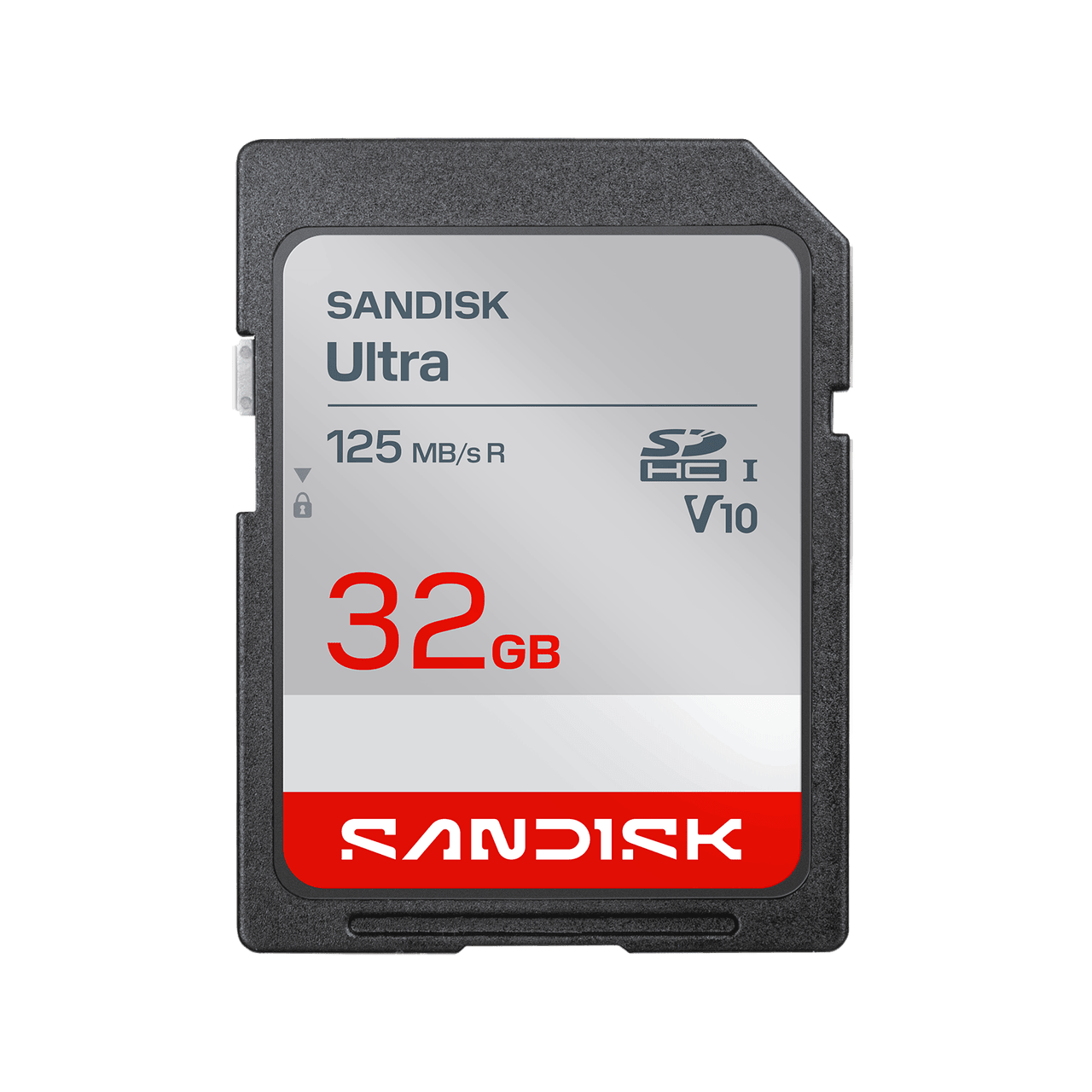
The SanDisk Ultra 32GB SDHC is the default answer for a reason that has nothing to do with marketing: it is the card the manuals describe. Bushnell’s manual for its X-8 trail camera recommends SanDisk SD and SDHC cards up to 32GB by name, and Bushnell’s Prime manual lists the same 32GB SD/SDHC maximum. Simmons manuals call for SD and SDHC Class 4 or higher cards up to 32GB. SPYPOINT’s SOLAR-DARK manual requires SD/SDHC up to 32GB. Moultrie’s cellular manuals recommend a 32GB or smaller Class 10 card. The Ultra 32GB sits exactly inside every one of those lines: full-size SD, SDHC, 32GB, Class 10, UHS-I. Its published specifications are a UHS-I bus, Class 10 and U1 speed ratings (which guarantee a minimum 10MB/s write speed), read speeds up to 120MB/s, and a build rated shockproof, waterproof, X-ray proof, and temperature proof, with a write-protect switch on the side. That combination covers still photos and Full HD video on every camera in this guide’s compatibility table except the ones that demand U3 speeds for 4K.
The honest weakness is the write floor. A 10MB/s minimum write is plenty for photos and 1080p video, but it is not a 4K card, and it is not the card to choose if your camera shoots long 4K clips or rapid bursts that must clear the buffer fast. It is also the most counterfeited card in this guide — SanDisk’s popularity makes it the most faked brand on the market — so the buying advice matters as much as the card itself: buy from an authorized seller, check the part number on the box against SanDisk’s own listing, and run a full-write capacity test before the card goes into a camera you will not visit for a month. The section on fakes below walks through exactly how.
✅ Pros
- Matches the manual card line of Bushnell, Simmons, SPYPOINT, and Moultrie cameras: SDHC, 32GB, Class 10
- Read speeds up to 120MB/s, so pulling a full card onto a computer is fast
- Shockproof, waterproof, X-ray proof, and temperature proof build for field use
- Recommended by name in a Bushnell manual and by TrailCamPro across the cameras it sells
- Write-protect switch guards against accidental erasure in the field
❌ Cons
- 10MB/s minimum write — not suited to 4K video or heavy burst shooting
- The most counterfeited card type in this guide; marketplace sellers are a real risk
- 32GB is wasted if your camera caps lower — some older Bushnell models cap at 16GB, so check the manual
🧑🌾 From the field: TrailCamPro, a US trail-camera retailer, states on its SD card category page that it recommends SanDisk SD cards with trail cameras because they “have proven to work well over the years with all the game and trail cameras we offer.” A long-running field guide from a hunter running cameras on a 65-acre Pike County, Illinois lease and on Missouri public land gives the same answer in plainer language: buy a stack of matching 32GB SanDisk Ultra SDHC cards, label them, and stop overthinking it — and format in the camera every time you swap. His reason is a lost season: in November 2016 in the Missouri Ozarks, a 128GB card in a budget camera stopped saving photos, and he did not discover it until gun season was over. That is the failure mode this whole guide is built to prevent.
| Spec | Detail |
|---|---|
| Capacity / type | 32GB, SDHC (FAT32) |
| Speed ratings | Class 10, UHS-I, U1 — minimum 10MB/s write |
| Read speed | Up to 120MB/s (burst) |
| Part number | SDSDUN4-032G-GN6IN |
| Durability | Shockproof, waterproof, X-ray proof, temperature proof |
| Write-protect switch | Yes |
Verdict: Buy this card first. If your camera’s manual says 32GB SDHC, this is the end of the search.
2. SanDisk Ultra 16GB SDHC — Best for older or picky cameras
The 16GB Ultra is the same card line as the 32GB pick, at half the capacity — and half the capacity is the point. Some cameras are simply pickier than others: older firmware, budget processors, and cameras that have already thrown a card error once tend to format and run cleaner on a smaller SDHC card. The field guide cited above makes exactly this move in the real world: its author runs 32GB cards in scrape cameras he checks weekly, and drops to 16GB cards in deep-timber cameras he might not touch for three weeks, and recommends 16GB outright for an older, picky, or cold-swamp camera because “it formats cleaner and has fewer weird errors.” There is a second, practical reason to own 16GB cards: a smaller card forces a shorter check interval, which means a dead battery, a shifted camera, or a failing card gets discovered in days rather than at the end of a month-long soak.
The trade-off is capacity. At the storage rates in the “What a card really holds” section, 16GB holds roughly 6,300 12MP photos or about 2 hours 40 minutes of 720p video by SPYPOINT’s published table — plenty for a photo camera on a weekly check, tight for a video-heavy camera on a monthly check. Do not buy the 16GB card as a money-saving move if you run video; buy it as a reliability move for a camera that has already given you trouble. Note that some older Bushnell Trophy Cam manuals cap at 16GB, so for those cameras the 16GB card is not the fallback — it is the maximum the manual allows.
✅ Pros
- Same Ultra line and Class 10 UHS-I ratings as the top pick
- Formats cleaner on older firmware and picky cameras, per published field experience
- Shorter check intervals mean problems surface sooner
- Required maximum for some older Bushnell Trophy Cam models
❌ Cons
- Half the storage — not enough for video-heavy cameras on long soaks
- Listings vary: buy the exact Ultra part-number family from an authorized seller
- Still an SDHC card, so it does nothing for cameras that need U3 speeds
🧑🌾 From the field: The same Illinois/Missouri field guide reports running 16GB cards in its deep-timber sets specifically because they produce fewer errors on cameras that sit untouched for weeks, and it recommends the 16GB Ultra as the first thing to try when a camera is “older, picky, or in a cold swamp.” Treat that as a troubleshooting step, not a superstition: if a camera eats a 32GB card, a 16GB card from the same line is the cheapest controlled experiment you can run before blaming the camera.
| Spec | Detail |
|---|---|
| Capacity / type | 16GB, SDHC (FAT32) |
| Speed ratings | Class 10, UHS-I — minimum 10MB/s write |
| Best use | Older cameras, cameras with prior card errors, cold-weather sets, short check intervals |
| Durability | Same Ultra-line shockproof, waterproof, X-ray proof, temperature proof build |
Check the part number on the box before the card goes in a camera.
Verdict: The troubleshooting card. If a camera has ever thrown a card error, try this before you replace the camera.
3. SanDisk Extreme Pro 32GB SDHC — Best for 4K video and fast bursts

When a camera shoots 4K video or long bursts, the card’s minimum sustained write speed stops being a footnote and becomes the whole purchase. The Extreme Pro 32GB SDHC carries U3 and V30 ratings, which guarantee a minimum 30MB/s sustained write — three times the floor of the Ultra line — with published read speeds up to 95MB/s and write speeds up to 90MB/s. Its operating range is published as −13°F to 185°F, and it is shockproof, X-ray proof, and waterproof, with a built-in write-protect switch. It also includes a downloadable RescuePRO data-recovery software offer good for one year, which is a genuine consolation when a card is accidentally formatted — and it carries a limited lifetime warranty. For a current Browning or Stealth Cam shooting 4K clips, this is the card that keeps the video from stuttering or dropping frames when the buffer fills.
Two cautions. First, Moultrie’s manuals explicitly warn against cards “designated as turbo, ultra, or super speed” because the speed those cards demand can cause instability in Moultrie cameras — so do not put a speed card in a Moultrie cellular camera that asks for a plain Class 10 card; the manual wins. Second, this card’s speed is wasted on a photo-only camera: a camera writing 12MP stills will never ask for 30MB/s sustained, and the extra money buys nothing. Buy the Extreme Pro for video, not for bragging rights.
✅ Pros
- U3 / V30 ratings guarantee 30MB/s minimum sustained write — the 4K safety margin
- Reads up to 95MB/s, writes up to 90MB/s, for fast offloads and burst clearing
- Published operating range of −13°F to 185°F for cold-weather and summer sets
- RescuePRO recovery software download included for one year; limited lifetime warranty
❌ Cons
- Do NOT use in Moultrie cameras whose manuals warn against high-speed-designated cards
- Overkill — and overpriced — for photo-only cameras that never need 30MB/s writes
- Confirm part number SDSDXPA-032G on the listing before you buy
What to watch: No independent trail-camera field account we could verify singles out the Extreme Pro for trail use; its case here rests on its published specifications and the speed-class math, not on owner stories. That is stated plainly so you can weigh it: the card is proven as a memory card, and the 30MB/s floor is exactly what 4K recording demands, but we did not find a published trail-camera owner report naming it.
| Spec | Detail |
|---|---|
| Capacity / type | 32GB, SDHC (FAT32) |
| Speed ratings | Class 10, UHS-I, U3, V30 — minimum 30MB/s write |
| Read / write speed | Up to 95MB/s read; up to 90MB/s write |
| Operating temperature | −13°F to 185°F (published) |
| Durability | Shockproof, X-ray proof, waterproof |
| Extras | RescuePRO download (1 year); limited lifetime warranty |
Verdict: The video card. Buy it when your camera shoots 4K or long clips; skip it for photo-only sets, and never put it in a Moultrie that asks for plain Class 10.
4. Kingston Canvas Select Plus 32GB SDHC — Best value pick with cold-weather ratings
Kingston’s Canvas Select Plus 32GB SDHC is the value alternative to the SanDisk Ultra that does not ask you to give up the specifications that matter: Class 10, UHS-I, U1, and V10 ratings, read speeds up to 100MB/s, and the FAT32 format that SDHC cameras expect. Its published operating temperature range is −25°C to 85°C with storage rated from −40°C to 85°C, and the card is rated waterproof, temperature proof, shock and vibration proof, and X-ray proof. It carries a lifetime warranty. For a hunter running a dozen cameras, the practical argument is simple: the card that goes in the camera you check least often should be the one with the widest published temperature tolerance and a warranty you will never have to argue about, and this card publishes both.
The weakness is brand familiarity in the trail-camera world. TrailCamPro recommends SanDisk across the cameras it sells; Bushnell manuals name SanDisk; the field guide that anchors this article runs SanDisk. Kingston’s own brand blog on choosing a memory card for trail cameras is the closest thing to a trail-specific endorsement we found, and it is a brand blog, not an independent test. If your camera has ever been picky, the SanDisk Ultra is the safer first try; if your cameras run fine on any reputable Class 10 card, the Kingston saves money across a fleet without dropping a specification that matters.
✅ Pros
- Full Class 10 / U1 / V10 ratings with reads up to 100MB/s
- Published operating range of −25°C to 85°C — the widest cold-weather rating in this guide
- Waterproof, shock, vibration, and X-ray proof; lifetime warranty
- 32GB SDHC with FAT32 — matches the manual card line of most cameras here
❌ Cons
- No trail-camera-specific independent endorsement found; the trail recommendation is Kingston’s own blog
- Less familiar to trail-camera retailers than SanDisk, so a picky camera may still prefer the Ultra
- Listings vary: confirm part number SDS2/32GB with the seller
What to watch: Kingston sells the Canvas Select Plus line in both full-size SD (part number SDS2) and microSD with an adapter (part number SDCS2). Trail cameras with full-size slots want the full-size SD card. If a listing shows a tiny card plus an adapter, that is the microSD version — usable, but an adapter is one more mechanical connection to fail in a camera that lives outside for months, and Moultrie manuals warn against micro cards outright. Buy the full-size card.
| Spec | Detail |
|---|---|
| Capacity / type | 32GB, SDHC (FAT32) |
| Speed ratings | Class 10, UHS-I, U1, V10 |
| Read speed | Up to 100MB/s |
| Part number (full-size SD) | SDS2/32GB |
| Operating / storage temperature | −25°C to 85°C operating; −40°C to 85°C storage |
| Durability / warranty | Waterproof, shock, vibration, X-ray proof; lifetime warranty |
Verdict: The fleet card. Same manual-matching specifications as the top pick, wider published temperature range, lifetime warranty — buy it when you are equipping several cameras and every camera already runs fine on Class 10 cards.
5. PNY Elite 32GB SDHC — Best budget bundle-proven card
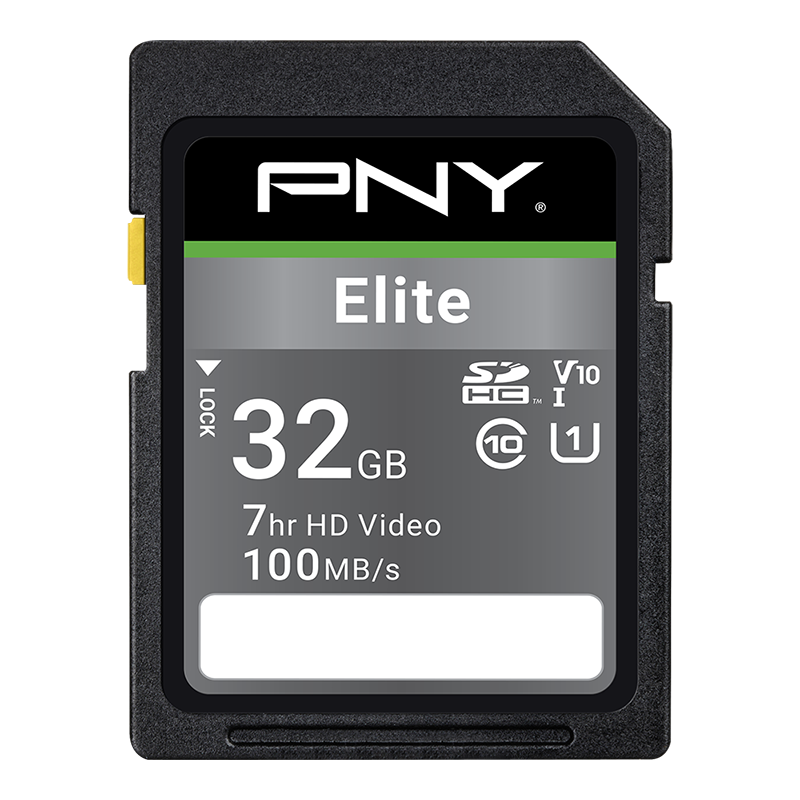
The PNY Elite 32GB SDHC earns its place here on a different kind of evidence: it is the card that ships in the box with a trail camera. Wildgame Innovations’ Terra Extreme 14MP trail camera manual documents the included card as the PNY 32GB Elite Class 10 U1 V10 SDHC card, with read speeds up to 100MB/s, and the camera’s own specification table lists “SDHC Card up to 32GB” as its storage. When a camera manufacturer bundles a card with its camera, that card has passed whatever compatibility testing the manufacturer bothered to do — which is more evidence than most budget cards ever get. For a second or third camera, a spare card, or a camera you are setting up for a teenager’s first season, the PNY is the card that keeps the total setup cost down without dropping below Class 10.
The honest limits: PNY’s trail-camera footprint is thin compared with SanDisk’s — no Bushnell manual names it, no major trail retailer recommends it across its range, and we found no published field account running PNY cards across a season. Its 10MB/s minimum write (U1/V10) is the same floor as the Ultra, so it is a photo and 1080p card, not a 4K card. Buy it as a proven budget spare, not as the card for the one camera guarding your best rut funnel.
✅ Pros
- Ships in the box with Wildgame Terra Extreme cameras — manufacturer-bundled compatibility
- Class 10, U1, V10 with reads up to 100MB/s — matches the Ultra’s floor at a budget price
- 32GB SDHC — matches the manual card line of most cameras in this guide
❌ Cons
- Thin trail-camera track record beyond the Wildgame bundle; no retailer-wide recommendation found
- 10MB/s minimum write — photo and 1080p only, not 4K
- Listings vary: buy the exact Elite Class 10 U1 V10 part from a reputable seller
What to watch: PNY sells many card lines, and only the Elite Class 10 U1 V10 SDHC is the one documented in the Wildgame manual. A PNY card with a different line name or a microSD form factor is not the same product, even at the same capacity. Check the label, not just the brand.
| Spec | Detail |
|---|---|
| Capacity / type | 32GB, SDHC |
| Speed ratings | Class 10, U1, V10 — minimum 10MB/s write |
| Read speed | Up to 100MB/s |
| Documented bundle | Wildgame Innovations Terra Extreme 14MP trail camera |
Verdict: The spare card. Proven by being bundled, priced for spares — keep one in the truck for the camera you forgot to check.
6. SanDisk Ultra 64GB SDXC — Only for cameras that explicitly support SDXC
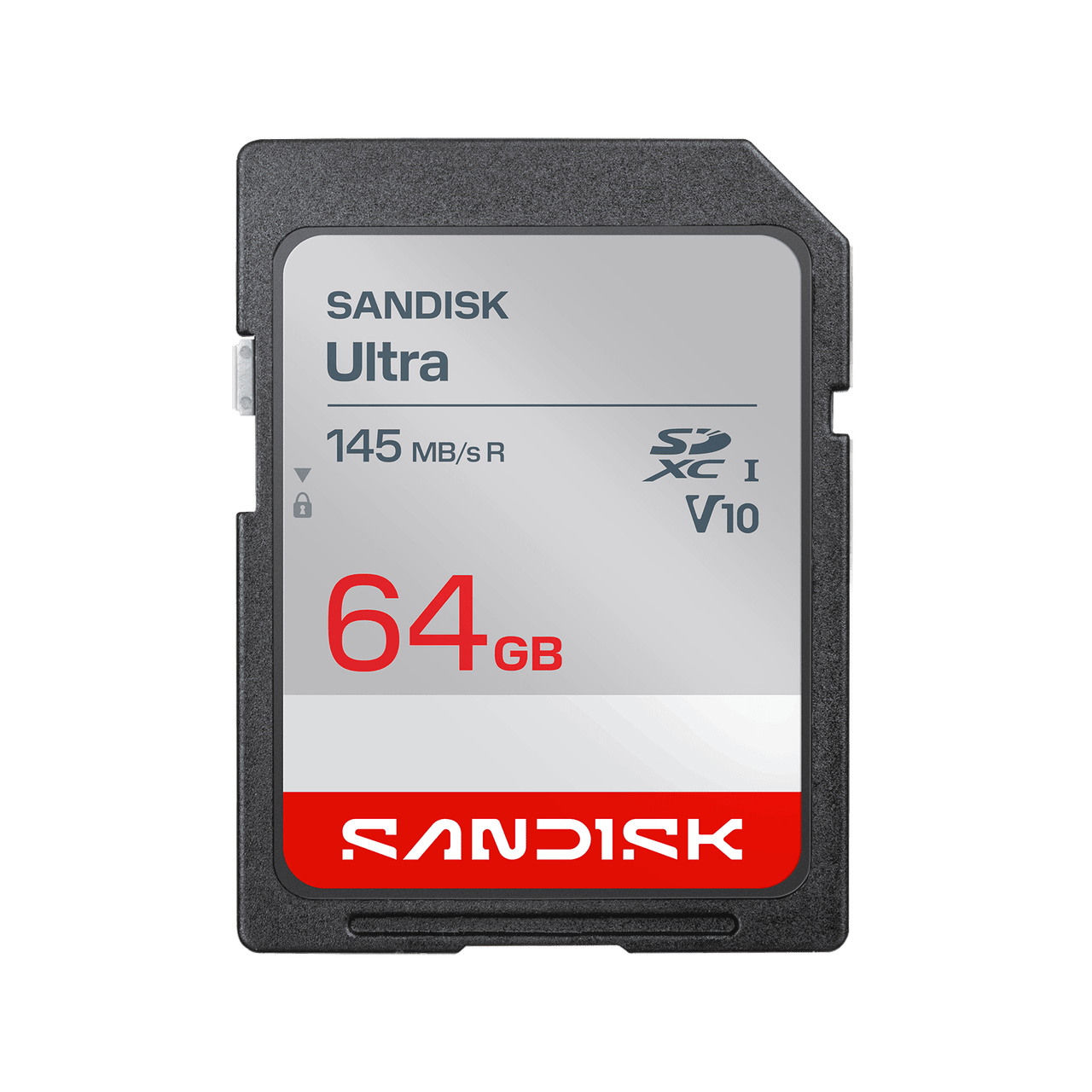
This card is in the guide as a warning with a purchase attached. The SD Association’s capacity standard draws a hard line: SDHC covers over 2GB to 32GB and uses FAT32, while SDXC covers over 32GB to 2TB and uses exFAT — and SDXC cards are not backward compatible with hosts that only support SDHC. That is why a 64GB card can be completely invisible to a camera that happily reads a 32GB card: it is not a bigger version of the same thing, it is a different standard with a different file system. Buy a 64GB SDXC card only when your camera’s manual says SDXC in so many words. Two current examples that do: Browning’s current Strike Force and Dark Ops models, whose manuals state support for SDXC cards up to 512GB and ship with a 32GB card in the box; and the Stealth Cam XV4, whose published specifications list support for SD cards up to 512GB.
For those cameras, the 64GB Ultra is the right size for a video-heavy or cellular camera that sits for a month: it holds roughly double the photos and video of a 32GB card, and it keeps the same Ultra-line Class 10 UHS-I ratings and durability family. For every other camera in this guide, this card is the wrong purchase, and the guide says so rather than selling it. One more caution from the field: the bigger the card, the longer a failure can hide. A camera that stops writing on a 64GB card can lose a month of pictures before anyone notices, where a 32GB card on a weekly check would have exposed the problem in days.
✅ Pros
- Double the storage of a 32GB card for video-heavy or long-soak cameras
- Same Ultra-line Class 10 UHS-I ratings and durability family as the top pick
- Correct choice for current Browning (up to 512GB) and Stealth Cam XV4 (up to 512GB) cameras
❌ Cons
- SDXC/exFAT — invisible to any camera that only supports SDHC, which is most cameras in this guide
- A failure on a big card hides longer; a month of pictures can vanish before the next check
- Listings vary: buy only after confirming SDXC in your manual
What to watch: Some sellers list 64GB cards as “SDHC” or describe SDXC cards as working in “all SD cameras.” Both claims are wrong under the SD Association standard. If the card is over 32GB, it is SDXC, and it needs an SDXC camera. Check the manual, not the listing.
| Spec | Detail |
|---|---|
| Capacity / type | 64GB, SDXC (exFAT) |
| Speed ratings | Class 10, UHS-I — minimum 10MB/s write |
| Use only with | Cameras whose manuals explicitly list SDXC support (current Browning up to 512GB; Stealth Cam XV4 up to 512GB) |
| Do NOT use with | Bushnell, Simmons, SPYPOINT, Moultrie, Tactacam, or any camera whose manual caps at 32GB |
Buy the 64GB Ultra only after you have read “SDXC” in your own camera’s manual.
Verdict: The exception, not the rule. Right for new SDXC cameras on long soaks; wrong for everything else in this guide.
What a card really holds (and what a failed card really costs)
Card capacity is the number hunters overthink and under-plan at the same time. Two manufacturers publish storage tables, and they agree closely enough to plan from. SPYPOINT’s SOLAR-DARK manual gives, for 12MP photos and 720p video: a 4GB card holds about 1,600 photos or 40 minutes of video; 8GB holds about 3,200 photos or 1 hour 20 minutes; 16GB holds about 6,300 photos or 2 hours 40 minutes; and 32GB holds about 12,600 photos or 5 hours 20 minutes. Browning’s Recon Force Platinum manual gives a photo table by resolution: at 10MP, an 8GB card holds 3,000 photos, 16GB holds 6,000, and 32GB holds 12,000; at 2MP, the same cards hold 11,000, 22,000, and 44,000. For 20-second video clips at high resolution, Browning lists 240 clips on 8GB, 480 on 16GB, and 960 on 32GB. Timelapse at one-minute intervals all day runs 16 days on 8GB, 32 days on 16GB, and 64 days on 32GB.
The planning rule that falls out of those tables: match the card to your check interval, not to your ambition. A photo camera checked weekly will almost never fill 32GB — 12,000 photos is roughly 1,700 triggers a day for a week — while a video camera on a monthly soak can fill it. SPYPOINT’s manual also notes that its camera, when the card fills, deletes the oldest files to keep recording; not every camera does that, and a camera that stops instead of overwriting will simply quit on you. The cost math that matters is not the price of the card. It is the cost of the failure: a card costs less than a tank of gas to the lease, while a failed card costs the pictures from the week a target buck walked past. That is why this guide recommends a stack of matching, labeled cards and a spare in the truck over one expensive card, and why it recommends formatting in the camera on every swap — the cheapest insurance in the whole setup.
| Card size | 12MP photos (SPYPOINT) | 720p video (SPYPOINT) | 10MP photos (Browning) | 20-sec high-res clips (Browning) |
|---|---|---|---|---|
| 8GB | ~3,200 | 1h 20m | 3,000 | 240 |
| 16GB | ~6,300 | 2h 40m | 6,000 | 480 |
| 32GB | ~12,600 | 5h 20m | 12,000 | 960 |
One more real-world cost: card life. Flash memory wears out with write cycles, and one guide notes that cards in high-traffic cameras may last only one to two years before cells start failing. Treat cards as consumables: when a card that used to work starts throwing errors after a format, retire it rather than trusting it to another season.
What an SD card for a trail camera really costs
The card is the cheapest part of the setup — and the part whose failure costs the most, because a dead card costs a season of photos, not just the card. This article quotes no prices because card prices move weekly; check the retailer page for the current figure. What does not change is where the money goes.
| Cost item | What owners report | Notes |
|---|---|---|
| The card itself | Value picks (Kingston Canvas Select Plus 32GB) cost least; speed picks (SanDisk Extreme Pro 32GB) cost more for 4K video and fast bursts | Buy the card your camera’s manual allows — a 64GB SDXC card in a 32GB-only camera is money wasted |
| A card reader or viewer | Needed to check cards in the field without a laptop | See our best trail camera SD card viewer guide |
| Spare cards | Cards are consumables: high-traffic cameras can wear them out in one to two years | Keep a formatted spare per camera; retire a card that throws errors after a format |
| Fakes and failures | Counterfeit cards fail early or hold less than labelled | A failed card’s real cost is lost photos — see “What a card really holds” above |
| A fleet of cameras | Every camera needs its own card, plus spares | Standardize on one 32GB SDHC card across the fleet to simplify spares |
The takeaway: spend the least on the card that fits your camera’s manual, keep a spare per camera, and put the savings toward a viewer that lets you check cards without pulling the camera. The expensive mistake is not a premium card — it is a season of photos lost to a worn-out or fake card.
How to choose: capacity, speed, format, and fakes
Start with capacity — and respect the 32GB wall
The SD Association’s capacity standard is the whole story in one table: SD cards run up to 2GB, SDHC cards run over 2GB to 32GB and use FAT32, and SDXC cards run over 32GB to 2TB and use exFAT. SDXC cards are not backward compatible with hosts that only support SDHC. That is why so many manuals in this guide say the same thing in different words: Bushnell, Simmons, SPYPOINT, and Moultrie cap at 32GB SDHC; older Bushnell Trophy Cam models cap at 16GB; and newer Browning and Stealth Cam models explicitly support SDXC up to 512GB. The capacity question is therefore not “how much can I afford” but “what does my manual allow.” Buy the largest card your manual allows, and not one gigabyte more, unless you have verified SDXC support in writing.
Read the speed label properly — minimums matter, maximums do not
Card labels advertise maximum read speeds — “up to 120MB/s” — because big numbers sell. For a trail camera, the number that matters is the minimum sustained write speed, and that is what the class markings guarantee. Class 10 guarantees at least 10MB/s. U1 guarantees at least 10MB/s. U3 and V30 guarantee at least 30MB/s. A photo camera writing stills and short 1080p clips is fine at Class 10; a camera shooting 4K video needs U3/V30, because a card that cannot sustain the write speed will drop frames or stop the clip. UHS-II cards exist and are faster, but trail cameras use UHS-I slots, so a UHS-II card buys nothing in a trail camera — the slot is the bottleneck. And one brand-specific warning deserves repeating: Moultrie manuals tell owners not to use cards designated as “turbo,” “ultra,” or “super speed,” because the speed those cards demand can destabilize Moultrie cameras. A faster card is not a better card when the manual says otherwise.
Format in the camera, every time, and know the difference between full and quick
Every manual in this guide says some version of the same thing: format the card in the camera before first use, and format it again on every swap. Simmons manuals recommend formatting before first use, especially for a card used in other devices, and warn that formatting erases everything — back up first. Moultrie goes further: format in the camera before each use, keep one dedicated card per camera, and do not swap cards between cameras or other devices. Moultrie’s procedure is physical and checkable: power on, press and hold the FORMAT SD CARD button until the LED blinks yellow, and wait for solid green — solid red means the format failed, and the manual says to repeat it or try another card. SPYPOINT’s manual recommends a full format and explicitly warns that quick formatting is not recommended. The practical routine: back up the card at home, put it in the camera with the power off, format in the camera, take a test photo and a short video, and confirm both files open before you walk away. A card that has never been test-fired in the camera is a gamble, not a setup.
Full-size SD beats microSD with an adapter — and some manuals ban adapters outright
Most trail cameras take full-size SD cards. Some take microSD. The two are not interchangeable without an adapter, and an adapter is a mechanical joint that can loosen, corrode, or lose contact in a camera that hangs on a tree through rain, frost, and summer heat. Moultrie manuals say it plainly: do not use micro SD cards. If your camera takes full-size SD, buy full-size SD. If it takes microSD, buy microSD in the exact capacity and class the manual lists — and if you buy a microSD card that comes with an adapter, treat the adapter as a reader accessory for your computer, not as something to leave in the camera.
Cold weather: blame the batteries first, the card second
When a camera quits in January, hunters blame the card. The manuals point at the batteries first. Bushnell manuals warn that rechargeable NiMH batteries have a shorter lifespan and reduced efficiency at low temperatures, and Browning manuals recommend lithium AA batteries specifically for cold-weather performance. The card’s role is narrower but real: cards are rated for temperature ranges — the Kingston in this guide publishes −25°C to 85°C operating, and the SanDisk Extreme Pro publishes −13°F to 185°F — and a card at the edge of its rating in a camera with weak batteries is a combination that fails quietly. The field routine that prevents the January mystery: lithium AAs, a card rated for the cold you actually hunt in, and a check interval short enough that a failure is found in days, not at the end of the season.
Fake cards: the most expensive “bargain” in trail cameras
Counterfeit memory cards are a documented, large-scale problem, and SanDisk is among the most faked brands. The scam works the same way every time: a cheap card is reprogrammed to report a larger capacity than it physically holds — a card that claims 128GB may hold only 8GB — so the camera appears to work until it writes past the real capacity, and then photos corrupt or vanish. The computer’s capacity display cannot be trusted, because the counterfeit firmware lies to the computer too. The checks that actually work, in order: buy from an authorized seller and avoid third-party marketplace listings, which are consistently named as the highest-risk source; inspect the packaging and the card itself — genuine SanDisk cards carry an engraved serial number and a country of manufacture on the back, a gray/white side lock rather than yellow, and sharp, correctly aligned print; look up the exact part number on the manufacturer’s own site and confirm the capacity and design match; and finally, run a full-write capacity test before the card goes in a camera — H2testw on Windows or F3 on Mac and Linux write data across the entire claimed capacity and read it back, and a fake fails that test no matter how good the packaging looks. Quick formatting does not catch a fake. Only a full write-and-verify test does. Test every new card, even from a seller you trust, before it guards a camera you will not visit for weeks.
Manual-first compatibility table
This is the table to check before you buy. It states what each brand’s manuals actually allow — not what a listing claims. Where a brand’s models differ, the table says so.
| Camera brand / model family | Manual’s card rule | Card to buy |
|---|---|---|
| Bushnell Prime / X-8 / Trophy Cam (most models) | SD/SDHC, maximum 32GB; Bushnell recommends SanDisk SD/SDHC up to 32GB | SanDisk Ultra 32GB SDHC |
| Bushnell Trophy Cam (older models) | SD/SDHC, maximum 16GB | SanDisk Ultra 16GB SDHC |
| Simmons trail cameras | SD/SDHC Class 4 or higher, maximum 32GB; format before first use | SanDisk Ultra 32GB SDHC |
| SPYPOINT SOLAR-DARK | SD/SDHC up to 32GB; full format recommended, quick format not recommended | SanDisk Ultra 32GB SDHC |
| Moultrie Mobile Delta / EXO (cellular) | 32GB or smaller Class 10; NO micro SD, NO SDXC, NO “turbo/ultra/super speed” cards; one dedicated card per camera; format in camera before each use | SanDisk Ultra 32GB SDHC (plain Class 10 only) |
| Tactacam Reveal (cellular) | Class 10 U3 SD card, 16GB or 32GB | SanDisk Ultra 32GB SDHC; Extreme Pro 32GB if shooting 4K clips |
| Browning Strike Force / Dark Ops (current models) | SDXC up to 512GB; bundles include a 32GB Ultra SDHC card; format by camera before first use | SanDisk Ultra 32GB SDHC, or 64GB SDXC for long video soaks |
| Browning Recon Force Platinum (older) | Removable memory 32GB | SanDisk Ultra 32GB SDHC |
| Stealth Cam XV4 | Accepts SD cards up to 512GB | SanDisk Ultra 32GB SDHC, or 64GB SDXC for long soaks |
| Wildgame Terra Extreme 14MP | SDHC up to 32GB; ships with PNY 32GB Elite Class 10 U1 V10 | PNY Elite 32GB SDHC or SanDisk Ultra 32GB SDHC |
If your exact model is not listed, the rule is unchanged: find the card line in your manual and match it exactly. A camera that is not in this table is not an excuse to guess — it is a reason to open the manual.
When the camera rejects the card
“Card,” “Err,” or “Card Error” on the display. Simmons manuals define this precisely: “Err” means a card reading error, and the manual’s remedy is to try a different SD card. Before you blame the card, check the write-protect switch on the card’s left edge — if it is pushed down to Lock, the camera can read the card but cannot save to it or format it. Power the camera off, remove the card, slide the switch up to unlocked, reinsert, and format in the camera. If the error survives a known-good card, the slot or the camera is the problem, not the card.
“FULL” when the card should not be full. Simmons manuals define “FULL” as no remaining room to store files. If a freshly formatted card still reports full, the card has likely failed — flash cells wear out, and a card that has served high-traffic sets for a season or two can fail this way. Retire it. If the card reports full after normal use, remember that some cameras overwrite the oldest files when full (SPYPOINT documents this behavior) while others simply stop; check your manual before assuming either.
The camera worked, then stopped saving photos. This is the counterfeit signature and the oversized-card signature, and they feel identical in the field. A fake card reports a capacity it does not have and corrupts everything written past its real limit; an oversized SDXC card in an SDHC-only camera may appear to work and then fail unpredictably. The fix for both is the same discipline: a card matched to the manual, bought from an authorized seller, and full-write tested before deployment.
Photos exist but will not open on the computer. Do not format the card — formatting erases the files you are trying to save. Copy everything off first with a known-good card reader, then test the card with a full-write tool. If the reader is the suspect, try a second reader before condemning the card; readers fail too, and they are cheaper than cameras.
Red format LED on a Moultrie camera. Moultrie manuals are explicit: after the format procedure, a solid green LED means success and a solid red LED means the card was not formatted. Repeat the procedure; if the LED still will not turn green, try another card. Do not deploy on a red LED and hope — the manual is telling you the card is not ready.
Resources: keep reading on bestdeerfeeders.com
- Best Deer Feeder with Camera & App Control — cellular cameras, app control, and the SD card rules that come with them
- Best Deer Feeders 2026 — the main roundup, including camera-ready feeder picks
- Best Tripod Deer Feeders — stable mounts for cameras and feeders alike
- Best Automatic Deer Feeders — timed feeders to pair with a camera set
- Best Gravity Deer Feeders — low-maintenance sets that suit long camera soaks
- Best Deer Feeder Timer — timer checks that pair with camera schedules
- Best Deer Feeder Batteries (6V & 12V) — power planning for feeders and cameras
- Deer Feeder Solar Panel Guide — solar power for feeders and cellular cameras
- Deer Feeder Replacement Motor — diagnosing feeder faults before blaming the camera
- Best Deer Feeder Parts & Accessories — motors, timers, batteries, and solar in one place
- Best Protein Deer Feeders — protein sets worth a camera
- Best Deer Feeder Varmint Guard — keeping raccoons out of the set your camera watches
- American Hunter Feeder Manuals — the manual-first habit, applied to feeders
- SunSlinger Deer Feeders — solar-powered feeder kits and their manuals
- Deer Feeding Times Chart — when to expect movement in front of the camera
- SD Association: SD, SDHC, SDXC, and SDUC capacities — the capacity standard this guide is built on
Watch: choosing and formatting a trail camera SD card
Both videos below are from GardePro’s support channel. The first shows how to format a camera SD card correctly; the second walks through choosing the right card.
[Formatting Tips] Correct Formatting Guide for GardePro Camera SD Cards
[2024 Essential] Complete Guide to GardePro Camera SD Cards | Purchase + Troubleshooting
Frequently asked questions about the best SD card for a trail camera
What size SD card is best for a trail camera?
32GB, in almost every case. Most Bushnell, Simmons, SPYPOINT, and Moultrie manuals cap at 32GB SDHC, and 32GB holds roughly 12,000–12,600 12MP photos or about 5 hours of 720p video by the manufacturers’ own tables. Buy 32GB unless your manual says otherwise.
Can I use a 64GB or 128GB card in my trail camera?
Only if your camera’s manual explicitly supports SDXC. Cards over 32GB are SDXC with the exFAT file system, and SDXC cards are not backward compatible with cameras that only support SDHC. Current Browning models and the Stealth Cam XV4 support up to 512GB; most other cameras in this guide do not.
What speed class does a trail camera need?
Class 10 (minimum 10MB/s write) covers photos and 1080p video, which is what most trail cameras shoot. If your camera shoots 4K video, step up to U3/V30, which guarantees 30MB/s sustained writes. Do not buy UHS-II cards for trail cameras — the cameras use UHS-I slots, so the extra speed is unusable.
Should I format the card in the camera or on my computer?
In the camera, every time. Simmons, Moultrie, SPYPOINT, and Browning manuals all say to format in the camera, and Moultrie requires it before each use with a dedicated card per camera. Computer formatting can set the wrong file system or leave partitions the camera does not expect. Back up your photos first — formatting erases everything.
Full-size SD or microSD with an adapter?
Buy the size your camera’s slot takes. If the slot is full-size SD, buy full-size SD — an adapter is an extra mechanical connection that can loosen or corrode outdoors. Moultrie manuals warn against micro SD cards outright. A microSD card’s included adapter belongs in your computer’s reader, not in the camera.
Why does my camera say “Card Error” or “Err”?
On Simmons cameras, “Err” means a card reading error, and the manual’s remedy is to try a different card. First check the write-protect switch on the card’s edge — if it is locked, the camera cannot save or format. Then format in the camera. If a known-good card still errors, the camera’s slot is the suspect.
Why does my camera say the card is full when it should not be?
Either the card genuinely filled (a video camera on a long soak can fill 32GB), or the card has failed — worn flash cells can report full after a format. Some cameras overwrite the oldest files when full (SPYPOINT documents this); others stop recording. Check your manual, and retire a card that reports full right after a format.
How many photos fit on a 32GB trail camera card?
By SPYPOINT’s published table, about 12,600 12MP photos; by Browning’s table, about 12,000 10MP photos. At 2MP, Browning lists 44,000 photos on 32GB. Video fills cards far faster: about 5 hours 20 minutes of 720p by SPYPOINT’s table, or 960 twenty-second high-resolution clips by Browning’s.
Do trail camera SD cards fail in cold weather?
Usually the batteries fail first — Bushnell manuals note that rechargeable NiMH batteries lose efficiency in the cold, and Browning recommends lithium AAs for cold weather. Cards do have temperature ratings (the Kingston here publishes −25°C to 85°C operating), so buy a card rated for the cold you hunt in, run lithium batteries, and check the camera often enough to catch a failure early.
How do I spot a fake SD card?
Buy from an authorized seller, never a third-party marketplace listing if you can avoid it. Check the packaging and the card: genuine SanDisk cards have an engraved serial number and country of manufacture on the back, a gray/white side lock, and sharp aligned print. Look up the exact part number on the manufacturer’s site. Then run a full-write capacity test (H2testw on Windows, F3 on Mac/Linux) — a fake that claims 128GB but holds 8GB fails that test every time, while a quick format never catches it.
How often should I replace a trail camera SD card?
When it gives you a reason, not on a calendar — but treat cards as consumables. One guide notes high-traffic cameras can wear cards out in one to two years. Retire any card that errors after a format, reports full when empty, or corrupts files. Keep a spare labeled card per camera so a retirement never costs a trip.
Can I swap one SD card between cameras?
Moultrie manuals say no: one dedicated card per camera, and do not swap cards between cameras or other devices. Swapping spreads file-system quirks and formatting mismatches between cameras. Label each card with its camera, keep a spare per camera, and format in the camera on every swap.
Final verdict: the best SD card for trail camera setups
Buy the 32GB SanDisk Ultra SDHC first. It is the card the manuals describe, the card the retailers recommend, and the card the field writers run, linked here: Check Price on Amazon →
For the rest of the line: drop to the 16GB Ultra when a camera is older, picky, or has already thrown a card error; step up to the Extreme Pro 32GB when the camera shoots 4K video (never in a Moultrie that asks for plain Class 10); buy the Kingston Canvas Select Plus 32GB when you are equipping a fleet and want the widest published temperature range with a lifetime warranty; keep a PNY Elite 32GB in the truck as a proven spare; and touch the 64GB SDXC Ultra only after you have read “SDXC” in your own camera’s manual.
Whatever you buy, do the three things that cost nothing and save seasons: buy from an authorized seller, full-write test the card before deployment, and format it in the camera on every swap. The card is the cheapest part of the setup and the one most likely to eat your pictures. Treat it that way.
Last updated: October 25, 2026.
Products mentioned in this guide
SanDisk Ultra 32GB SD Card
Check Price on Amazon →Confirm price and availability on AmazonAs an Amazon Associate, we earn from qualifying purchases.


