
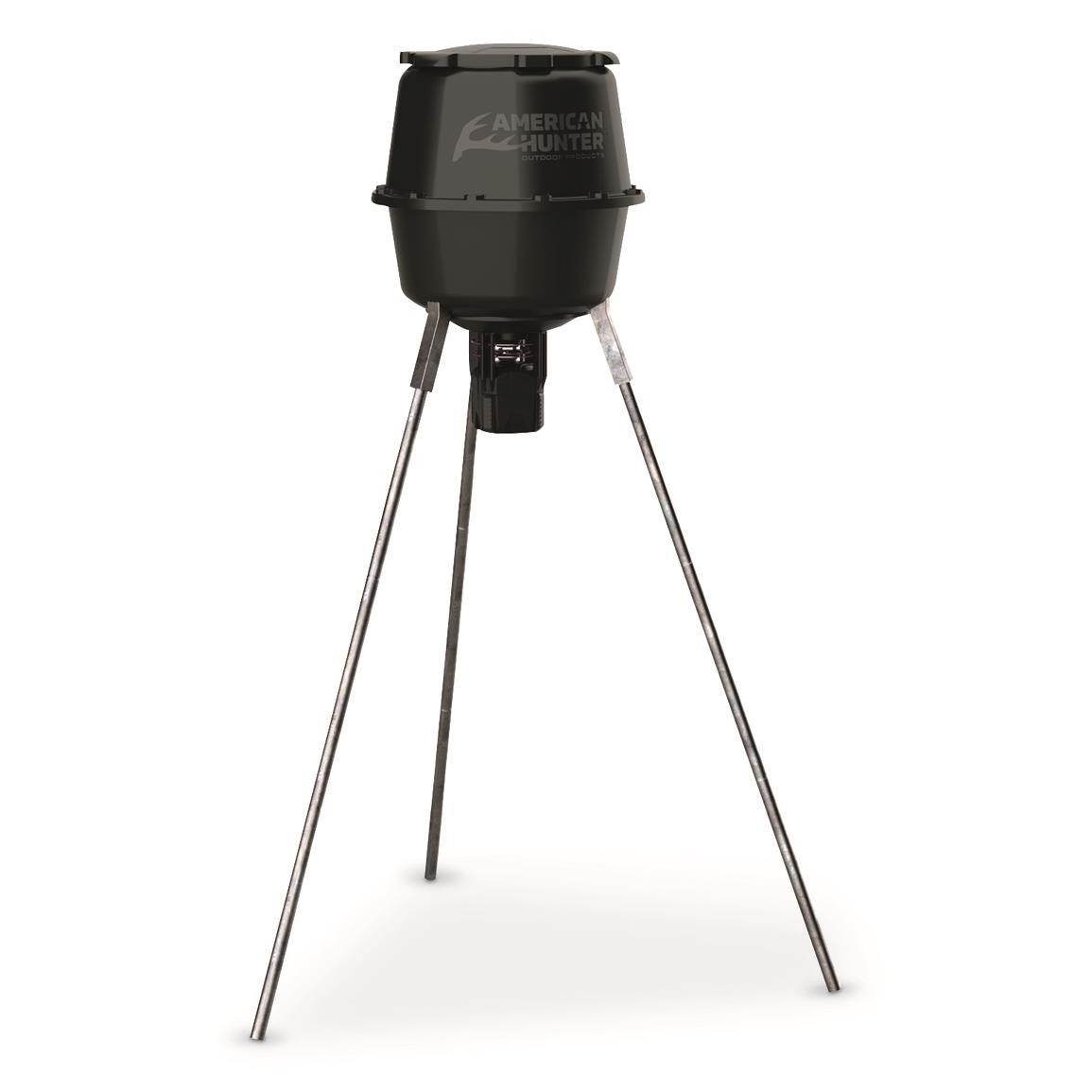
How to Program American Hunter Deer Feeder: Manuals & Timer Setup (2026)
Affiliate disclosure: BestDeerFeeders.com is reader-supported. As an Amazon Associate we earn from qualifying purchases, at no extra cost to you. Our picks are not sponsored and no brand reviewed or paid for placement.
The short answer
Learning how to program american hunter deer feeder timers starts with one thing: identifying which of the four timer types your kit actually has, because each one programs differently. The SunSlinger uses an LCD with four arrow keys and holds up to 16 feed times. The XDE kit uses PROG and ENTER buttons. The X-Pro is an analog dial timer. And the E-Kit photocell model has no clock at all — it feeds at dawn and dusk automatically, and the only setting is how long the motor runs.
Every sequence on this page is taken from the manufacturer’s own manual for that kit, and the manuals themselves are free: American Hunter’s parent company, GSM Outdoors, publishes them in the download center on bossbuck.com (the combined Boss Buck | American Hunter store). The full download table is below, followed by the step-by-step programming for each timer family. If your feeder has stopped feeding altogether, work our deer feeder not working diagnosis first — a dead battery imitates a programming problem.
Safety first: a timed feeder can start on its own at any moment. Disconnect the battery before you reach near the spin plate or clear feed from the throat — every time, even while programming with the feeder on the ground.
First: which American Hunter timer do you own?
American Hunter has sold several feeder kits under similar names, and the programming steps do not transfer between them. Find your kit in this table before you touch a button — the giveaway is the control face.
| Kit / timer | How to recognise it | Programming style | Go to |
|---|---|---|---|
| SunSlinger (kit manual AH-190204; current kit AH-SSLNG-KIT) | LCD screen with four arrow keys (Right / Left / Up / Down); solar charger built in; kit runs on a 6V battery | Arrow-key menus; QSET presets + up to 16 custom feed times | SunSlinger steps |
| XDE Feeder Kit (AH-XDE-KIT) | LCD timer with PROG, ENTER and TEST buttons; metal spin plate; fits twist-lock or flat-mount hoppers; runs on 6V or 12V | PROG/ENTER menus; 1–16 settings, 0–60 second runs | XDE steps |
| X-Pro Feeder Kit (AH-XPRO-KIT) | Analog timer face — dial/button configuration, no arrow-key LCD menu | Analog settings; up to 16 settings, 0–60 second runs | X-Pro notes |
| E-Kit Photocell Kit (model 305819; listed as Photocell Kit 30581) | No screen and no clock buttons at all — just a feed-rate adjustment on the control box and a light sensor | Nothing to program: feeds at dawn and dusk; set run length only (1–30 seconds) | E-Kit notes |
| RD-PRO / R-PRO kits (30591 / 30590) | Older digital-clock kits sold under the RD-PRO and R-PRO names | Official instruction ZIPs exist, but GSM does not publish step-by-step programming text outside them | The RDE question |
Not sure which kit is hanging under your barrel? Download the manuals below and match the control-box drawing to your unit — the official documents are the fastest identification tool there is.
American Hunter feeder manuals: the official downloads
Every American Hunter feeder kit manual lives in one place: the American Hunter Feeder Kits category of the bossbuck.com download center. There are exactly eight downloads. One thing that confuses owners: the separate “American Hunter Feeders” category in the same download center lists no downloads at all — complete feeder manuals are not published there, so the kit documents below are the official manual set.
| Official listing (as named on bossbuck.com) | What it covers | Download |
|---|---|---|
| AH-AADK Instructions | Instruction outline (PDF) for a digital feeder kit — the listing’s photo shows a digital feeder kit, and the listing does not expand what “AADK” stands for | |
| Sunslinger Kit 30580 | The SunSlinger spin kit — arrow-key timer programming, QSET presets, test function, spin-plate adjustment (ZIP of the kit’s instruction sheets) | ZIP |
| RD-PRO Kit 30591 | Instructions for the RD-PRO feeder kit (ZIP) | ZIP |
| R-PRO Kit 30590 | Instructions for the R-PRO feeder kit (ZIP) | ZIP |
| Heavy Duty Digital Spin Kit 20558 | Instructions for the heavy duty digital spin kit (ZIP) | ZIP |
| Photocell Kit 30581 | The E-Kit photocell kit (model 305819) — dawn/dusk operation and the feed-rate adjustment (ZIP) | ZIP |
| Directional Kit AH-DF1 | The Directional Kit — a separate product from the SunSlinger (see below) (ZIP) | ZIP |
| Gravity Protein Feeder Kit 20730 | Instructions for the gravity protein feeder kit (ZIP) | ZIP |
The same download center also carries instruction sheets for individual parts — motors, funnels, lids, varmint guards, batteries and solar chargers — under its Accessories, Batteries and Chargers categories. If you are fitting a single replacement part rather than a whole kit, start at the download center index. Our deer feeder parts & accessories guide walks through which part fixes which failure.
A note on sources: the programming sequences below are reproduced from the manufacturer manual for each kit. The SunSlinger sequence comes from the original manual document (model AH-190204). If the paper manual that shipped in your kit’s box differs from anything here, the paper manual wins — GSM revises documents without renaming them.
SunSlinger timer programming (arrow-key digital)
The SunSlinger kit’s timer is the one most owners mean when they search for programming help: an LCD with four arrow keys (Right, Left, Up, Down), a built-in solar charger, and a 6V lantern battery (not included). The manual for this timer is document AH-190204, and the full sequence below follows it step for step. Remove the protective cover, if one is fitted, before you start.
Fastest setup: the QSET presets
If you don’t need custom times, the timer ships with two factory presets:
| Preset | Feed times | Days | Run time |
|---|---|---|---|
| QSET 1 | 6:30 AM and 6:30 PM | All days | 3 seconds |
| QSET 2 | 6:30 AM and 6:30 PM | All days | 5 seconds |
For most corn-feeding routines, QSET 2 is the two-feedings-a-day setup owners actually want. Use the custom programs below when you need different times, more feedings, or weekday-only schedules. Note that the current SunSlinger kit manual (AH-SSLNG-KIT) describes the same two Q-Set presets alongside custom programming — up to 16 feeding times per day with run durations adjustable from 1 to 60 seconds — and specifies a 6V spring-top battery, charged for 5–8 hours on a 110V 6V charger before first use.
Step 1: set the clock
- Remove the protective cover if installed.
- On the home screen, press the Right arrow.
- On the Current Time screen, press the Right arrow again.
- “Hour” flashes — press Up or Down to set the hour, then press Right.
- “Minute” flashes — press Up or Down to set the minute, then press Right.
- “Day” flashes — press Up or Down to set the day, then press Right to return to the Current Time screen.
- Press the Left arrow to return to the home screen.
Manual quirk worth knowing: the printed day step in the AH-190204 document contains a typo (it says “adjust the minute” a second time). Follow the flashing “Day” indicator on the screen, not that sentence.
Step 2: set the first feed time
- Remove the protective cover if installed.
- Press the Left button to enter the timer viewing screen — the number in the upper right corner shows which timer you are viewing.
- Press the Right button to enter the timer programming screen.
- “Day” flashes — Up/Down to set the day(s), Right when done.
- “Hour” flashes — Up/Down to set the hour, Right when done.
- “Minute” flashes — Up/Down to set the minute, Right when done.
- The run-time duration flashes — Up/Down to set how long the motor runs, then Right to return to the timer viewing screen, and Left to exit to the home screen.
The manual adds one condition owners miss: for a feed time that runs every day, set one program cycle for that time — but every day of the week must be showing at the bottom of the LCD for that cycle, or it will only fire on the days displayed.
Step 3: add feed times 2–16
- In the timer viewing screen, press Up to move to the next program cycle (or Down for the previous one).
- Repeat the feed-time steps above for each additional program, up to 16.
- When all programs are set, wait 5 seconds — the timer returns to the current time and day display on its own.
Cancel one feed time
Navigate to that program’s “Day” adjustment. The OFF setting sits just before the Sunday setting — scroll to it with Up/Down and select it to disable that custom time without disturbing your other programs.
Test-run the feeder
- Press and hold the Right arrow to activate the test. Stand clear: there is a 5-second delay before the test begins.
- Press the Left arrow during the countdown to cancel the test.
Reset the timer
Press the recessed button on the timer. This resets all program cycle settings — you will need to re-enter your clock and feed times afterwards, so treat it as a last resort, not a first fix.
What “FFF” on the display means
If the feeder clogs, the motor stops and tries to dislodge the blockage 3 times. If it can’t clear it, FFF appears on the screen. Clear the feed path by hand (battery disconnected), then press the Left arrow to clear the message.
Adjusting the spin plate
The SunSlinger’s spin plate height is adjustable for different feed sizes, and the varmint guard does not need to come off to do it: rotate the plate so the adjustment hole is accessible through the guard, loosen the screw, slide the plate to the height you need, and tighten the screw again. The kit also supports an optional Remote Activator (not included).
XDE feeder kit programming (PROG / ENTER digital)
The XDE Feeder Kit (AH-XDE-KIT) is American Hunter’s digital twist-lock/flat-mount kit — metal spin plate, industrial-grade motor, and a rail mount for accessories such as a solar panel, feeder meter or remote activator (not included). It runs on a 6V or 12V battery (not included). Its timer offers 1–16 custom time settings with run times of 0–60 seconds, optional day-of-the-week settings, two preconfigured settings, and reverse polarity protection.
The programming flow, per the kit manual:
- Press PROG to enter program mode.
- Use the arrow buttons to set the current time (hour, then minute) and press ENTER to confirm.
- Select a feed-time slot (for example SET 1), then set its start time and its duration (0–60 seconds). Repeat for up to 16 feed times.
- Toggle the days of the week for each feed time if you don’t want it to run daily.
- Press ENTER or PROG again to save and exit.
- Press TEST to activate the feeder briefly and confirm the plate spins.
Run times start at 0 seconds — a slot left at 0 does not feed, which is effectively how you switch one slot off without deleting its time. One caution: the XDE manual text circulating online is a conversion of the manufacturer’s PDF and paraphrases the button wording in places, so if your kit’s screen prompts differ slightly, follow the prompts on the unit and keep the paper manual from the box as the final word.
X-Pro feeder kit (analog timer)
The X-Pro Feeder Kit (AH-XPRO-KIT) uses an analog timer: up to 16 custom time settings per day, run times adjustable from 0–60 seconds, an optional day-of-the-week setting, two preconfigured settings, and reverse polarity protection. It runs on the DE-30045 battery (not included) — the 6V 5-amp rechargeable in American Hunter’s battery line — and has a built-in plug for an optional solar panel, plus the same rail-mount and twist-lock/flat-mount fitting as the XDE.
Programming on the X-Pro is done through the timer’s own dial-and-button configuration, following the markings on the unit. There is no arrow-key menu sequence for this kit — the SunSlinger steps above do not apply — so the authority is the kit’s manual (model AH-XPRO-KIT) and the markings on your timer face. Set the current time first, then work through each feed-time setting, its run length (0–60 seconds), and its days, exactly as the dial labels them.
E-Kit photocell: the timer with no clock
A steady share of “how do I program my American Hunter feeder?” questions come from E-Kit owners hunting for a clock menu that doesn’t exist. The E-Kit Photocell Kit (model 305819, listed by GSM as Photocell Kit 30581) has no clock and no feed-time programming at all. A photocell sensor activates the feeder twice a day — at dawn and at dusk — automatically.
The only setting you control is the feed rate: how long the motor runs per feeding, adjustable from 1 to 30 seconds via the feed rate adjustment on the control box. Longer run = more feed per cycle. The kit needs a 6V spring-top SLA battery, and the manual recommends the DE-30045 (not included).
Because the photocell is the whole timer, placement is programming: keep the sensor clean and unobstructed, and site the feeder where the sensor receives real ambient light — a feeder tucked into constant shade will misread dawn and dusk and feed at odd times. If your E-Kit feeds erratically, clean the sensor and check its light exposure before you suspect the motor.
Is there an American Hunter “RDE kit” manual?
Plainly: no. There is no document titled “RDE” anywhere in American Hunter’s official download center, and GSM Outdoors does not publish a separate RDE kit manual. If you are searching for one, you are almost certainly looking for one of these two official downloads instead:
- RD-PRO Kit 30591 — official ZIP
- R-PRO Kit 30590 — official ZIP
Two honest caveats. First, GSM publishes these kits’ instructions only inside those ZIP files, so no official step-by-step programming text for the RD-PRO or R-PRO exists outside them — download the ZIP for your kit and follow the sheet inside. Second, the descriptions of these kits elsewhere on the web are secondary sources and they disagree with each other: a retailer listing describes the RD-PRO Kit 30591 as a digital-clock kit with 1–30 second feed durations and up to six feedings per day, while review roundups describe an “RDE” digital timer — said to share the R-Pro kit’s housing — as offering up to 16 feedings a day at 1–30 seconds. Neither figure comes from the manual itself, so treat both as unverified until the official sheet says otherwise. What is certain: the SunSlinger and XDE sequences on this page do not transfer to these kits — the controls differ.
SunSlinger is not a directional feeder
One mix-up worth clearing up, because it drives a lot of confused searches: the SunSlinger is a broadcast spin kit. Its own manual describes a spin plate that throws feed in a circle, with an adjustable plate height — there is no directional feature in the kit. The Directional Kit AH-DF1 is a different product with its own separate listing and its own official download in the same download center. If you bought a SunSlinger expecting it to throw feed in one direction only, it won’t — that is the AH-DF1’s job. Our Boss Buck feeders hub explains how the two brands’ kits sit side by side in the combined Boss Buck | American Hunter store, which is where much of the naming confusion starts.
Timer troubleshooting: quick fixes
Most “broken timer” reports are one of these. Work the row that matches your symptom before you order anything.
| Symptom | Likely cause | Fix |
|---|---|---|
| Display shows FFF (SunSlinger) | Feed clog — the motor already tried 3 times to clear it | Disconnect the battery, clear the throat and plate by hand, reconnect, press the Left arrow to clear the message |
| Clock wrong or dead after a battery change | Timer powered back on too quickly after switch-off | Switch off, wait at least 20 seconds, power on, re-set the clock (the manual warns a faster restart can cause clock failure) |
| Feeder skips some days | The program’s day selection doesn’t include today — for daily feeding, every day of the week must show at the bottom of the LCD for that cycle | Edit the program and set all days (SunSlinger), or check the day-of-week toggles (XDE) |
| One feed time won’t turn off | It’s still enabled in its program slot | SunSlinger: in the Day adjustment, select OFF (just before Sunday). XDE: set that slot’s run time to 0 seconds |
| Test run seems not to start | The built-in 5-second test delay | Hold the Right arrow and wait the full 5 seconds; press Left during the countdown only if you want to cancel |
| Every setting has vanished | The recessed reset button was pressed — it clears all program cycles | Re-enter the clock and feed times; there is no undo |
| Photocell kit feeds at odd times | Sensor dirty, obstructed, or sitting in constant shade | Clean the sensor and re-site the feeder where it gets real ambient light |
| Display lit, settings correct, motor never runs | Not a programming fault — power delivery, motor or plate | Work the power → timer → motor → plate chain in our deer feeder not working guide |
When the timer itself has failed
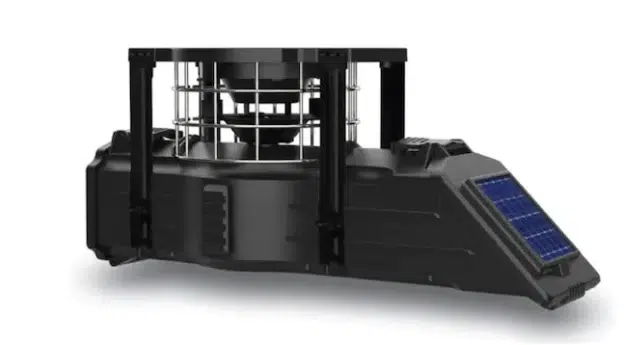


If a timer won’t hold a clock after the 20-second rule, won’t save programs, or fails the test run with a known-good battery, the kit — not the whole feeder — is the replaceable unit. Two routes:
Manufacturer parts. GSM sells parts and accessories through the bossbuck.com store, organised into Motors, Kits, Funnels, Lids and Batteries & Chargers, and the instruction sheet for an individual part is usually in the download center’s Accessories, Batteries or Chargers categories. Our parts & accessories guide covers motors, timers, batteries and solar in one place.
Replacement kits on Amazon. Match the kit family to the one you identified above — a SunSlinger timer does not program like an XDE, and neither fits the photocell E-Kit’s job:
Rule out the battery first — it is the cheapest part in the chain and the one that most often imitates a dead timer.
American Hunter support, warranty & returns
American Hunter is a GSM Outdoors brand (GSM, LLC). The support route for every kit on this page is the same:
- Customer support (toll-free): (877) 269-8490 — the number printed in the manuals’ warranty sections and used for return authorizations
- Manufacturer: GSM, LLC — P.O. Box 535189, Grand Prairie, TX 75053-9504 · gsmoutdoors.com
- Warranty registration: GSM Outdoors product warranty registration — register the kit; you will want it on file before any claim
The warranty term: two official figures — read both
90 days (the policy page): the bossbuck.com Return / Warranty Policy page states in general terms that “Boss Buck / American Hunter products are covered by a 90-Days Limited Warranty” — and the same page also tells you to refer to your individual product for its specific warranty time frame.
What to do with that: the two official statements conflict on their face. Treat the term printed in your kit’s own manual as the one to argue from, register the product, and confirm the applicable term with GSM at (877) 269-8490 when you open a claim. Under the manual’s terms the warranty is void if the warranty card was not sent in at purchase, if you are not the original purchaser, or if the unit has been tampered with, opened, punctured or physically abused.
Returns: get an RA number first
- Call customer service at 877-269-8490 and obtain a Return Authorization (RA) number before sending anything — GSM states it is not responsible for any product sent without one.
- Have your original sales receipt ready; it must be produced for warranty service.
- Ship to GSM Outdoors, 5250 Frye Road, Irving, TX 75061.
- Do not send COD (it will be refused and sent back), do not include accessories or other items in the shipment, and note that GSM is not responsible for items lost in transit.
There are also online forms: Request Return Authorization and Request Warranty Replacement. Any unauthorised service or alteration of the unit voids the warranty — another reason to exhaust the programming and troubleshooting steps above before opening the control box.
Related guides & resources
- Boss Buck feeders hub — every Boss Buck model reviewed; American Hunter kits are sold alongside them in the same combined store, and the hub’s parts section overlaps this page’s spares route
- Deer feeder not working? — the symptom-led diagnosis for when the problem isn’t programming
- Deer feeder parts & accessories — replacement motors, timers, batteries and solar, and which failure each one fixes
- GSM download center (bossbuck.com) — the official manual library for American Hunter kits, accessories, batteries and chargers
- Boss Buck troubleshooting page — Boss Buck-branded rather than American Hunter-specific, but its motor checks and timer-reset method are useful once programming is ruled out
American Hunter manuals & programming FAQs
How do I program an American Hunter deer feeder?
It depends on which timer your kit has. On the SunSlinger (LCD with arrow keys), set the clock first — Right arrow from the home screen, then Right again, and set hour, minute and day — then press Left to view timers, Right to program, and set day, hour, minute and run time for up to 16 feed times. On the XDE kit, use PROG to enter program mode, the arrows to set times, ENTER to save, and TEST to check. The X-Pro programs through its analog dial. The photocell E-Kit has nothing to program at all. Full step-by-step sequences for each family are in the sections above.
Where can I download the American Hunter feeder user's manual?
From the official download center on bossbuck.com (the combined Boss Buck | American Hunter store). All eight kit manuals are in the American Hunter Feeder Kits category — SunSlinger, RD-PRO, R-PRO, Heavy Duty Digital Spin Kit, Photocell Kit, Directional Kit, Gravity Protein Kit and the AH-AADK instructions. Note the separate American Hunter Feeders category in the same download center lists no downloads; the kit documents are the official manual set.
Is there an American Hunter RDE kit manual?
No. No document titled RDE exists in American Hunter’s official download center, and GSM Outdoors does not publish a separate RDE kit manual. The closest official documents are the RD-PRO Kit 30591 and R-PRO Kit 30590 instruction ZIPs on bossbuck.com. Descriptions of an ‘RDE timer’ on review sites are secondary sources and conflict with retailer listings, so download the official ZIP for your kit and follow the sheet inside it.
How many feed times can the SunSlinger timer hold?
Up to 16 custom feed times, plus the two factory QSET presets. Programs are added one at a time from the timer viewing screen (Up moves to the next program cycle), and each program carries its own day selection, start time and run duration.
What are QSET 1 and QSET 2 on a SunSlinger timer?
They are the two factory presets. QSET 1 feeds at 6:30 AM and 6:30 PM, all days, with a 3-second run. QSET 2 feeds at the same times on all days with a 5-second run. If a twice-daily routine suits your setup, a QSET preset is the fastest complete setup the timer offers.
How do I cancel one feed time without deleting the others?
On the SunSlinger, navigate to that program’s Day adjustment and select OFF — it sits just before the Sunday setting — which disables that custom time only. On the XDE kit, set the unwanted slot’s run time to 0 seconds; a zero-length run does not feed.
What does FFF mean on my American Hunter timer display?
On the SunSlinger, FFF is the clog warning. The motor stops and tries to dislodge the blockage 3 times; if it can’t, FFF appears on the screen. Disconnect the battery, clear the feed path by hand, then press the Left arrow to clear the message.
How do I test-run my SunSlinger feeder?
Press and hold the Right arrow to activate the test. There is a 5-second delay before the test begins, so stand clear of the spin plate. Press the Left arrow during the countdown if you need to cancel the test.
Why did my timer lose its clock after I changed the battery?
Probably the reboot rule: the SunSlinger manual says that if the timer is turned off to reboot the clock, you must wait at least 20 seconds before turning it back on, or the clock may fail. Switch off, wait a full 20 seconds, power on, and re-set the time and day.
Why does my American Hunter feeder have no clock to set?
You have the E-Kit photocell model (305819). It has no clock and no feed-time programming: a photocell activates the feeder twice a day, at dawn and at dusk, automatically. The only setting is the feed rate — the motor run length, adjustable from 1 to 30 seconds — on the control box. Keep the sensor clean and exposed to ambient light so it reads dawn and dusk correctly.
Is the SunSlinger a directional feeder?
No. The SunSlinger is a broadcast spin kit — its manual describes a spin plate that throws feed in a circle, with an adjustable plate height. The Directional Kit AH-DF1 is a separate American Hunter product with its own download in the official download center.
What warranty covers American Hunter feeder kits, and how do I claim?
The kit manuals state a 1-year limited warranty against defects in materials and workmanship for the original purchaser (the SunSlinger and XDE manuals both say this), while the bossbuck.com warranty policy page gives a general 90-day limited warranty statement for Boss Buck / American Hunter products and tells you to refer to your individual product for its specific time frame — so confirm your term when you register the product. To claim, call GSM Outdoors at (877) 269-8490 for a Return Authorization number before returning anything, and have your original sales receipt ready.
Final verdict
Every American Hunter programming problem resolves the same way: identify the timer family first, download the matching manual from the official set, then follow that family’s sequence — arrow keys and QSET presets on the SunSlinger, PROG/ENTER on the XDE, the dial on the X-Pro, and nothing at all on the photocell E-Kit, because there is no clock to set. Keep the 20-second reboot rule in mind at every battery change, and if a claim ever comes up, call (877) 269-8490 for an RA number before anything goes in the post. If your feeder still won’t feed after the programming checks, it was never a programming problem — start the diagnosis in our feeder not working guide.
Last updated: October 23, 2026. Manual listings, programming steps and support details checked against the official bossbuck.com download center, the manufacturer manuals and GSM’s published warranty policy at the time of writing.
Sources
- bossbuck.com download center and American Hunter Feeder Kits category — official manual inventory, listing titles and file URLs (checked October 2026)
- SunSlinger instruction manual, model AH-190204 (manufacturer document) — full programming sequence, QSET presets, FFF clog behaviour, 20-second reboot rule, spin-plate adjustment, warranty terms and GSM contact details
- SunSlinger Digital kit manual, model AH-SSLNG-KIT — 16 feed times, 1–60 second durations, Q-Set presets, 6V spring-top battery and initial charge
- XDE Feeder Kit manual, model AH-XDE-KIT — 1–16 settings, 0–60 second runs, PROG/ENTER/TEST flow, 1 Year Limited Warranty
- X-Pro Feeder Kit manual, model AH-XPRO-KIT — analog timer, 16 settings, 0–60 second runs, DE-30045 battery
- E-Kit Photocell Feeder Kit manual, model 305819 — dawn/dusk photocell operation, 1–30 second feed rate, sensor care
- bossbuck.com Return / Warranty Policy page — 90-day general warranty statement, RA process, receipt requirement, Irving TX return address, online RA and warranty forms
- GSM Outdoors — product warranty registration
- deguns.com retailer listing, RD-PRO Kit 30591 — secondary description of the RD-PRO kit (digital clock, 1–30 seconds), flagged in the article as non-manual information


