
Best Wi-Fi Trail Camera (2026)
As an Amazon Associate I earn from qualifying purchases.
Updated October 31, 2026 · by Zia
In this guide:
- The short answer
- At-a-glance comparison table
- Which camera fits your visit pattern?
- How we picked
- The cameras, reviewed
- Video: see the difference before you buy
- What a trail camera really costs over a year
- How to choose: Wi-Fi, cellular, or plain SD card
- Setting a camera on a feeder site
- Resources hub
- Frequently asked questions
- Final verdict
The short answer
If you want a true Wi-Fi trail camera, buy the GardePro A80 Wi-Fi. It creates its own short-range Wi-Fi hotspot, so you can preview and download photos and 4K video on your phone from about 45 feet away, with no monthly fee and no cell signal required. But read the next sentence before you spend anything: a Wi-Fi camera does not send pictures to your phone while you are at home. If your feeder sits on a property you only visit once a month, or hours from home, you do not want Wi-Fi at all — you want a cellular camera such as the Tactacam Reveal X-Pro or the Moultrie Delta, and you should budget for its monthly data plan. The right camera is decided by one question above all others: how often do you actually stand next to it?
The comparison table below lines up all seven cameras in this guide — two true Wi-Fi models, one honest no-wireless model, and four cellular models — so you can see the trade-off in one glance: range, recurring cost, image retrieval, remote settings, and power burden.
Fast choices: pick by your situation
Every camera below has its photo, its trade-off in one line, and a button to the maker or retailer page this guide already links to, plus a link to the full review.
Best overall Wi-Fi camera
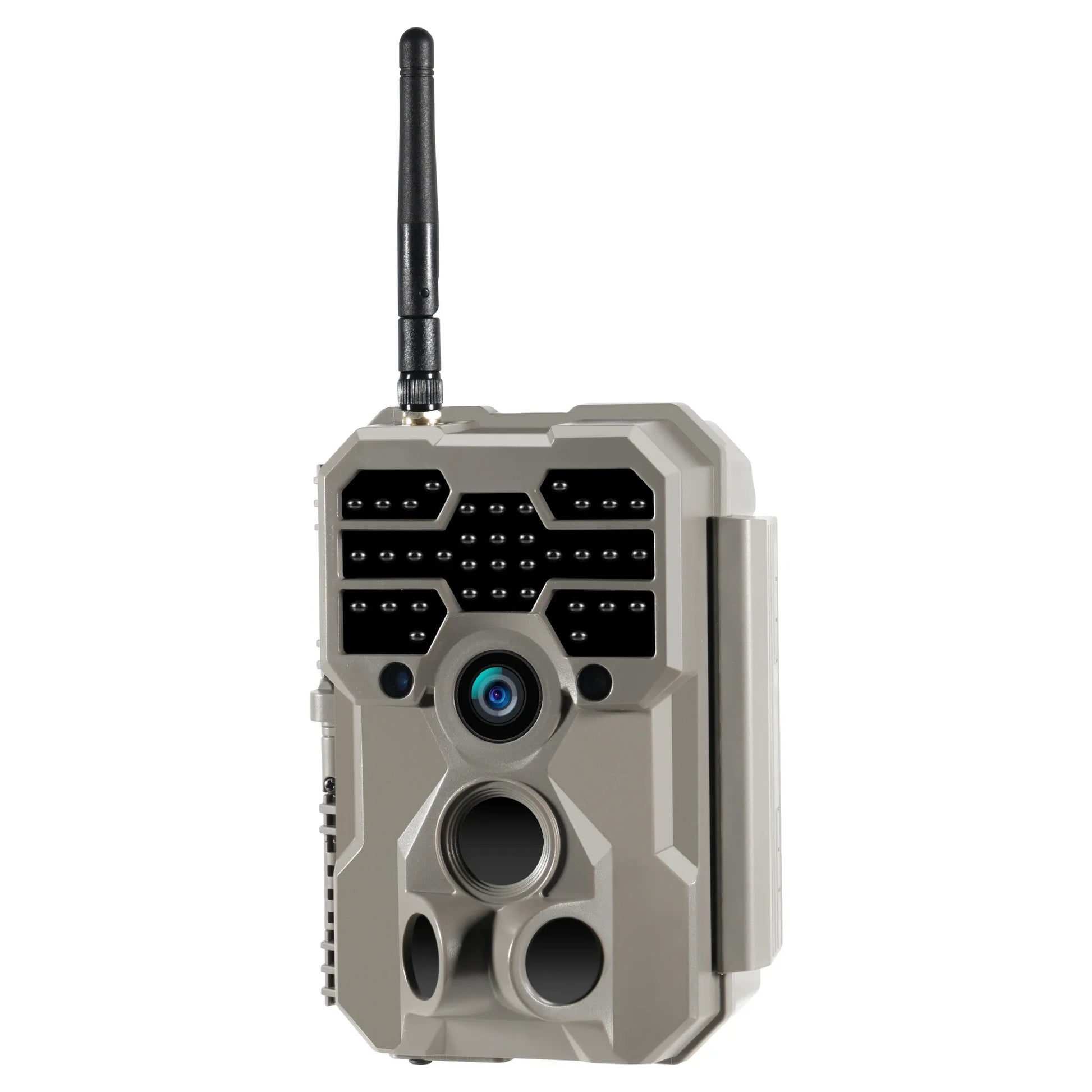
GardePro A80 Wi-Fi
True Wi-Fi: its own short-range hotspot, about 45 feet, with no monthly fee and no cell signal required.
Caution: It does not send pictures to your phone while you are at home.
Best solar-ready Wi-Fi camera
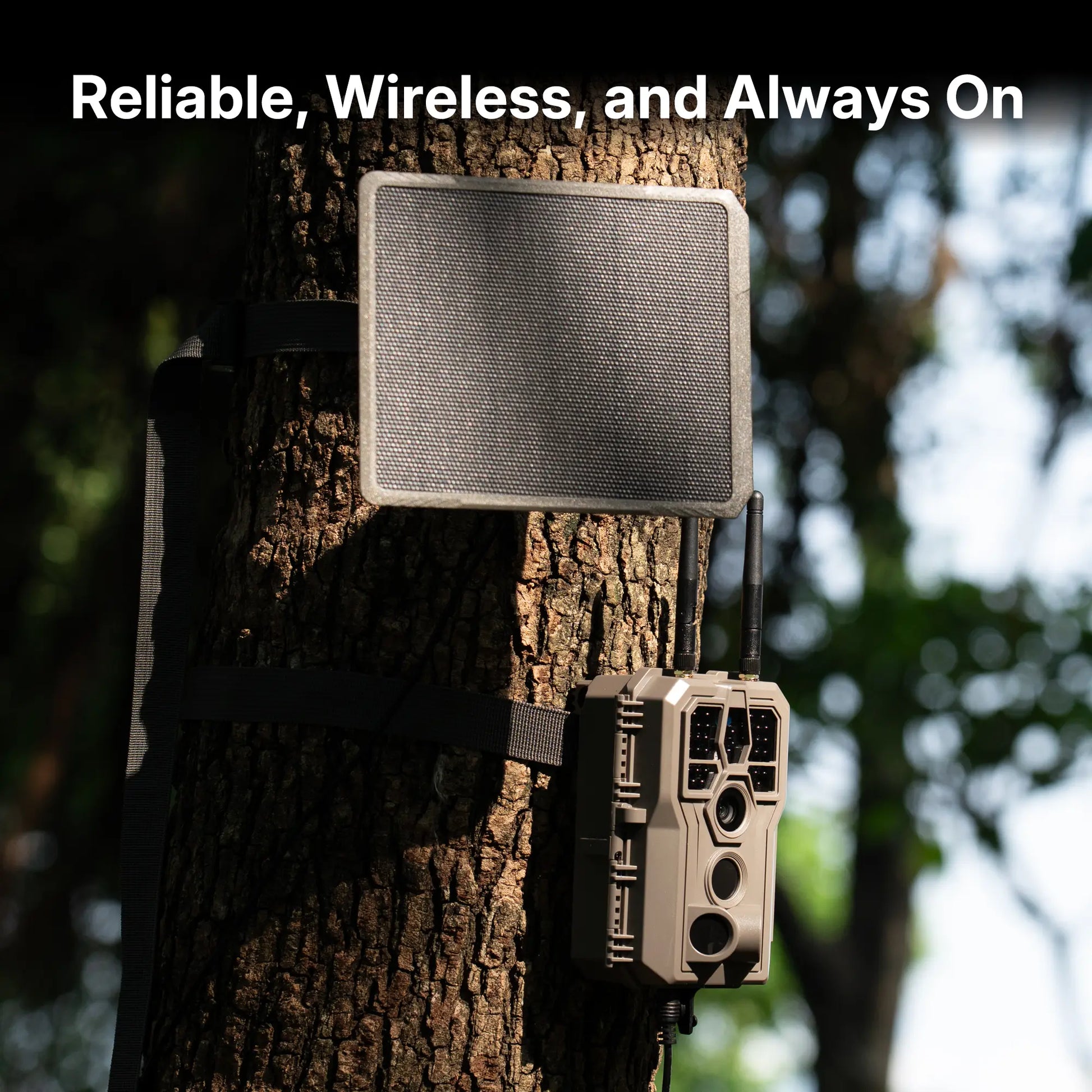
GardePro E8 Wi-Fi with Solar Panel
Wi-Fi plus a solar panel, attacking the one recurring cost a Wi-Fi camera actually has: batteries and trips.
Caution: Local hotspot only, like the A80 — it does not send pictures to your phone at home.
Best no-wireless feeder camera
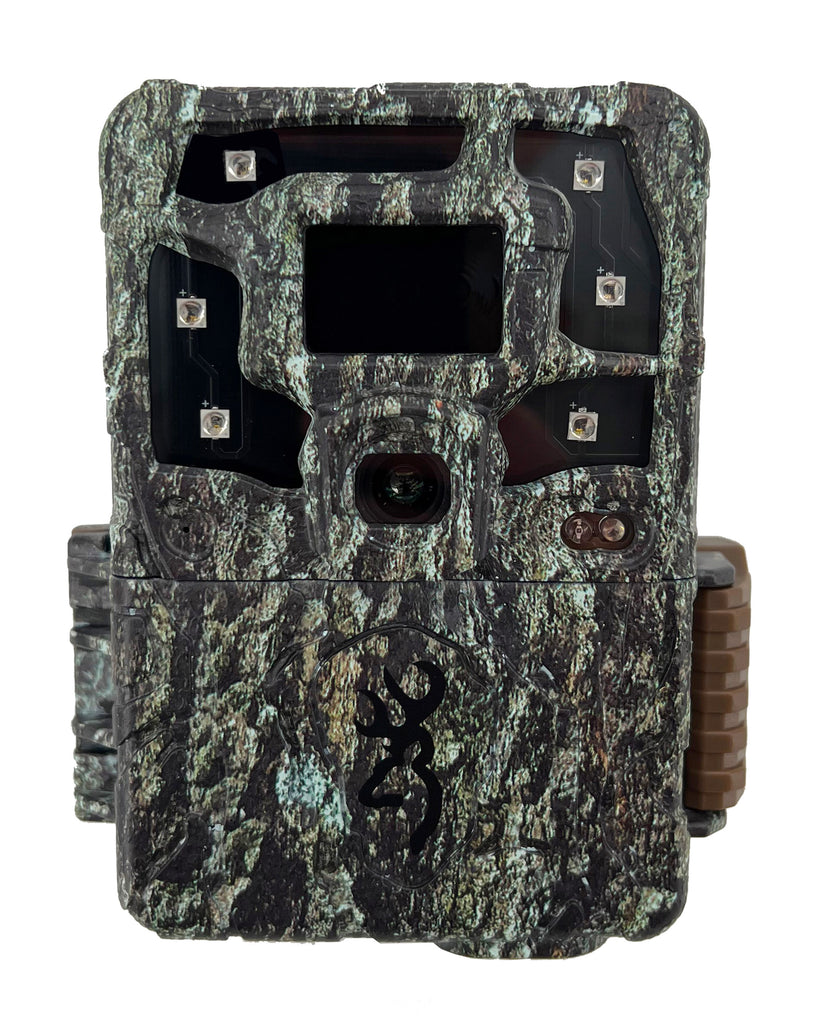
Browning Strike Force Pro X 1080
No wireless at all: SD card only, so no fees, no plans, and no signal needed.
Caution: This is not a Wi-Fi or cellular camera, despite common listing errors.
Best cellular camera for remote properties
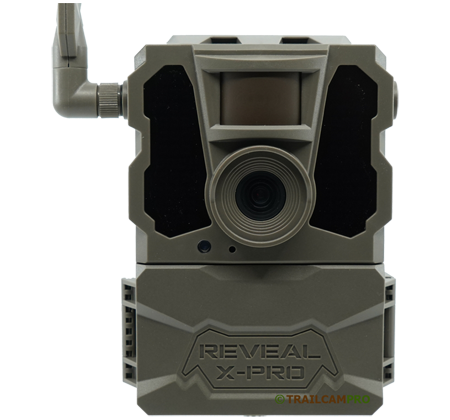
Tactacam Reveal X-Pro
Cellular LTE: images reach your phone from a property you have not visited in weeks.
Caution: Needs cell coverage at the camera itself, plus a month-to-month plan per camera.
Best cellular camera for app features
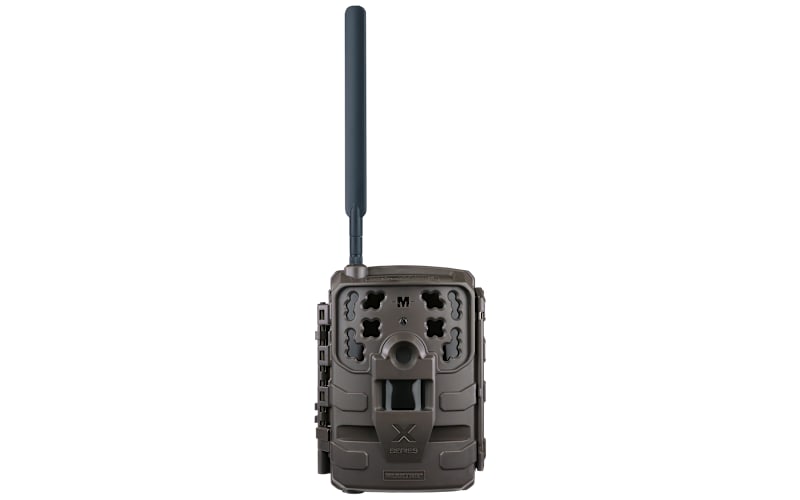
Moultrie Delta
Cellular built around the Moultrie Mobile app: species recognition, SmartTags, and remote settings.
Caution: Verizon cellular, with monthly plans to budget for.
Best dual-carrier cellular camera
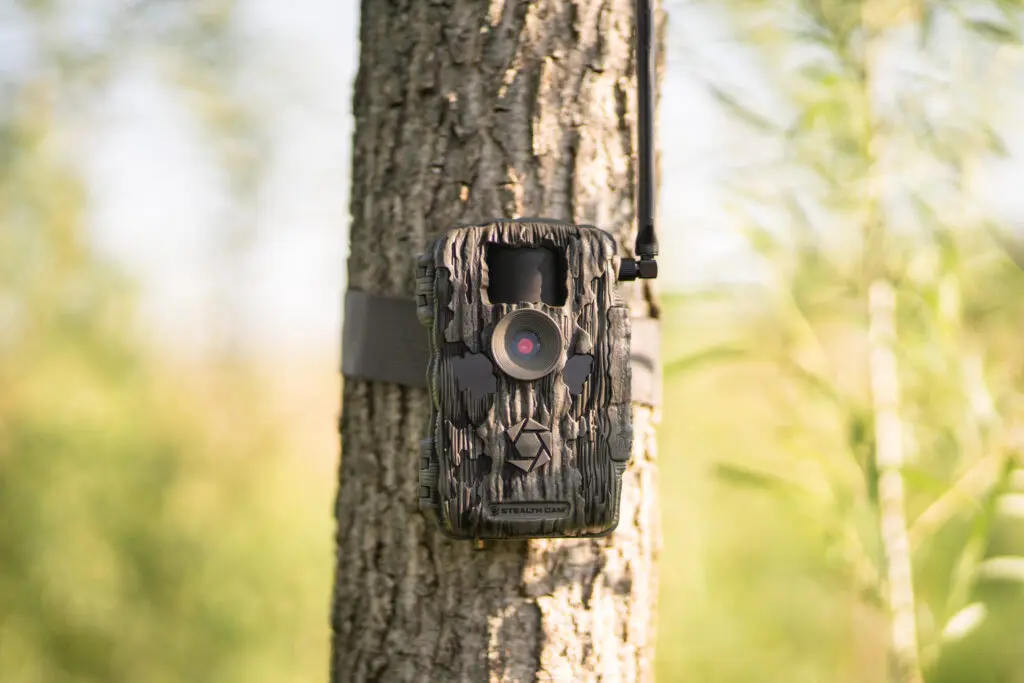
Stealth Cam Fusion X-Pro
Dual-SIM AT&T and Verizon: the pick when you are not sure which carrier covers your property.
Caution: Monthly plan required; confirm carrier coverage at the camera site first.
Best cellular camera for running several cameras
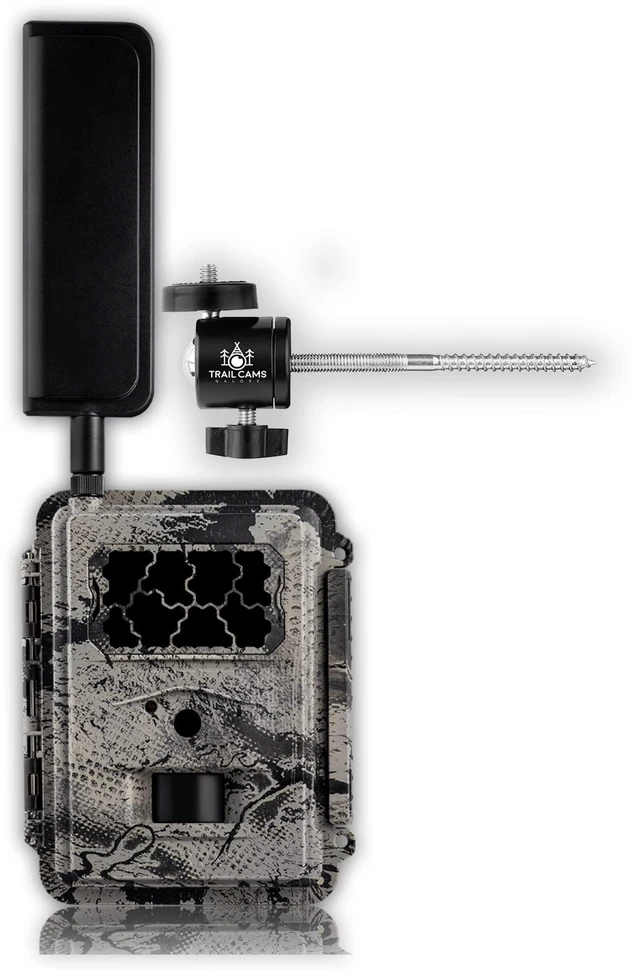
Spartan GoCam
Data-pool plans shared across cameras: priced for people running many cameras at once.
Caution: Monthly data-pool plan, and lower resolution (8MP maximum) than the other cameras here.
At-a-glance comparison table
| Photo | Camera | Best for | Connection type | Key spec | Recurring cost | Buy / learn more |
|---|---|---|---|---|---|---|
|
GardePro A80 Wi-Fi | Best overall Wi-Fi camera | Wi-Fi hotspot (local, ~45 ft) | 64MP photos, 4K video, 0.1-second trigger | None — no data plan | See it on Amazon → |
|
GardePro E8 Wi-Fi with solar panel | Best solar-ready Wi-Fi camera | Wi-Fi hotspot (local) | 32MP photos, 1296p video, 0.2-second trigger | None — no data plan | See it on Amazon → |
|
Browning Strike Force Pro X 1080 | Best no-wireless feeder camera | None — SD card only | 24MP photos, 1080p video, 0.22-second trigger | None | Check Price on Amazon → |
|
Tactacam Reveal X-Pro | Best cellular camera for remote properties | Cellular LTE (AT&T / Verizon) | 16MP photos, no-glow IR, sub-0.5-second trigger | Month-to-month plan, per camera | See the Reveal line at Tactacam → |
|
Moultrie Delta | Best cellular camera for app features | Cellular (Verizon) | 32MP photos, 0.4-second trigger, 80-ft range | Plans listed from $7.99/month | See it on Amazon → |
|
Stealth Cam Fusion X-Pro | Best dual-carrier cellular camera | Cellular (AT&T / Verizon dual SIM) | 36MP photos, 720p video, 0.4-second trigger | Plans listed from $5/month | Check price on Amazon → |
|
Spartan GoCam | Best cellular camera for running several cameras | Cellular (AT&T / Verizon / multi-carrier) | 8MP photos, 1080p video, 0.6-second trigger | Data-pool plans; shared across cameras | See Spartan data plans → |
One warning that belongs above every table like this one: a camera advertised as “wireless” is not automatically a camera that sends photos from remote hunting land. “Wireless” on a box can mean Wi-Fi, cellular, or nothing more than “no cable.” Check which of the three it actually is before you buy, because that one fact decides everything else in this guide.
Which camera fits your visit pattern?
- Step 1 — Do you need photos while you are away from the property? If yes, skip Wi-Fi entirely and go to Step 3. If no — you walk past the camera anyway — a Wi-Fi camera is the cheapest way to stop pulling SD cards. Pick: GardePro A80 Wi-Fi.
- Step 2 — Is the camera within about 45 feet of where you stand, with a clear line of sight? Wi-Fi hotspots on trail cameras are short-range by design: GardePro states about 45 feet in the open, and trees, brush, and terrain shorten it. If you check the camera from a truck window or a cabin porch 100 yards away, Wi-Fi will not reach you. Pick: GardePro A80 Wi-Fi if yes; a cellular camera if no.
- Step 3 — Does the site have usable cell coverage? A cellular camera is only as good as the signal at the tree it hangs on. Multi-carrier models that can use more than one network are the safer bet when you are unsure which carrier is strongest. Pick: Tactacam Reveal X-Pro or Stealth Cam Fusion X-Pro.
- Step 4 — How many cameras will you run, and what will the plans cost over a year? Every cellular camera needs its own plan, and the plan usually costs more than the camera within a year or two. If the math stings, put a Wi-Fi or SD-card camera on the feeder you visit often and save cellular for the one distant site that earns it. Pick: Browning Strike Force Pro X 1080 for the visited site; one cellular camera for the remote site.
How we picked
We did not test these cameras in the field, and this guide does not pretend otherwise. What we did was aggregate manufacturer specification pages, manuals, retailer listings, independent reviewer measurements, and owner feedback, then cross-check the claims that matter most — connection type, trigger speed, detection range, power, and plan pricing — against more than one source wherever possible. Where sources disagreed, we say so in the review rather than quietly picking the flattering number.
Three weaknesses in competing roundups shaped this guide. First, most “best Wi-Fi trail camera” lists blur Wi-Fi and cellular together, which is exactly the confusion that leads a hunter to buy a Wi-Fi camera for a lease three hours away and discover it cannot send a single photo home. This guide keeps the distinction sharp in every section. Second, many lists repeat headline megapixels as if they meant image quality, when independent reviewers have long noted that trail-camera megapixel ratings are often interpolated — digitally enlarged without adding real detail. We report the maker’s number and tell you when a reviewer measured something different. Third, plan pricing is usually quoted as a single monthly figure with no mention that it is per camera, that HD photo and video requests can cost extra, or that a “free” plan may cover only the app and not transmission. The cost section below prices all of that out over a full year.
What we did not do: invent test results, invent owner quotes, invent prices, or invent product specifications. Where a specification could not be confirmed from a manufacturer, manual, retailer, or reviewer page, it was left out or the product was left out. One product in particular illustrates the rule: several aggregator pages label the Browning Strike Force Pro X 1080 as a “Wi-Fi” camera, but a retailer FAQ states plainly that this model records to an SD card only and is not wirelessly connected, and independent reviews describe it the same way. We include it as the no-wireless baseline and we do not call it a Wi-Fi camera.
The cameras, reviewed
1. GardePro A80 Wi-Fi — Best overall Wi-Fi camera
The A80 is the camera this guide points to first for anyone whose real need is a Wi-Fi camera, because it is the clearest example of what a Wi-Fi trail camera actually is: a camera that makes its own short-range wireless hotspot so your phone can talk to it while you stand nearby. GardePro’s own explanation of its Wi-Fi system is unusually honest about the limits. The camera pairs to your phone over Bluetooth Low Energy, then switches on its built-in Wi-Fi hotspot for the actual transfer, at up to 54 Mbps. The stated Wi-Fi range is about 45 feet (13 meters) in an open area without obstruction, and the Bluetooth pairing range is about 33 feet. Critically, GardePro states that this Wi-Fi does not connect to a home router or to the internet, and that your phone will likely show “Connected without Internet” while linked to the camera. That warning is normal behavior, not a fault — and it is the single most useful sentence in this whole guide for anyone who has ever wondered why their “Wi-Fi” camera never sent them a photo from home.
On the camera side, the A80 is well specified for a feeder site. GardePro lists 64MP photo resolution with an f/1.6 lens aperture, 4K video with audio, a Sony Starvis sensor for low-light performance, three PIR sensors with a 0.1-second trigger time, a 120-degree detection angle, and a 100-foot detection and night-vision range using 940nm no-glow infrared LEDs. It runs on 8 AA batteries (or 12V external power with AA backup), has a 2.4-inch color screen for setup and playback, and carries an IP66 weather rating. The maker’s page also notes the camera keeps working without Wi-Fi or internet at all, storing photos and video on a memory card — so the Wi-Fi is a convenience layered on top of a normal trail camera, not a dependency that bricks the camera when you forget your phone.
✅ Pros
- True local Wi-Fi with app control and no monthly fee — ever
- Fast 0.1-second trigger and wide 120-degree detection angle
- 4K video and a Sony Starvis low-light sensor for night feeder visits
- No-glow 940nm infrared, so the flash does not advertise the camera
- Still records to a memory card if you never use the Wi-Fi at all
❌ Cons
- Wi-Fi reaches only about 45 feet in the open — useless for remote monitoring
- Cannot join a home Wi-Fi network or send photos over the internet
- Connects to phones and tablets through the app only, not directly to a PC
- Headline 64MP figure is the maker’s rating; treat it as marketing resolution, not measured detail
🧑🌾 From the field: GardePro’s own product page carries owner comments praising the camera’s toughness through snowy winter days on a deck railing and easy tree mounting near a camp, with deer and birds captured reliably. That is the maker’s own page, so weigh it accordingly — but it matches the pattern of the A80’s listing rating of 4.5 from 55 reviews shown on the same page. The honest weakness to carry into your decision is not image quality but range: every owner convenience here depends on you being within a stone’s throw of the tree.
| Spec | Detail |
|---|---|
| Connection | Local Wi-Fi hotspot (2.4 GHz) + Bluetooth pairing; no internet, no data plan |
| Wi-Fi range | About 45 ft (13 m) open area; Bluetooth about 33 ft |
| Photos / video | 64MP photos; 4K video with audio |
| Trigger / detection | 0.1 second; 120-degree angle; 100-ft detection and night-vision range |
| Night vision | 940nm no-glow infrared LEDs |
| Power | 8 AA batteries or 12V external power |
| Weather rating | IP66 |
| Screen | 2.4-inch color screen |
See the GardePro A80 on Amazon →
Verdict: The best Wi-Fi trail camera for hunters who visit their feeder site regularly. If you walk the property weekly, this replaces SD-card pulls with a 45-foot phone download and costs nothing per month. If you do not visit weekly, skip to the cellular cameras below.
2. GardePro E8 Wi-Fi with Solar Panel — Best solar-ready Wi-Fi camera
The E8 is GardePro’s Wi-Fi camera sold with a solar panel, and it earns its place here for one practical reason: a Wi-Fi camera on a busy feeder can burn through AA batteries faster than a camera you only check monthly, because every phone download wakes the radio and every hog, raccoon, and deer that trips the sensor writes another file. Pairing the camera with a solar panel attacks the one recurring cost a Wi-Fi camera actually has — batteries and trips — without adding a data plan. The comparison data for the E8 lists 32MP photos, 1296p video at 20 frames per second or 1080p at 30 frames per second, a 0.2-second trigger speed, 100 feet of night-vision range, a 70-degree field of view with an f/1.6 lens, 940nm no-glow infrared LEDs, and support for SD cards up to 512GB, with H.264 video and sound.
The same Wi-Fi limits that apply to the A80 apply here: GardePro’s Wi-Fi cameras create a local hotspot for phones and tablets within about 45 feet, do not connect to a home router, and do not send images over the internet. The solar panel changes the power equation, not the connection equation. That distinction matters, because “solar Wi-Fi camera” is easy to misread as “camera that watches the property from anywhere.” It is not. It is a camera you still have to visit — you just visit it less often for batteries.
✅ Pros
- Solar panel bundle cuts battery swaps on a high-traffic feeder
- Wi-Fi app control with no monthly fee
- 100-foot no-glow night vision and 512GB card support
- H.264 video keeps file sizes smaller for phone downloads
❌ Cons
- Same ~45-foot local Wi-Fi limit as every true Wi-Fi camera
- Solar charging still depends on sunlight at the mounting spot — deep shade feeders get less benefit
- Slower 0.2-second trigger than the A80’s 0.1 seconds
- Narrower 70-degree field of view than the A80’s 120 degrees
🧑🌾 From the field: Owner data specific to the E8 was thin in the sources we could verify when this guide was written, so we will not invent any. The closest verified owner experience in the GardePro line comes from the E5, its non-Wi-Fi sibling: an independent reviewer ran one for over a month on lithium AA batteries with power to spare, measured detection closer to 80 feet than the advertised 90, and found very few empty frames on fast-moving deer thanks to the quick trigger. Treat the E8’s headline numbers the same way — expect real-world detection a little shorter than the box claims, and lithium AAs in cold weather.
| Spec | Detail |
|---|---|
| Connection | Local Wi-Fi hotspot + app; no data plan, no internet transmission |
| Photos / video | 32MP photos; 1296p (20 fps) or 1080p (30 fps) video with sound |
| Trigger / night vision | 0.2 second; 100-ft night-vision range; 940nm no-glow LEDs |
| Field of view | 70 degrees, f/1.6 lens |
| Storage | SD cards up to 512GB (user supplied) |
| Power | Solar panel bundle; AA battery operation per the GardePro line |
See the GardePro E8 with solar panel on Amazon →
Verdict: The Wi-Fi pick for a sunny feeder site with heavy traffic, where the solar panel pays for itself in batteries not bought and trips not made. Still a visit-required camera — the panel extends power, not range.
3. Browning Strike Force Pro X 1080 — Best no-wireless feeder camera
This is the most important entry in the guide to read carefully, because it corrects a common listing error. The Browning Strike Force Pro X 1080 (model BTC-5PX-1080) is not a Wi-Fi camera and not a cellular camera. A retailer FAQ answers the question directly — “Can I view the recordings via an app/my phone?” — with “No, this model records directly to an SD card only, it is not wirelessly connected. To review your captures you will need to retrieve the SD card, or use the playback feature on the camera’s screen.” Several aggregator pages label it “Wireless (Wi-Fi),” but the retailer answer and independent reviews agree: there is no app, no hotspot, and no transmission. We include it anyway, deliberately, because it is the honest baseline every other camera in this guide should be measured against: zero monthly cost, zero signal dependency, zero remote anything — and, for a feeder you visit anyway, that can be the right answer.
What you get for that simplicity is a fast, well-regarded feeder camera. The manual lists 24MP photos, 1080p Full HD video with sound, a 0.22-second trigger speed, a 0.35-second recovery time, a 100-foot detection range, and a 120-foot infrared flash range, with a 1.5-inch color view screen, 6 AA batteries, a 12-volt external power jack, and SDXC cards up to 512GB. Independent reviewer Trailcampro measured the detection circuit even more favorably in practice — a 0.18-second photo trigger in its testing, a 50-foot detection range at a 47.8-degree detection angle, and a picture-mode battery estimate of 22.5 months on lithium batteries at 35 day and 35 night pictures per day — but also noted the video-mode estimate drops to 2.8 months at 15 day and 15 night videos per day. That gap between photo and video battery life is the single most useful planning number in this section: video-heavy feeder sites eat batteries no matter which camera you buy.
✅ Pros
- Excellent detection circuit — fast trigger, fast recovery, strong night illumination
- No fees, no plans, no signal worries, no app accounts
- 1.5-inch color screen for aiming and reviewing on the spot
- Up to 512GB SDXC support and a 12V external power jack for battery boxes or solar
- Compact case with an adjustable steel mounting bracket
❌ Cons
- No Wi-Fi, no cellular, no remote access of any kind — you must visit to see anything
- Low-glow (red glow) flash is faintly visible, unlike the no-glow models here
- Video mode also saves a photo thumbnail, which some owners find untidy
- Reviewers note the battery eject button takes effort to unlatch
- One reviewer found highlight blowout in direct sunlight and soft interpolated detail
🧑🌾 From the field: Trailcampro’s review is the most detailed independent account we found: a “fantastic detection circuit,” “excellent picture battery life,” an easy latch, a solid-feeling case, and an adjustable metal back bracket that swivels about 30 degrees so you can aim without shimming the camera with twigs — against the single consistent gripe that the battery eject button needs a sturdy fingernail. A separate month-long field review concluded the same way from the other direction: you do not need a cellular subscription or a solar setup to do serious wildlife tracking, but you will not be able to review footage until you go and manually pick up the SD card. That is the whole deal with this camera, stated fairly.
| Spec | Detail |
|---|---|
| Connection | None — SD card only; no Wi-Fi, no cellular, no app |
| Photos / video | 24MP photos; 1080p Full HD video with sound (5 sec to 2 min clips) |
| Trigger / recovery | 0.22 second (maker) / 0.18 second (reviewer-measured photo trigger); 0.35 second recovery (maker) |
| Detection / flash | 100-ft detection range (maker); 120-ft infrared flash range; low-glow LEDs |
| Power | 6 AA batteries; 12V external power jack |
| Storage | SDXC cards up to 512GB |
| Screen / mount | 1.5-inch color view screen; steel adjustable bracket; 1/4-20 tripod socket |
| Warranty | 1-year limited warranty (maker) |
Verdict: The best camera for a feeder you already visit to refill corn or protein. It will never send you a photo, and that is the point: nothing to subscribe to, nothing to lose signal, nothing to configure. Buy this one when the feeder trip is already part of your week.
4. Tactacam Reveal X-Pro — Best cellular camera for remote properties
Now the other side of the line. The Tactacam Reveal X-Pro is a cellular camera: it uses an LTE connection to send images to your phone through the Reveal app, so it works from a property you have not visited in weeks — provided the camera itself has cell coverage. Retailer specifications list 16MP daytime photos, no-glow infrared that effectively eliminates visible flash, adjustable night illumination at 80-plus feet, detection at 96-plus feet, sub-half-second trigger speeds, IP66 waterproofing, a built-in LCD screen, built-in GPS, and a hybrid mode that takes and sends more pictures instantly. It runs on 12 AA batteries, takes a Class 10 U3 SD card of 16GB to 32GB, has an external port for a solar panel, and operates on AT&T or Verizon nationwide LTE networks with a SIM change required to switch carriers.
The two details that matter most for a buyer are the plan structure and the thumbnail system. Tactacam’s plans are month-to-month with no contracts and no activation fees, and cameras can be activated only when you need them — so a camera that sits idle in the off-season does not have to keep billing. But the images the camera sends by default are thumbnails, and requesting HD photos or video from the app can carry additional data charges. That is standard across cellular brands, not a Tactacam quirk, but it changes the real cost: the monthly plan buys you awareness, and full-resolution evidence sometimes costs extra. A 2026 plan roundup lists Tactacam’s unlimited plan at $13 per month when paid monthly, the lowest unlimited figure among the major brands it priced — verify the current plan page before buying, because plan prices move and this guide does not pretend otherwise.
✅ Pros
- True remote delivery: photos reach your phone from anywhere with coverage
- Month-to-month plans with no contract — pause a camera in the off-season
- No-glow flash, GPS, LCD screen, and hybrid instant-send mode
- Solar panel port for season-long remote deployments
- Daily camera status reports in the app, including signal and battery
❌ Cons
- Needs usable LTE coverage at the exact tree — no signal, no photos home
- Each camera needs its own plan; two cameras means two bills
- HD photo and video requests can add data charges on top of the plan
- Switching between AT&T and Verizon requires a SIM change
- 12 AA batteries — heavier on batteries than the 6- or 8-battery models here
🧑🌾 From the field: Verified owner quotes specific to the X-Pro were thin in retailer listings we checked — several showed no written reviews at all — so we will not dress up a spec sheet as owner experience. What is verified is the product’s positioning across retailers: it is consistently sold as the remote-property camera, the one for locations with limited access, where the whole point is seeing the action as it happens even when you are not in the woods. The newer Reveal X 3.0 line adds auto carrier selection and built-in storage, which is worth knowing if you are choosing between generations: if your site’s carrier is a coin flip, auto-selection beats a manual SIM swap.
| Spec | Detail |
|---|---|
| Connection | Cellular LTE (AT&T or Verizon; SIM change to switch) |
| Photos / video | 16MP daytime photos; HD photo and video available on request from the app |
| Trigger / detection | Sub-0.5-second trigger; 96-plus-ft detection; 80-plus-ft night illumination |
| Flash | No-glow infrared |
| Power | 12 AA batteries; external solar panel port |
| Storage | Class 10 U3 SD card, 16GB–32GB |
| Weather / extras | IP66; built-in LCD screen; built-in GPS; 1-year warranty |
| Plans | Month-to-month; no contracts or activation fees; activate only when needed |
See the Reveal line at Tactacam →
Verdict: The cellular pick for a remote lease or a feeder you visit monthly. The month-to-month, no-contract structure is the friendliest in this guide for seasonal hunters — but only if the site has LTE coverage, which you should confirm before the camera goes up, not after.
5. Moultrie Delta — Best cellular camera for app features
The Moultrie Delta is a Verizon cellular camera built around the Moultrie Mobile app, and its strength is everything that happens after the photo arrives. Retailer specifications list 32MP photos with high dynamic range (HDR) for daytime color detail, an Illumi-Night 3 sensor for black-and-white night images, video with sound, a 0.4-second trigger speed, and 80-foot detection and flash ranges, with onboard GPS to locate cameras and discourage theft. The app adds species recognition (buck, doe, turkey, person, vehicle) with SmartTags for filtering and alerts, interactive maps for hunt planning and property management, and free unlimited cloud storage of pictures and video on the monthly plan. The camera can run up to 12 months on twelve AA lithium batteries according to the retailer listing.
On plans, retailer listings for the Delta state that monthly plans for the Verizon network begin at $7.99, while a plan comparison table lists Moultrie’s Standard plan at $9.99 per month for 1,000 images and 10 videos, and its Unlimited plan at $16.99 per month. Those figures are not contradictory — they describe different tiers and possibly different dates — but they are exactly why this guide quotes plan prices as ranges and tells you to check the plan page at purchase. The recurring lesson across every cellular brand is the same: the plan comes from the camera maker, not from your phone carrier, and each camera requires its own plan.
✅ Pros
- Strong app: species recognition, SmartTags, alerts, and interactive maps
- Free unlimited cloud storage of photos and video on the plan
- 32MP HDR daytime photos and a dedicated night sensor
- Onboard GPS for locating cameras across a property
- Long battery claim: up to 12 months on 12 AA lithium batteries
❌ Cons
- Verizon-network camera — check Verizon coverage at the site, not just “cell service”
- Monthly plan required for transmission; the camera still works as an SD-card camera without one, but that defeats the purchase
- Unlimited tier costs roughly double the entry tier
- 12 AA batteries per change, and plan tiers cap monthly images and videos
🧑🌾 From the field: Specific verified owner reviews for the Delta were not available in the sources checked when this guide was written, so we report the retailer’s feature claims rather than inventing satisfaction. The practical signal is in the feature set itself: species filtering and unlimited cloud storage matter most to hunters running cameras on multiple feeders who would otherwise drown in thousands of unfiltered images. If you run one camera on one feeder, those features are nice but not decisive; if you run five, they are the reason to pick Moultrie over a cheaper cellular camera.
| Spec | Detail |
|---|---|
| Connection | Cellular via Verizon data plan; Moultrie Mobile app |
| Photos / video | 32MP photos with HDR; video with sound |
| Trigger / detection | 0.4 second; 80-ft detection and flash range |
| Flash | Invisible infrared flash, 80-ft range |
| Power | 12 AA lithium batteries; up to 12 months (retailer claim) |
| App extras | Species recognition, SmartTags, alerts, interactive maps, unlimited cloud storage |
| Plans (Oct 2026 listings) | From $7.99/month (Delta listing); Standard $9.99 / Unlimited $16.99 (plan table) |
See the Moultrie Delta on Amazon →
Verdict: The cellular pick for hunters who want the app to do the sorting — species tags, alerts, maps, and unlimited cloud storage. Best value shows up when you run more than one camera and actually use the filtering.
6. Stealth Cam Fusion X-Pro — Best dual-carrier cellular camera
The Stealth Cam Fusion X-Pro is the cellular camera to look at when you are not sure which carrier covers your property, because it is a dual-SIM camera available on AT&T and Verizon with automatic network coverage. Its pitch is speed of setup: a quick-scan QR setup that the maker says gets the camera transmitting in minutes, controlled through the Stealth Cam Command Pro app, which lets you view and share images remotely and change settings from any app-enabled device or the web. Specifications from retailer listings include 36MP photos (adjustable to 16MP, 8MP, or 4MP), 720p video, a 0.4-second trigger speed, an 80-foot detection and infrared range, 4 850nm LEDs, a 1–2 image burst mode, an adjustable PIR sensor, on-demand photo transmission, and support for SD cards up to 32GB on 8 AA batteries, with an external power jack for a solar battery pack.
Plan pricing is where the Fusion X-Pro looks competitive and where the fine print matters. A plan comparison table lists Stealth Cam’s tiers at $5, $10, and $20 per month, with the entry tier covering 600 photos or 50MB of data, and notes a $0.25 charge per HD video download on the Standard plan. A 2026 plan roundup puts Stealth Cam’s unlimited plan at $20 per month paid monthly, or $10 per month billed yearly — the largest yearly-billing discount among the brands it priced. Both facts can be true at once, and both point to the same buying rule: if you will actually use the camera year-round, yearly billing roughly halves the unlimited bill; if you only run it for a season, monthly billing wins despite the higher sticker price.
✅ Pros
- Dual SIM (AT&T and Verizon) with automatic network coverage — the safest bet for uncertain coverage
- Fast QR setup and full remote control through the Command Pro app
- On-demand photo transmission for a real-time look at the site
- Low entry plan price in the comparison table ($5/month tier)
- Big yearly-billing discount on the unlimited tier
❌ Cons
- Video is 720p, a step below the 1080p models here
- SD cards capped at 32GB — smaller than the 512GB cameras in this guide
- HD video downloads can carry a per-download charge on some plans
- One retailer aggregate showed 4.2 out of 5 from 543 ratings for the Fusion X line — solid, not outstanding
🧑🌾 From the field: The most useful verified owner signal for the Fusion line is that aggregate rating — 4.2 out of 5 based on 543 recent retailer reviews, reported by an auction listing summarizing online retailers. We will not invent individual quotes to go with it. The practical read is that the Fusion X-Pro is a well-liked workhorse rather than a beloved standout: buyers keep it for the dual-carrier coverage and the app, and the complaints cluster around the usual cellular frustrations — plan math and video costs — rather than the camera failing in the field.
| Spec | Detail |
|---|---|
| Connection | Cellular, dual SIM (AT&T and Verizon), Command Pro app |
| Photos / video | 36MP / 16MP / 8MP / 4MP photos; 720p video with audio |
| Trigger / detection | 0.4 second; 80-ft detection and IR range; adjustable PIR |
| Flash | 4 × 850nm infrared LEDs |
| Power | 8 AA batteries; external jack for solar battery pack |
| Storage | SD cards up to 32GB |
| Plans (Oct 2026 listings) | Tiers listed at $5 / $10 / $20 per month; unlimited $10/month billed yearly |
Check price on Amazon for the Fusion X-Pro →
Verdict: The cellular pick when carrier coverage is uncertain. Dual-SIM coverage plus a genuinely cheap entry tier makes it the lowest-risk way to put a first cellular camera on a new property.
7. Spartan GoCam — Best cellular camera for running several cameras
The Spartan GoCam earns its place for a different reason than image quality: it is the camera in this guide whose pricing model is designed for people running many cameras at once. Retailer specifications for the GoCam list selectable 3MP, 5MP, or 8MP photos, 720p HD video with sound, no-glow infrared black flash, an 80-foot detection and flash range, a fast trigger (retailer listings vary between “fast” and 0.5–0.6 seconds depending on model), 12 AA batteries or external 6V power, and SD cards up to 32GB, with remote camera management through an app and web portal, time lapse, burst mode, and GPS on some models. The newer GoCam2 raises photos to 8MP and video to 1080p with a 0.6-second trigger and a 60-foot flash range, per a retailer comparison table.
The plan structure is the real story. Spartan sells data by the megabyte rather than by image count — its pitch is “real data,” with no maximum image counts — and its shared data plan lets up to 10 cameras share one data pool. Spartan’s own example prices 10 cameras on a yearly plan at $749.99 per year in total, versus $1,999.99 if each camera carried its own $199.99 yearly plan, working out to about $6.19 per camera per month. A separate retailer listing for the older Ghost Cam shows the per-camera ladder it replaces: $9.99 for 50MB for one month up to $199.99 for 12GB for one year. If you run one camera, Spartan’s pricing is unremarkable; if you run six or ten across a lease, the shared pool is the cheapest cellular math in this guide.
✅ Pros
- Shared data pool: up to 10 cameras on one plan — the best multi-camera math here
- Data priced by megabytes, not image counts — no per-photo cap anxiety
- Full remote management through app and web portal
- Multi-carrier options with smart carrier switching on some models
- Long field reputation: a reviewer noted solid build and a two-year warranty angle
❌ Cons
- Lower headline resolution than rivals (8MP on GoCam2) — Spartan’s own pitch is that its pictures are not artificially enlarged, but the number still trails
- Larger physical size than some rivals — one reviewer measured about 6 by 5 inches and noted deer notice a big camera more readily
- GoCam2 cannot take a solar panel directly; it needs an external battery of some type
- Plan tied to a specific camera’s SIM and IMEI — do not swap SIMs between cameras
🧑🌾 From the field: A Field & Stream review of the GoCam is the most candid owner-style account we found for this camera: a fine, solidly built cellular camera whose reviewer liked the app, found the data plan reasonable, and wished for longer video options and a smaller body — while warning that when cameras get significantly cheaper, “inexpensive” often translates into “cheap,” and that the GoCam felt like a camera that would still be performing at a high level years on. That is a fair summary of the GoCam’s place: not the cheapest camera, but the cheapest system once you count the plan across many cameras.
| Spec | Detail |
|---|---|
| Connection | Cellular (AT&T / Verizon / multi-carrier by model); app + web portal |
| Photos / video | GoCam: 3/5/8MP, 720p; GoCam2: 8MP, 1080p |
| Trigger / detection | About 0.5–0.6 second by model; 80-ft detection range |
| Flash | No-glow infrared black flash; 60–80-ft flash range by model |
| Power | 12 AA batteries or external 6V power; up to 4 months (maker claim via retailer) |
| Storage | SD cards up to 32GB |
| Plans | Shared data pool up to 10 cameras; example: 10 cameras $749.99/year total |
See Spartan’s shared data plans →
Verdict: The cellular pick for a lease with many cameras. One camera alone does not justify it; five or ten cameras on one shared data pool do.
Video: see the difference before you buy
Four short videos.Watch the first one even if you watch nothing else — it is the clearest explanation of the cellular-versus-traditional choice from a major outdoor retailer.
GardePro A80 Wi-Fi trail camera overview
The maker’s own overview of the A80, embedded from GardePro’s product page — what the Wi-Fi hotspot looks like in use and what the camera captures.
Cellular vs. traditional game cameras, explained
Bass Pro Shops’ breakdown of cell cameras versus traditional cameras, including why cellular cameras need network service to send photos and why traditional cameras still make sense.
Tactacam Reveal Pro 3.0 review
A review of the newer Reveal Pro 3.0 cellular camera — auto carrier selection, no-glow flash, and how the Reveal app handles images.
Tactacam Reveal X 2.0 — the maker’s own overview
Tactacam’s own page for the Reveal X 2.0, covering month-to-month plans with no contracts and the on-board Wi-Fi used for setup through the app.
What a trail camera really costs over a year
The camera is the cheapest part of a cellular setup. A 2026 plan roundup made the point brutally: on an unlimited plan paid monthly, three years of data cost roughly three to nearly seven times the camera’s price. The table below prices one year, per camera, from plan figures found in retailer listings and plan tables when this guide was written in October 2026. Treat every figure as a snapshot to confirm on the plan page before you buy — plans change, and the cheapest tier is rarely the tier a busy feeder needs.
| Cost item | What owners report / listings show | Notes |
|---|---|---|
| Wi-Fi camera (GardePro A80 / E8) | $0 per month, $0 per year in data fees | No plan exists. Your costs are batteries and your own trips. |
| SD-card camera (Browning Strike Force Pro X 1080) | $0 per month, $0 per year in data fees | Same as Wi-Fi, minus even the app. Batteries and trips only. |
| Cellular, cheapest paid tier | About $5/month (Stealth Cam entry tier) = about $60/year | Low image or data caps; busy feeders can blow past them. |
| Cellular, standard tier | About $9.99/month (Moultrie Standard) = about $120/year | 1,000 images and 10 videos per month in the plan table. |
| Cellular, unlimited tier | $13–$20/month paid monthly = $156–$240/year | Tactacam listed at $13; Moultrie at $16.99; Stealth Cam at $20. |
| Cellular, unlimited billed yearly | Stealth Cam about $10/month billed yearly = about $120/year | Yearly billing is the single biggest discount available — but only if the camera runs all year. |
| Cellular, 10-camera shared pool (Spartan) | $749.99/year total, about $6.19 per camera per month | Versus $1,999.99 if each camera carried its own yearly plan. |
| HD photo / video extras | $5 for 50 full-HD photos (Tactacam, Spypoint per roundup); $0.25 per HD video download (Stealth Cam Standard) | The plan buys thumbnails and awareness; full resolution can cost extra. |
| Batteries | AA lithium sets, several times a year on a busy feeder without solar | Reviewer data: photo mode can last many months; video mode drains far faster (Browning video-mode estimate 2.8 months vs 22.5 months photo mode at the tested rates). |
| Solar panel or battery box | One-time purchase; replaces repeated AA sets | Best payback on high-traffic or hard-to-reach sites. Note: Spartan GoCam2 cannot take a solar panel directly and needs an external battery. |
The takeaway is a budgeting rule, not a product pick: price the plan before the camera. A $100 cellular camera on a $20 monthly plan costs $340 in year one; a $150 Wi-Fi camera costs $150 plus batteries. And because every cellular camera needs its own plan, the honest way to compare a three-camera cellular setup against a three-camera Wi-Fi setup is $180–$720 a year in plans versus $0 — which is why so many experienced hunters run a mix: cellular on the one distant site that earns it, Wi-Fi or SD-card cameras everywhere they already go.
How to choose: Wi-Fi, cellular, or plain SD card
Coverage: the test you must run before you buy
For a cellular camera, coverage is not a feature — it is the purchase. Before mounting a camera deep in the woods, confirm that the location has usable cellular coverage, and remember that the coverage that matters is the carrier your camera uses, at that tree, not the bars on your phone at the parking area. Multi-carrier cameras such as the Moultrie Edge line and Spartan GoCam models exist precisely because hunters often do not know which network is strongest at a site. For a Wi-Fi camera, the equivalent test is distance: stand where you will actually stand when checking the camera — the truck, the cabin porch, the feeder trail — and measure whether it is within about 45 feet with a clear line of sight. Trees, brush, and terrain shorten that range, and no booster fixes a camera that is a quarter-mile from where you stand.
Recurring costs: count plans per camera, not per property
The plan comes from the camera maker, not your phone company, and each camera needs its own plan. Two cameras means two bills; ten cameras on individual plans means ten bills, which is why Spartan’s shared data pool exists. Also read what the plan actually includes: image caps, video caps, and HD request charges vary by tier, and a “free” plan at one brand covers the app rather than transmission. If you run cameras only during deer season, a month-to-month plan you can pause — Tactacam’s structure is the clearest example — beats a yearly plan you pay for through the summer.
Image retrieval: thumbnails now, full resolution later — or everything at once
Cellular cameras usually send a smaller preview image first and hold the full-resolution original on the SD card or in the cloud, with HD downloads sometimes billed separately. Wi-Fi cameras work the opposite way: you get the full file, but only when you are standing next to the camera. SD-card cameras give you the full file too — when you physically collect the card. None of these is “better” in the abstract. The right question is when you need the image: tonight, from home, at thumbnail quality (cellular); this weekend, at full quality, from 40 feet away (Wi-Fi); or whenever you next visit, at full quality, with zero fees (SD card).
Remote settings: the hidden superpower of cellular
The most underrated difference between the three types is not photos at all — it is settings. A cellular camera lets you change sensitivity, delay, and capture mode from your phone, request an on-demand photo to check the aim, and see battery and signal status without driving out. A Wi-Fi camera lets you do the same things, but only while standing within hotspot range — which is still a big improvement over opening the camera and pressing buttons in the rain. An SD-card camera requires a visit for every change, including discovering that the camera has been aimed at a branch for three weeks. If your feeder site is hard to reach, remote settings alone can justify a cellular plan.
Power burden: cellular radios and video are the two big drains
Every transmission costs power, and video costs far more than photos — the Browning reviewer data in this guide shows a photo-mode estimate of 22.5 months collapsing to 2.8 months in video mode at the tested rates. Cellular cameras add a radio that must wake, connect, and transmit on top of that. Practical consequences: use lithium AA batteries in cold weather (retailers and reviewers agree on this across brands), favor photo mode over video on remote cameras, use a solar panel or external battery box on high-traffic feeders, and remember that a Wi-Fi camera’s radio only wakes when you connect — which is why Wi-Fi cameras are gentler on batteries than cellular cameras doing the same job. GardePro’s design makes this explicit: Bluetooth wakes the camera, Wi-Fi transfers the files, and the radios sleep the rest of the time.
Failure modes: what actually goes wrong with each type
Wi-Fi cameras fail by distance and misunderstanding: the hunter buys one expecting remote photos, mounts it 200 yards from the cabin, and concludes the camera is broken when it never sends anything. They also fail by phone behavior — the “Connected without Internet” warning prompts some users to disconnect, and the camera only talks to phones and tablets through its app, not to a PC. Cellular cameras fail by coverage (no signal at the tree), by plan (cap reached mid-month, card expired, camera paused and forgotten), and by SIM discipline (on Spartan plans, swapping a SIM into a different camera breaks the plan, because premium service is tied to that camera’s SIM and IMEI). SD-card cameras fail by visit frequency: a full card, dead batteries, or a mis-aimed camera can sit undiscovered for a month. Knowing which failure you are most likely to commit is a better buying guide than any spec table.
The third path: hub-based long-range wireless
There is a middle option worth knowing about, even though it is not a camera in the comparison table: hub-based long-range wireless systems. These use a base hub near a cabin or vehicle and a low-frequency radio link — GardePro’s system uses Wi-Fi HaLow — to reach cameras up to about 3,000 feet line-of-sight in open air, or about 1,600 feet in typical conditions, without any cellular service. The hub then gives you phone or internet access. That fits a specific property shape: several cameras spread across a farm or ranch within roughly half a mile of a powered hub location, where cellular coverage is poor but the land is not enormous. It costs more up front than a single Wi-Fi camera and needs a hub location with power and, for internet access, connectivity — but for that property shape it removes both the monthly plan and the 45-foot leash.
Setting a camera on a feeder site
A feeder is the hardest place to run a camera well, because it is a high-traffic site by design. Every deer, hog, raccoon, and squirrel that visits can trigger the sensor, which fills cards, drains batteries, and — on a cellular camera — burns through plan images. A few practices follow directly from the specifications in this guide. First, aim the camera across the approach trail or the edge of the feeding area rather than dead-center on the feeder itself, so animals trigger it while moving into frame instead of standing in the sensor’s face for an hour. Second, use the camera’s delay and sensitivity settings: a longer delay between triggers and a lower sensitivity cut thousands of repeat photos of the same feeding group, and on a cellular camera those repeats are literally money. Third, keep the camera out of the feeder’s direct spill zone and away from branches that sway into the detection area — reviewers and manuals both list moving branches and direct sunlight as the classic false-trigger causes. Fourth, match the flash to the site: no-glow models (GardePro A80, Tactacam X-Pro, Stealth Cam, Spartan) hide the camera from people and are the safer choice near a property line or road, while low-glow models like the Browning give slightly more night detail at the cost of a faintly visible glow. Finally, if hogs or raccoons work your feeder, protect the camera the same way you protect the feeder — a sturdy mount and, where the camera supports it, a security box and cable lock — and read our guide on keeping raccoons, hogs, and pigs off a deer feeder before you blame the camera for the mess in the photos.
One more feeder-site note, on legality: trail-camera rules differ by state and by land type, and some states restrict camera use during hunting seasons or on public land. This guide does not list state rules, because they change and because a wrong summary here could cost you a fine. Before season, check your own state wildlife agency’s current regulations for the land you hunt — Texas hunters, for example, can start at the Texas Parks and Wildlife Department — and confirm the rules for the specific property, public or private, where the camera will hang.
Resources hub
- Best Deer Feeders 2026: 16 Top-Rated Models Compared — the main buying guide, for matching a camera to the feeder it will watch.
- Best Gravity Deer Feeders — gravity feeders run without power, which makes them natural partners for a battery camera.
- Best Tripod Deer Feeders — tripod setups and the sightlines a camera needs around them.
- Best Deer Feeder Timer — timed feeding concentrates visits into camera-friendly windows.
- Best Protein Deer Feeders — protein feeding programs and the seasonal traffic they create.
- Keep Raccoons, Hogs, and Pigs Off Your Deer Feeder — the non-target visitors that fill your camera roll.
- Deer Feeder Solar Panel — solar power thinking that applies equally to cameras.
- Best Deer Feeder with Camera App Control — feeders with their own app-controlled cameras, for comparison with standalone trail cameras.
- Deer Feeder Reviews (pillar page) — feeder types compared, for choosing the setup your camera will monitor.
- Where to Place a Deer Feeder for Best Results — placement principles that double as camera placement principles.
- Shop: 150 Deer Feeder Products — the full product catalog.
- Texas Parks & Wildlife Department — example state wildlife agency; check your own state’s agency for current trail-camera rules.
- GardePro: Cellular vs. Wi-Fi Trail Cameras — the maker’s own comparison, and the clearest statement of the range difference.
- GardePro: How Its Wi-Fi and Bluetooth Connection Works — the hotspot explanation quoted in this guide.
Frequently asked questions
1. What is a Wi-Fi trail camera, really?
A Wi-Fi trail camera is a camera that creates its own short-range local Wi-Fi hotspot so your phone can connect to it, preview photos and video, download files, and change settings — while you are standing near the camera. GardePro states a range of about 45 feet in the open for its Wi-Fi cameras. It is not a camera that joins your home Wi-Fi network, and it does not send photos over the internet.
2. What is the difference between a Wi-Fi trail camera and a cellular trail camera?
The difference is how far away you can access the photos. A Wi-Fi camera creates a short-range local connection to your phone, so you normally need to stand near the camera. A cellular camera uses a mobile network to send photos to an app, allowing remote access wherever the camera has compatible cellular coverage. Wi-Fi models generally have no data-plan fee; cellular models usually require one.
3. Can a Wi-Fi trail camera send pictures to my phone while I am at home?
No — not a true Wi-Fi trail camera. Its hotspot only reaches a few dozen feet, and it has no internet connection. If you need photos at home from a property miles away, you need a cellular camera with coverage at the site and an active data plan. If a listing promises “Wi-Fi” and remote delivery together, check whether it is actually a cellular camera, or a Wi-Fi camera paired with a hub system.
4. Why does my phone say “Connected without Internet” when I link to my Wi-Fi camera?
That is normal. The camera’s hotspot is a point-to-point link between the camera and your phone, not an internet connection. GardePro’s own documentation says to select “Keep Connection” if your phone prompts you. The camera is working as designed; your phone is simply warning you that this particular Wi-Fi network does not lead to the internet.
5. Do Wi-Fi trail cameras have a monthly fee?
No. A true Wi-Fi trail camera has no data plan and no monthly fee — that is its main advantage over cellular cameras. Your ongoing costs are batteries, memory cards, and your own trips to the site. Be careful, though: some cameras marketed with “Wi-Fi” in the name are cellular cameras with a Wi-Fi setup feature, and those do carry a plan.
6. How far does a Wi-Fi trail camera’s connection actually reach?
GardePro states about 45 feet (13 meters) in an open area without obstruction for its Wi-Fi hotspot, with Bluetooth pairing at about 33 feet. Other makers’ short-range Wi-Fi cameras fall in a similar band — one comparison puts standard single-antenna Wi-Fi cameras at roughly 30 to 45 feet, with dual-antenna models reaching up to about 165 feet. Trees, terrain, and obstacles shorten every one of those figures, so plan on less than the headline number in real woods.
7. Do cellular trail cameras need a SIM card and a data plan?
Yes, in practice. Cellular cameras transmit over mobile networks, and the plan comes from the camera maker rather than your phone carrier — you do not add the camera to your personal phone plan. Each camera needs its own plan, and plans are usually month-to-month. Without an active plan, most cellular cameras still work as ordinary SD-card cameras, but they will not send you anything.
8. What does a cellular trail camera plan cost?
Plan figures found in October 2026 listings ranged from about $5 per month for an entry tier (Stealth Cam) through about $9.99 per month for a standard tier (Moultrie) to $13–$20 per month for unlimited tiers, with yearly billing cutting some unlimited plans roughly in half. Entry tiers cap images or data, and HD photo or video requests can cost extra on top of the plan. Always confirm the current plan page before buying, and price the plan per camera, per year — not per month, and not per property.
9. Can I use a Wi-Fi trail camera without Wi-Fi or internet at all?
Yes. GardePro states its Wi-Fi cameras operate independently and do not require any external Wi-Fi or internet connection: they store photos and videos on a memory card, which you can retrieve directly from the camera. The same is true of the Browning SD-card camera in this guide. Wi-Fi is a retrieval convenience, not a requirement for the camera to record.
10. Which is better for a feeder site: Wi-Fi, cellular, or SD card?
It depends on visit frequency, which is the organizing question of this guide. Visit weekly to refill feed: a Wi-Fi camera (GardePro A80) or an SD-card camera (Browning Strike Force Pro X 1080) costs nothing per month and does the job. Visit monthly or less, or manage the property from hours away: a cellular camera (Tactacam, Moultrie, Stealth Cam, or Spartan) earns its plan. Run many cameras across a lease: a shared data pool (Spartan) changes the math. High-traffic feeder + solar exposure: a solar Wi-Fi bundle (GardePro E8) cuts battery trips.
11. Are trail cameras legal everywhere?
No — rules differ by state and by land type, and some states restrict camera use during hunting seasons or on public land. This guide does not summarize state rules because they change and a wrong summary could cost you a fine. Check your own state wildlife agency’s current regulations for the exact land you hunt before the season, and follow them for camera placement as well as for baiting and feeding rules.
12. Is the Browning Strike Force Pro X 1080 a Wi-Fi camera?
No. Despite some aggregator pages labeling it “Wireless (Wi-Fi),” the Strike Force Pro X 1080 records to an SD card only and is not wirelessly connected — a retailer FAQ states this directly, and independent reviews describe it the same way. It appears in this guide as the no-wireless baseline: the camera to buy when you visit the feeder anyway and want zero fees, zero plans, and zero signal worries. If you need phone access, buy the GardePro A80 (local Wi-Fi) or a cellular camera instead.
Final verdict: the best wifi trail camera picks
The best Wi-Fi trail camera is the GardePro A80 Wi-Fi — for the hunter who visits the property regularly and wants phone downloads without a monthly bill. The best camera for a remote property is the Tactacam Reveal X-Pro on a month-to-month plan you can pause in the off-season, with the Stealth Cam Fusion X-Pro as the safer pick when you are unsure which carrier covers the site. The Moultrie Delta is the pick when the app matters most — species filtering, alerts, and unlimited cloud storage across several cameras. The Spartan GoCam is the pick when you run many cameras and want one shared data pool instead of many bills. The GardePro E8 with solar panel is the pick for a sunny, high-traffic feeder where batteries are the real cost. And the Browning Strike Force Pro X 1080 is the pick when you already visit the feeder every week and want the simplest, cheapest, most reliable camera in this guide — with no wireless anything, and no apologies for it.
Whatever you buy, buy the connection type first and the camera second. Stand where you will stand, check the signal where the camera will hang, and price the plan for a full year before you check out. And before the season opens, confirm your state wildlife agency’s current trail-camera rules for the land you hunt.
Check Price on Amazon → (Browning Strike Force Pro X 1080 — the no-wireless pick) or see the GardePro A80 on Amazon → (the Wi-Fi pick).
Last updated: October 25, 2026.
Products mentioned in this guide

Browning Strike Force Pro X 1080 Trail Camera
Check Price on Amazon →Confirm price and availability on AmazonAs an Amazon Associate, we earn from qualifying purchases.


