
Best Cellular Trail Camera for Feeder Sites (2026)
As an Amazon Associate I earn from qualifying purchases. Plan prices below come from each maker’s published plan page (October 2026); makers change plans often, so check the plan page before you subscribe.
Updated October 31, 2026 · by Zia
Your 30-second camera route
2026 feeder-site buyer’s guide • 8 cameras • plan prices checked Oct 2026
Judge by first-year total — camera plus data plan plus power — for the number of cameras you’ll actually run, not the sticker price.
Buying on Amazon? Prime members get fast, free delivery on eligible items, and new members may qualify for a free trial. See Prime options →
SIGNAL ▸ CAMERA COUNT ▸ YEAR-ONE COST
Tactacam REVEAL Pro 4.0 Solar — panel and pack bundled, plans from $5 a month.
Moultrie Edge 4 Solar — camera, feeder control and mapping in one app.
SPYPOINT Flex-M2 — the only free monthly tier here, 100 photos per camera.
Browning Strike Force Pro X 1080 — SD-card camera, no plan at all.
In this guide:
- The short answer
- At-a-glance comparison table
- Which camera fits your feeder site?
- How we picked
- 1. Moultrie Edge 4 Solar — Best for feeder owners already in the Moultrie app
- 2. Tactacam REVEAL Pro 4.0 Solar — Best first-year value for a solar setup
- 3. Stealth Cam Deceptor Max 3 — Best for travel corridors and night detail
- 4. Stealth Cam Fusion Max 3 — Best value two-pack
- 5. SPYPOINT Flex-M2 — Best for a low-traffic feeder on a tight plan budget
- 6. Spartan GoLive 2 — Best for live checks and shared data across cameras
- 7. Covert WC series — Best for a simple no-glow camera on a carrier you choose
- 8. Browning Strike Force Pro X 1080 — The non-cellular control (no plan at all)
- Video: how the plans and setup actually work
- What a cellular camera really costs in year one
- Cellular vs. non-cellular: the feeder-site decision
- How to choose: coverage, retrieval, settings, power and failure modes
- Resources hub
- Frequently asked questions
- Final verdict
Short answer: The best cellular trail camera for most feeder owners is the one whose first-year total — camera plus data plan plus power — stays lowest for the number of cameras you will actually run, not the camera with the lowest sticker price. On that math, the Tactacam REVEAL Pro 4.0 Solar is the strongest all-round feeder-site pick: it bundles the solar panel and rechargeable pack, its plans start at $5 per month per camera on the Starter tier, and its app lets you change settings without walking into the site.
The short answer
Quick answer: The Tactacam REVEAL Pro 4.0 Solar is the best cellular trail camera for most feeder sites: the solar panel and rechargeable pack come in the bundle, plans start at $5 a month, and you change settings from the app. Already running Moultrie feeders? Pick the Moultrie Edge 4 Solar. No cell signal? Get the Browning Strike Force Pro X 1080.
The best cellular trail camera for most feeder owners is the one whose first-year total — camera plus data plan plus power — stays lowest for the number of cameras you will actually run, not the camera with the lowest sticker price. On that math, the Tactacam REVEAL Pro 4.0 Solar is the strongest all-round feeder-site pick: it bundles the solar panel and rechargeable pack, its plans start at $5 per month per camera on the Starter tier, and its app lets you change settings without walking into the site. If you already run Moultrie feeders in the Moultrie app, the Moultrie Edge 4 Solar is the more coherent system, because camera, feeder control and mapping live in one app — but its entry plan costs more per month than Tactacam’s or Stealth Cam’s. If your feeder gets only light traffic and you want the cheapest possible way to try cellular, the SPYPOINT Flex-M2 is the only camera in this guide with a free monthly transmission tier, at 100 photos per month per camera.
Read the comparison table below first, then the first-year cost table further down. Those two tables, not the megapixel numbers, are what decide whether a cellular camera saves you trips or quietly becomes the most expensive thing hanging on your feeder tree.
Top picks: cellular trail cameras at a glance

1. Moultrie Edge 4 Solar
Best for feeder owners already in the Moultrie app

2. Tactacam REVEAL Pro 4.0 Solar
Best first-year value for a solar setup
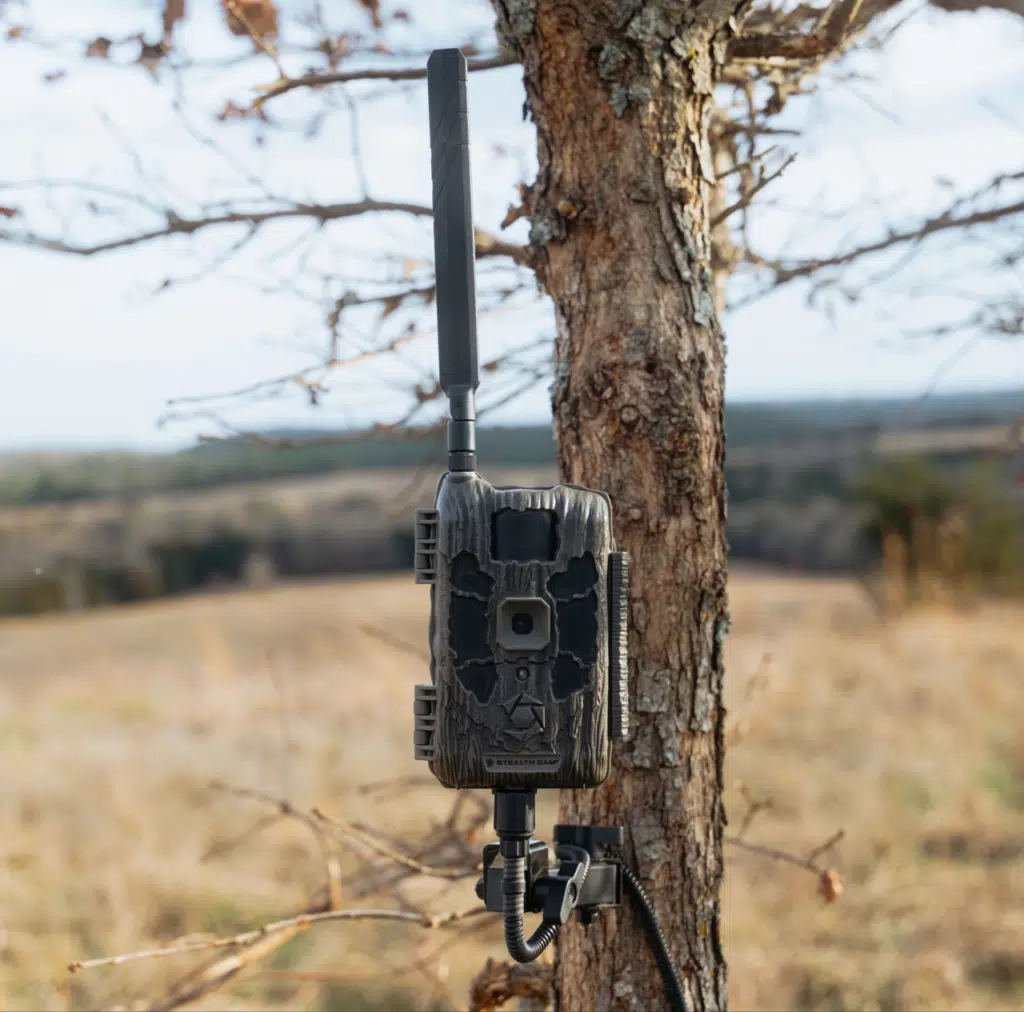
3. Stealth Cam Deceptor Max 3
Best for travel corridors and night detail

5. SPYPOINT Flex-M2
Best for a low-traffic feeder on a tight plan budget

6. Spartan GoLive 2
Best for live checks and shared data across cameras

7. Covert WC series
Best for a simple no-glow camera on a carrier you choose

8. Browning Strike Force Pro X 1080
The non-cellular control (no plan at all)
At-a-glance comparison table
Hardware prices below are the prices shown in Outdoor Life’s September 25, 2026 cellular trail camera guide, checked October 25, 2026. They are list prices, not live prices, so check today’s price before you buy. Plan prices come from each maker’s plan page and the same Outdoor Life plan comparison. Tap any camera’s review for its Amazon button.
| Photo | Product | Best for | Key spec | Network | Plans from | First-year total (floor) | Walk-through 10/60/110 | Check price |
|---|---|---|---|---|---|---|---|---|
|
|
Moultrie Edge 4 Solar | Feeder owners already in the Moultrie app | 40MP photos, 1080p video, 0.4-second trigger, 100-foot advertised detection range, solar + rechargeable pack included | Multi-carrier auto-connect | $9.99/mo Standard ($8.99 annual) | $277.88 (solar + pack included) | ✅ / ✅ / ❌ | See review ↓ |
|
|
Tactacam REVEAL Pro 4.0 Solar | Best first-year value, solar included | 4K photo, 1080p video, 0.4-second trigger, solar panel + R5 pack included, live view available as an add-on | Auto-carrier selection | $5/mo Starter | $255.00 (solar + pack included) | ✅ / ✅ / ❌ | See review ↓ |
|
Stealth Cam Deceptor Max 3 | Travel corridors and night detail | 50MP photos, 1440p video, under 0.3-second trigger, no-glow flash | Dual-network | $5/mo Standard | $180.00, plus AA or lithium power (not priced here) | ✅ / ✅ / ✅ | See review ↓ |
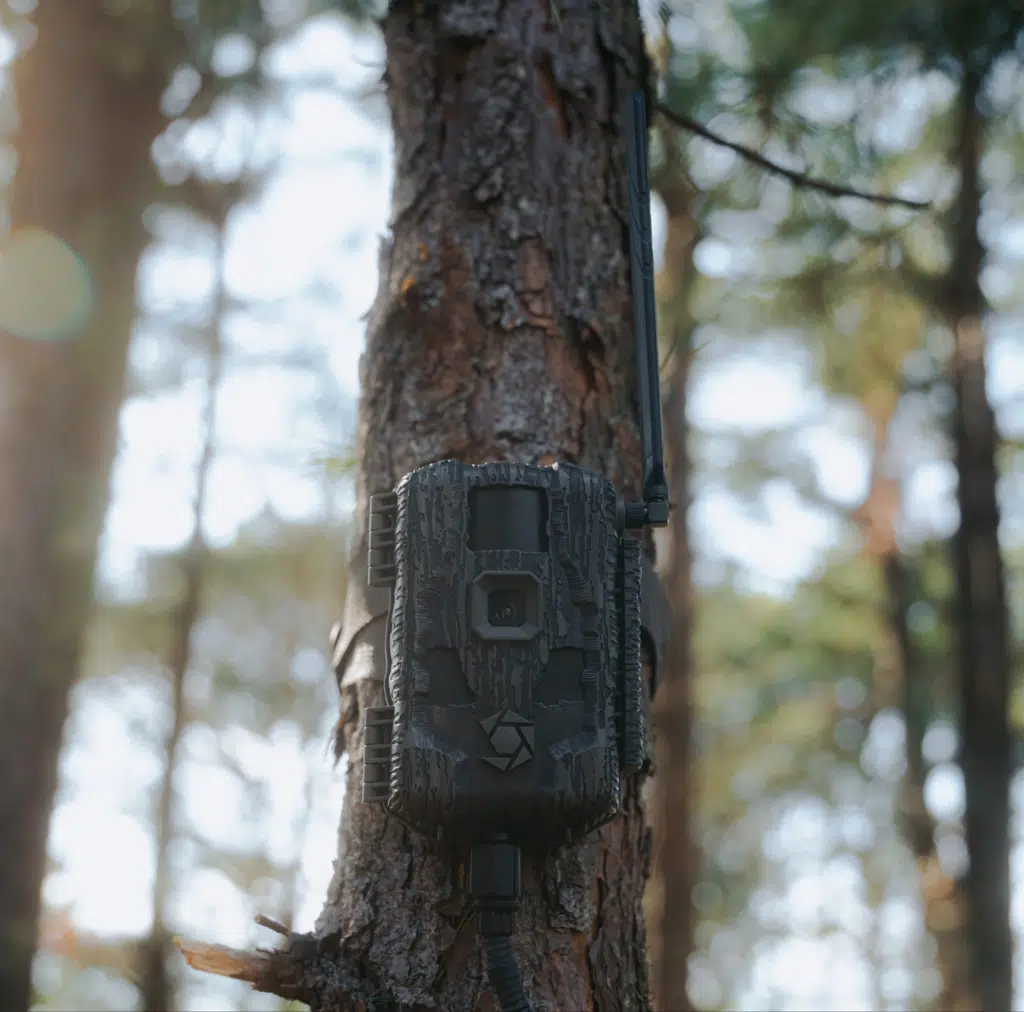 |
Stealth Cam Fusion Max 3 | Best value two-pack | 42MP photos, 1080p video, under 0.4-second trigger, low-glow flash | Dual-network | $5/mo Standard | $135.00, plus AA or lithium power (not priced here) | ✅ / ✅ / ❌ | See review ↓ |
|
|
SPYPOINT Flex-M2 | Low-traffic feeder, tight plan budget | 32MP photos, 1080p video, 0.4-second trigger, 90-foot detection and flash range | Dual-SIM multi-network | Free (100 photos/mo) | $50.00, plus batteries + microSD (not priced here) | ✅ / ✅ / ❌ | See review ↓ |
|
|
Spartan GoLive 2 | Live checks and shared data | 8MP photos, 1080p video, 0.4-second trigger, 96-degree field of view, live streaming up to 30 frames per second | Multi-carrier | $15.99/mo shared | $381.88 (shared pool; covers up to 3 cameras on the monthly plan) | Day ✅ / ✅ / ✅; night ✅ / ✅ / ❌ | See review ↓ |
|
|
Covert WC series (WC20 / WC30 family) | Simple no-glow camera, carrier of your choice | WC20: 20MP photos, 1080p video, 0.3-second trigger, 80-foot detection range, 100-foot flash range, 12 AA batteries | AT&T or Verizon certified variants | Not quoted — varies by service path | Not quoted | Not in Outdoor Life’s walk-through test | See review ↓ |
|
|
Browning Strike Force Pro X 1080 | The no-plan control: SD-card only | 46MP image capability (24MP effective still resolution in the manual), 1080p video with sound, 0.22-second trigger, 100-foot detection range, 120-foot flash range | None — SD-card only | No plan | Hardware + batteries + SD card only | Not in Outdoor Life’s walk-through test | Check Price on Amazon → |
Which camera fits your feeder site?
- Step 1 — Do you have usable cell signal at the feeder tree? Stand at the exact mount spot with your phone and send a photo to someone. If it goes through quickly, a cellular camera is viable. If it crawls or fails, stop here and buy the Browning Strike Force Pro X 1080 as an SD-card camera instead of paying a monthly plan for a camera that will burn batteries hunting for signal.
- Step 2 — Will you run one camera, or a fleet? One or two cameras: pick on the single-camera plan price (Tactacam Starter, Stealth Cam Standard, or SPYPOINT’s free tier). Four or more cameras: pick on the multi-camera plan structure — Tactacam’s discounted additional-camera rates, Moultrie’s Pro Series, or Spartan’s shared data pool — because that structure, not the hardware price, decides the fleet bill.
- Step 3 — How often can you visit the site without disturbing it? If visits are rare or the site is a long drive, choose a solar-bundled camera (Tactacam REVEAL Pro 4.0 Solar or Moultrie Edge 4 Solar) so power stops being the reason you walk in. If you visit weekly anyway to fill the feeder, AA power on a cheaper camera is a reasonable trade.
- Step 4 — Is the feeder already in an app ecosystem? If your feeder is a Moultrie feeder managed in the Moultrie app, the Moultrie Edge 4 Solar keeps camera and feeder in one place. Otherwise, choose on plan and power alone and do not pay extra for an ecosystem you will not use.
No signal? Buy this instead
Test first: stand at the exact mount spot with your phone and send a photo. If it crawls or fails, a plan camera on dead signal will burn batteries hunting for signal — and charge you every month for photos that never arrive.
How we picked
We did not test these cameras ourselves, and this guide does not pretend otherwise. There are no invented field trials, no invented scores, and no score bars in this article, because no score in it would be genuinely sourced. Instead, we aggregated what can actually be checked: manufacturer plan and specification pages, retailer listings and manuals, and Outdoor Life’s September 25, 2026 cellular trail camera guide, in which two testers ran eight cameras through a walk-through test at 10, 60 and 110 feet, day and night, and then ran them in the field. Where Outdoor Life’s findings and a manufacturer’s specification disagree — for example, on how long a battery lasts in real use — this guide says so and tells you which source said what.
Three weaknesses in the big-publisher roundups shaped this guide. First, they rank cameras mostly on trigger speed and image quality and treat the data plan as a footnote, even though the plan costs more than the camera within a few seasons on most brands. Second, they rarely price the fleet: a plan that looks cheap for one camera can be the most expensive option at four cameras, and vice versa. Third, they rarely ask the feeder question at all — whether the camera sits on a site you already visit to fill a feeder, whether its app also runs your feeder, and whether a solar panel on that same tree makes the whole site hands-off. This guide is built around those three gaps: first-year cost, fleet cost, and feeder-site fit.
Every plan price here comes from the maker’s own plan page or Outdoor Life’s plan comparison. Covert is the exception: its plan cost depends on whether you buy service through Covert Wireless or a carrier, so we explain the structure instead of quoting a number. The Amazon buttons search for the exact model name, so check that the listing matches the model and carrier version you want before you buy.
What this guide adds for a feeder owner: it prices the first year, it prices a four-camera fleet, and it tells you when a cellular camera is the wrong buy and a plain SD-card camera is the smarter one.
1. Moultrie Edge 4 Solar — Best for feeder owners already in the Moultrie app
The Moultrie Edge 4 Solar is the feeder-system pick in this guide, and that is a deliberate distinction: it is not the cheapest camera here, and it is not the cheapest plan here. Its case rests on integration. Moultrie’s own pages describe the Edge family as auto-connecting to the strongest available nationwide network with no SIM card to install, and the Moultrie app as the hub for camera management, feeder control, GPS mapping, activity charting and species recognition. If your feeder is already a Moultrie feeder, that means one app for the feeder schedule, the feed level, the camera images and the map pin — instead of a feeder app, a camera app and a paper note about which tree holds which camera.
The hardware case is solid on paper. Outdoor Life lists the Edge 4 Solar at 40MP photos and 1080p video, a 0.4-second trigger speed, low-glow flash, an advertised 100-foot detection range, internal memory with no SD card required, GPS, and all photos delivered in HD without a separate high-resolution download step. The solar version bundles the panel and rechargeable pack, which is the point for a feeder site: the panel, not a bag of AAs, is what keeps you from walking into the site during the weeks you most want to stay out. The honest weakness is cost and one build-quality flag. The Standard plan starts at $9.99 per month, or $8.99 per month when paid annually, for 1,000 images and 10 videos per month; Unlimited is $16.99 per month, or $12.99 per month annually, for unlimited images and 50 videos. That entry price is roughly double Tactacam’s and Stealth Cam’s $5 starting tiers, so a Moultrie fleet costs more unless the Pro Series multi-camera discount closes the gap. And Outdoor Life’s tester could not get the test unit’s battery pack to stay latched in the camera body and had to zip-tie it in place; the tester expected the fault was unique to that unit, but on a $170 camera it is worth checking the latch on day one, at home, before the camera goes up a tree.
✅ Pros
- Camera, feeder control, maps and activity charting in a single Moultrie app.
- Auto-connect to the strongest available network, with no SIM card to install.
- Solar panel and rechargeable pack included, so power stops driving site visits.
- All photos delivered in HD, with no separate high-resolution request step.
- Built-in memory, so there is no SD card to forget, corrupt or fill unnoticed.
❌ Cons
- Standard plan starts at $9.99 per month — roughly double the $5 entry tiers elsewhere.
- Outdoor Life’s test unit had a battery-pack latch fault that needed a zip tie.
- At $170 as a list price, it is the third-priciest camera in this guide, behind the $200 Tactacam solar bundle and the $190 Spartan.
- Multi-camera savings only arrive on the Pro Series plan, not on Standard or Unlimited.
🧑🌾 From the field: Outdoor Life’s testers found the Edge 4 Solar quick on the trigger — eight photos of the tester crossing at 10 feet in the walk-through test, and detection at the edge of the frame at 60 feet — and reported much sharper night images than previous Edge models. They also praised the app as easy to navigate despite its long feature list, including camera mapping, weather prediction, AI image recognition and game-activity prediction. The counterweight is that latch fault and the price: the same review calls the camera pricey, and its $170 list price plus a $9-per-month-class plan is the combination to weigh, not the camera alone.
| Spec | Detail |
|---|---|
| Photos / video | 40MP photos; 1080p video (Outdoor Life, Edge 4 Solar) |
| Trigger speed | 0.4 seconds |
| Advertised detection range | 100 feet |
| Flash | Low-glow infrared |
| Power | Built-in solar panel + rechargeable battery pack included |
| Memory | Built-in memory; no SD card required |
| Connectivity | Nationwide multi-carrier auto-connect; no SIM card to install |
| App extras | Feeder control, GPS mapping, activity charting, species recognition, free cloud storage per Moultrie |
| Plans (October 2026, Moultrie) | Standard $9.99/month or $8.99/month annually (1,000 images, 10 videos); Unlimited $16.99/month or $12.99/month annually (unlimited images, 50 videos); Pro Series $34.99/month first camera, $7.99/month each additional camera |
Feeder-site verdict: Buy the Edge 4 Solar if your feeder already lives in the Moultrie app and you want one system for feeder and camera. Do not buy it on hardware price alone — buy it knowing the Standard plan starts near $10 a month. Check today’s Edge 4 Solar price on Amazon, and check the battery latch before you hang it. See Moultrie’s current plan details → See today’s price on Amazon
Feeder-site settings: Mount at chest height with a slight down-angle, sensitivity low near the feeder, and 1 photo with a 30–60 second delay so repeat feeder visits do not spend the plan; the included solar panel and pack cover power where visits are rare.
2. Tactacam REVEAL Pro 4.0 Solar — Best first-year value for a solar setup
The Tactacam REVEAL Pro 4.0 Solar is this guide’s top pick because it wins the arithmetic that matters on a feeder site: a solar bundle at a mid-range list price, attached to the cheapest full-featured plan structure in the guide. Outdoor Life lists it at $200 including the solar panel and R5 rechargeable pack, with 4K photo and 1080p video, a 0.4-second trigger, a choice of low-glow or no-glow flash set in the app, 8GB of internal storage with an optional SD card slot, built-in GPS, a built-in monitor, and live video as an option. The same review notes that buying the Pro 4.0 and the R5 pack separately would total $220, so the $200 solar bundle is genuinely the cheaper way to buy that combination — a rare case where the bundle is not a surcharge for convenience.
The plan structure is where Tactacam pulls away, especially as cameras are added. Tactacam’s own support pages list three tiers: Starter at $5 per camera per month ($55 per camera per year) for 250 photos; Intermediate at $8 per month ($85 per year) for 500 photos; and Pro at $13 per month ($120 per year) for unlimited photos. Additional cameras are discounted on Intermediate ($7.50 per month, $75 per year) and Pro ($12 per month, $96 per year), and Starter and Intermediate photo allowances are pooled across cameras on the same tier — three cameras on Starter share a 750-photo pool, for example. Tactacam’s own worked example puts three cameras on Pro at $312 per year. The costs to watch are the add-ons: the Xtra tier for unlimited HD photos and on-demand requests is $4 per month for one camera, $7 for two, or $9 for three or more, and Live View is $6 per month per camera extra. A feeder owner who wants live checks should add that $6 to the plan line before comparing, not after.
✅ Pros
- Solar panel and R5 pack included at a $200 list price — cheaper than buying camera and pack separately.
- Plans from $5 per month, with pooled allowances and discounted additional cameras.
- Simultaneous photo and video on the same trigger, so a head behind a tree in the photo still shows in the video.
- App-level choice of low-glow or no-glow flash, plus a Battery Center with a battery-saver setting.
- Built-in GPS and monitor, and an optional SD slot alongside internal storage.
❌ Cons
- Not compatible with previous Tactacam lithium cartridge models, so old packs do not carry over.
- Live View costs $6 per month per camera on top of the plan.
- Outdoor Life’s tester found the R5 pack lasted a little over a month on instant send with several hundred photos a week — solar helps, but heavy traffic still drains power.
- Only a 1-year warranty from activation date, per Outdoor Life’s key-features list.
🧑🌾 From the field: Outdoor Life named the Pro 4.0 Solar its best overall camera, reported 100 percent trigger reliability at 10 and 60 feet in the walk-through test day and night (with no trigger at 110 feet, which it notes is not uncommon), and praised an even IR flash that did not blow out detail up close while still showing animals at 60 feet. In the field, its tester ran one on a travel corridor at 20 to 25 yards and valued the simultaneous photo-and-video capture. The battery note is the honest counterweight: on instant send with several hundred photos a week, the R5 pack lasted a little over a month in the tester’s experience, with the larger R10 pack doubling that and a solar panel extending it further. For a feeder site, that means the solar panel is not optional decoration — it is the part that makes the camera hands-off.
| Spec | Detail |
|---|---|
| Photos / video | 4K (UHD) / 2.5K (WQHD) photos; 1080p video; simultaneous photo + video on one trigger |
| Trigger speed | 0.4 seconds |
| Flash | Low-glow 96 feet; no-glow 80 feet, selectable in the app |
| Power | R5 rechargeable pack + solar panel included; DC 12V-2A external input |
| Memory | 8GB internal storage with optional SD card slot |
| Connectivity | Auto-carrier selection; onboard GPS |
| Plans (October 2026, Tactacam support) | Starter $5/month ($55/year), 250 photos; Intermediate $8/month ($85/year), 500 photos; Pro $13/month ($120/year), unlimited photos; additional cameras discounted on Intermediate and Pro; overage $5 per 250 photos on Starter/Intermediate |
| Add-ons | Xtra $4/$7/$9 per month (1 / 2 / 3+ cameras); Live View $6/month per camera extra |
Feeder-site verdict: Buy the REVEAL Pro 4.0 Solar if you want the lowest honest first-year total for a solar feeder camera and you do not already live in the Moultrie app. Price it with the plan tier you will actually need — a busy feeder will blow past 250 photos a month fast — and add Live View only if you will really use it. See Tactacam’s current REVEAL plan details → Check price on Amazon
Feeder-site settings: Mount at chest height with a slight down-angle, sensitivity low near the feeder, and 1 photo with a 30–60 second delay; use batch uploads where instant send is not needed, and let the included solar panel and pack carry power between rare visits.
3. Stealth Cam Deceptor Max 3 — Best for travel corridors and night detail
The Stealth Cam Deceptor Max 3 is the detection pick in this guide. Outdoor Life lists it at a $120 list price with 50MP photos, 1440p video, a trigger speed under 0.3 seconds, a no-glow flash, and power from 16 AA batteries or a lithium cartridge, with solar as an option. Its product family is described by Stealth Cam’s retailer pages as using a 940nm no-glow LED array with an invisible detection and flash range out to 100 feet, and its plans cover both AT&T and Verizon. For a feeder site, the honest question is whether you need this camera’s detection advantage or whether you are paying for range you will never use: a camera aimed at a feeder from 15 to 25 yards does not need 110-foot detection, but a camera watching the trail into the feeder absolutely benefits from it.
What sets the Deceptor Max 3 apart in the evidence is the walk-through test. Outdoor Life reports it as the only camera in its test to trigger at 110 feet, day and night, with multiple captures per pass at 10 and 60 feet as well, and it awarded the camera its best-trigger-speed label. Its tester also paired the camera with a solar panel and rechargeable lithium battery for a November run and reported no battery loss after a month and 361 photos on instant send. The weaknesses are narrower: Outdoor Life lists some motion blur at night as a con, and a separate retailer’s summary of the Deceptor Max family notes a weak antenna and internal controls that are hard to reach. Those are the kinds of flaws that matter more on a feeder camera you adjust in the cold than on a spec sheet.
✅ Pros
- Fastest trigger in this guide (under 0.3 seconds) and the only 110-foot walk-through trigger in Outdoor Life’s test.
- No-glow flash, so night photos do not show a visible glow at the feeder.
- 50MP photos and 1440p video — the highest photo resolution in this guide.
- Live view available, and the camera feed can be shared with other users.
- Plans from $5 per month on the Standard tier.
❌ Cons
- Some motion blur at night, per Outdoor Life’s test notes.
- Retailer summaries of the Deceptor family flag a weak antenna and hard-to-reach internal controls.
- 16 AA batteries per camera if you skip the lithium cartridge — a real consumable cost on a busy feeder.
- Unlimited plan is $20 per month, the joint-priciest unlimited tier in Outdoor Life’s plan table.
🧑🌾 From the field: Outdoor Life’s tester set the Deceptor Max 3 on a saddle that sees little early-season traffic but becomes a deer highway during the rut, paired it with solar and a rechargeable lithium battery, and reported 361 photos in a month on instant send with no battery loss. The same tester praised its handling of harsh sun and deep shade in the same frame. Field & Stream’s separate testing of the Deceptor family, summarized in later coverage, reported only three non-deer images in 60 days and a battery reading of 90 percent after 723 photos and 23 videos — a useful second data point, though from a different model year, so treat it as family evidence rather than a promise for the Max 3 specifically.
| Spec | Detail |
|---|---|
| Photos / video | 50MP photos; 1440p video |
| Trigger speed | Under 0.3 seconds |
| Flash | No-glow infrared; family array described as 940nm with range out to 100 feet |
| Power | 16 AA batteries or lithium cartridge; solar panel as an option |
| Plans (October 2026, Outdoor Life plan table) | Standard $5/month ($60/year), 600 photos; Plus $8/month ($96/year), 1,200 photos; Unlimited $20/month ($240/year), unlimited photos, 10 HD videos |
| Extras | Live view; on-demand photos; GPS app with species filter; feed sharing |
Feeder-site verdict: Buy the Deceptor Max 3 if your camera watches a trail or corridor into the feeder, where trigger speed and long detection range actually decide what you capture. For a camera aimed straight at a feeder at close range, the cheaper Fusion Max 3 below buys you almost the same feeder pictures for less.
Feeder-site settings: Mount at chest height with a slight down-angle, sensitivity low near the feeder, and 1 photo with a 30–60 second delay to keep night triggers on animals, not on feeder sway.
4. Stealth Cam Fusion Max 3 — Best value two-pack
The Stealth Cam Fusion Max 3 is the value pick because its two-pack math changes the per-camera price more than any feature in this guide. Outdoor Life lists it at $150 for a two-pack — $75 per camera — or $80 for a single camera, with 42MP photos, 1080p video, a trigger speed under 0.4 seconds, low-glow flash, and power from 16 AA batteries or a rechargeable lithium cartridge. It shares the Stealth Cam Command Pro app and the same $5 / $8 / $20 plan tiers as the Deceptor Max 3, so the value case is not a stripped-down app or a weaker plan — it is the same system, with a lower-resolution sensor and a low-glow rather than no-glow flash, at a much lower per-camera price when bought as a pair.
The field evidence for the Fusion Max 3 is unusually concrete. Outdoor Life’s tester aimed one at a cluster of oaks dropping acorns and logged 1,600 photos of deer, squirrels, raccoons and turkeys in a month, with the battery still showing full on the optional lithium cartridge and the send setting on instant. Night photos were singled out as especially good, with an even flash that did not blow out detail on deer close to the camera. The listed con is just-OK sensitivity, and the walk-through test showed a gap: at 10 feet it caught the tester twice walking one direction but produced two blank photos walking the other, and it did not trigger at 110 feet. For a feeder camera at close range, that sensitivity note deserves a test hang at home before the camera goes to a remote site.
✅ Pros
- $75 per camera in a two-pack — the lowest per-camera list price among the full-featured cellular cameras here.
- Same Command Pro app and plan tiers as the Deceptor, including species filtering and GPS.
- 1,600 photos in a month with battery still full on the lithium cartridge, per Outdoor Life’s field test.
- Even night flash that holds detail on close deer.
- On-demand photos and feed sharing with other users.
❌ Cons
- Just-OK sensitivity in Outdoor Life’s assessment, with blank photos on one walk-through direction at 10 feet.
- No trigger at 110 feet in the walk-through test — a corridor camera it is not.
- Low-glow rather than no-glow flash, so it is less discreet at night than the Deceptor.
- 16 AA batteries per camera if you skip the lithium cartridge.
🧑🌾 From the field: The 1,600-photo month is the number to remember, because it is exactly the feeder scenario: a high-traffic food source, instant send, and a month of pictures without a battery complaint on the lithium cartridge. Outdoor Life named the Fusion Max 3 its best-value camera of 2026 on that combination of price, features and battery life. The sensitivity caveat is the reason to hang it, trigger it yourself at the feeder distance, and check the first night’s pictures before trusting it to a remote site for a month.
| Spec | Detail |
|---|---|
| Photos / video | 42MP photos; 1080p video |
| Trigger speed | Under 0.4 seconds |
| Flash | Low-glow infrared |
| Power | 16 AA batteries or rechargeable lithium cartridge |
| Plans (October 2026, Outdoor Life plan table) | Standard $5/month ($60/year), 600 photos; Plus $8/month ($96/year), 1,200 photos; Unlimited $20/month ($240/year), unlimited photos |
| Extras | On-demand photos; GPS app with species filter (separates whitetail does from bucks, per Outdoor Life); feed sharing |
Feeder-site verdict: Buy the Fusion Max 3 two-pack if you want two feeder cameras for roughly the price of one premium camera, and you accept low-glow flash and close-to-mid-range detection. It is the best way to cover both a feeder and the trail into it without doubling your hardware spend.
Feeder-site settings: Mount at chest height with a slight down-angle, sensitivity low near the feeder, and 1 photo with a 30–60 second delay; on a two-pack, that delay is what keeps both cameras’ plans in step.
5. SPYPOINT Flex-M2 — Best for a low-traffic feeder on a tight plan budget
The SPYPOINT Flex-M2 is the only camera in this guide that lets you run cellular without a monthly bill at all — and that single fact defines both its appeal and its limit. SPYPOINT’s own product pages state that every SPYPOINT cellular camera includes a free monthly transmission plan providing 100 transmitted photographs per camera, with paid plans available for larger allowances. Outdoor Life’s plan table lists the paid tiers as Basic at $5 per month ($48 per year) for 250 photos, Standard at $10 per month ($84 per year) for 1,000 photos, and Premium at $15 per month ($120 per year) for unlimited photos, with HD packs at $5 per 50 photos or 20 videos. For a feeder that produces a handful of pictures a day, 100 free photos a month is genuinely usable. For a busy corn feeder in October, it is a week of pictures, not a month — and that is the line to draw before you buy.
The hardware is straightforward and feeder-friendly. SPYPOINT and retailer listings describe the Flex-M2 at up to 32MP photos (28MP in the original Flex-M listing) and Full HD 1080p video, a 0.4-second trigger, a 90-foot detection and flash range, low-glow infrared, dual-SIM LTE with automatic multi-network connection, and power from 8 AA batteries or an optional LIT-22 rechargeable lithium pack, with retailer guidance of up to about six months on AAs or up to twelve months on the LIT-22 depending on transmission frequency, signal, settings and temperature. A microSD card is required and not included. The honest weaknesses come from Outdoor Life’s test: photo transmissions were sometimes delayed by hours, photo quality was solid but not as sharp as the pricier cameras, and the test unit ran out of batteries after about a month and a half on alkaline AAs. The free plan is real, but it is not a free camera: batteries, a microSD card and, for most feeder owners, a paid tier are still part of the bill.
✅ Pros
- Free plan: 100 transmitted photos per month per camera, with no monthly fee.
- Paid plans from $5 per month, and a $15 unlimited tier that undercuts most rivals’ unlimited prices.
- Dual-SIM automatic multi-network connection, so you do not pick a carrier before you know the site’s signal.
- Only 8 AA batteries, half the count of the Stealth Cam models, with a rechargeable LIT-22 option.
- 2-year warranty, per Outdoor Life’s key-features list.
❌ Cons
- 100 free photos a month will not cover a busy feeder — count your daily triggers before trusting it.
- Outdoor Life’s test unit delayed some transmissions by hours and died after about six weeks on alkaline AAs.
- Photo quality described as solid but less sharp than pricier cameras in the same test.
- MicroSD card required and not included.
🧑🌾 From the field: Outdoor Life called the Flex-M2 a screaming deal at $100 for a two-pack, praised its easy and intuitive setup, and noted improved weatherproofing over previous models, with reliable detection at 10 and 60 feet in the walk-through test. The same review is clear about the trade: delayed transmissions, a shorter alkaline-battery run, and softer image quality than the premium cameras. For a low-traffic feeder — a protein feeder checked for pattern rather than a corn pile hammered all night — that trade is easy to accept. For a high-traffic site, budget the paid tier from day one and use lithium or the LIT-22 pack instead of alkalines.
| Spec | Detail |
|---|---|
| Photos / video | Up to 32MP photos; Full HD 1080p video with sound (Flex-M2 retailer listings; original Flex-M listed at 28MP / 720p) |
| Trigger speed | 0.4 seconds |
| Detection / flash range | Up to 90 feet / 90 feet |
| Flash | Low-glow infrared LEDs |
| Power | 8 AA batteries or optional LIT-22 rechargeable lithium pack; retailer guidance up to ~6 months on AAs, ~12 months on LIT-22, depending on conditions |
| Memory | Class 10 microSD card required, not included |
| Connectivity | LTE dual-SIM, automatic multi-network connection; SPYPOINT app with mapping |
| Plans (October 2026) | Free: 100 photos/month per camera; Basic $5/month ($48/year), 250 photos; Standard $10/month ($84/year), 1,000 photos; Premium $15/month ($120/year), unlimited photos |
Feeder-site verdict: Buy the Flex-M2 if your feeder is low-traffic and you want to test cellular with no monthly bill, or if you want the cheapest unlimited tier in this guide at $15 a month. Do not buy it expecting the free tier to cover a busy feeder — it will not, and the overage is a paid upgrade, not a warning. See SPYPOINT’s current Flex-M starter pack → View on Amazon
Feeder-site settings: Mount at chest height with a slight down-angle, sensitivity low near the feeder, and 1 photo with a 30–60 second delay; batch uploads where instant send is not needed stretch the free 100-photo tier furthest on a low-traffic feeder.
6. Spartan GoLive 2 — Best for live checks and shared data across cameras
The Spartan GoLive 2 is the specialist in this guide: it is the camera you buy when you want to look at the feeder live, not just receive yesterday’s thumbnails. Spartan’s own product page lists live streaming up to 30 frames per second, a 96-degree field of view, a 2-inch IPS LCD screen, anti-theft GPS, on-demand photo and video requests, and a 5,300 mAh internal lithium battery with AA, 12V and solar options alongside it. Its photo resolution is 8MP with 1080p video — lower on paper than the Stealth Cam and Tactacam flagships — because Spartan’s pitch is not megapixels but transmission: thumbnails at 640 by 480 or 1,280 by 960, with full-HD photos and videos available on request at no extra charge under Spartan’s data plans, per Spartan’s own descriptions.
The plan structure is the other reason to consider Spartan, and the reason to read it twice. Unlike the per-camera photo-count plans above, Spartan sells shared data: Outdoor Life’s plan table lists a 1-month shared plan at $15.99, covering up to 3 cameras with about 1,500 thumbnails per 500MB, extra cameras at $5 per month, and prepaid 3-, 6- and 12-month options at $64.99, $109.99 and $199.99. Spartan’s own shared-data descriptions add that up to 10 cameras can share one data pool, that additional cameras cost $5 per month on the monthly plan, and that the plan renews when the data or the time period runs out, whichever comes first. That is a genuinely different bill: a quiet camera subsidizes a busy one, because the pool, not each camera, is what you buy. It is also the most expensive entry plan in this guide at $15.99 a month, so a single quiet camera on Spartan costs more than a single camera on Tactacam, Stealth Cam or SPYPOINT — the shared pool only wins when you actually share it.
✅ Pros
- Live streaming up to 30 frames per second — the strongest live-view case in this guide.
- Shared data pool across cameras, so a quiet camera subsidizes a busy one.
- 96-degree field of view, the widest in this guide, covering more of a feeder clearing.
- Anti-theft GPS, on-demand HD photo and video requests, and batch sending by schedule.
- Internal lithium battery plus AA, 12V and solar options for a permanent setup.
❌ Cons
- $15.99 per month entry plan — the most expensive starting plan here, and a poor deal for a single camera.
- Outdoor Life’s tester reported overexposed images, slow shutter speed and blurry images in some conditions.
- Live video quality varied with signal, coming in pixelated at times in the tester’s experience.
- 8MP photos are lower resolution than the Tactacam, Stealth Cam and SPYPOINT flagships.
🧑🌾 From the field: Outdoor Life’s tester ran a GoLive 2 for nine months, praised live view as working quickly every time, and reported great video quality with deer feeding at 10 to 75 feet and very few blank photos. The same tester found live video best in wide-open fields or for animals inside 15 yards, noted pixelation that cleared and returned with signal, and flagged overexposure and motion blur as the camera’s real weaknesses, hoping for a software fix. That is a fair summary of the trade: the best live experience here, attached to the least consistent still-image exposure in the same test.
| Spec | Detail |
|---|---|
| Photos / video | 8MP photos (3,840 by 2,160); 1080p / 720p / WVGA video, up to 30 fps |
| Trigger speed | 0.4 seconds |
| Detection range | Up to 80 feet |
| Field of view | 96 degrees |
| Flash | Dual blackout (no-glow) infrared flash |
| Power | Internal 5,300 mAh lithium battery; AA, 12V DC / lead-acid and solar options |
| Memory | MicroSD card up to 128GB, sold separately |
| Plans (October 2026, Outdoor Life plan table) | 1-month shared $15.99 (up to 3 cameras, ~1,500 thumbnails per 500MB); prepaid $64.99 / $109.99 / $199.99 for 3 / 6 / 12 months; extra cameras $5/month on the monthly plan |
| Warranty | 1 year with receipt, 2 years when registered with receipt, per Spartan |
Feeder-site verdict: Buy the GoLive 2 if you run several cameras and want live checks plus a shared data pool — that is the combination no per-camera plan in this guide offers. Do not buy it for a single camera on price, because at $190 plus $15.99 a month it is the most expensive first year here. See Spartan’s current GoLive 2 page → Check price on Amazon
Feeder-site settings: Mount at chest height with a slight down-angle and sensitivity low near the feeder; save instant live checks for when you need them and use batch uploads otherwise, so the shared data pool is not spent on every feeder visit.
7. Covert WC series — Best for a simple no-glow camera on a carrier you choose
Covert earns one section in this guide, not a full article, because that is the honest size of its current feeder-site case: a long-running, simple no-glow cellular family with a carrier choice, and a lineup that has changed enough over the years that naming a single “current” model without checking would be guessing. The WC family — WC20 and WC30 in retailer listings — is the family to understand. The WC20, the best-documented member, is listed by Menards and independent retailers at 20MP photos, 1080p video, a 0.3-second trigger, an 80-foot detection range, a 100-foot flash range, no-glow flash, 12 AA batteries, an SD card up to 32GB, a 1.5-inch setting screen, QR-code setup, settings changes through the app, and a 2-year warranty. The WC30-V is listed at 30MP with a 2.4-inch color display and the same no-glow, SD-up-to-32GB pattern. Those are mid-size, mid-resolution cameras — not flagship sensors, but a sensible match for a feeder camera whose job is pattern, not poster prints.
The service path is the part to get right before you buy, because Covert is sold in carrier-certified variants. The WC20 is available with cellular data service from AT&T or Verizon, and setup involves activating a data plan through Covert Wireless or directly with the carrier for that camera’s SIM card, then linking the camera to the Covert Wireless app and web portal. That choice matters at a feeder site: buy the variant whose carrier actually covers your tree, not the variant that happens to be in stock, because a Verizon-certified camera on an AT&T-only ridge is a paperweight with a monthly bill. Covert transmits previews to the portal and app while storing full-resolution images and video on the SD card, so the retrieval pattern is thumbnail-first with high-resolution downloads on request — the same pattern as Spartan, and a different feel from Moultrie’s all-HD delivery.
What this guide deliberately does not do for Covert is quote a plan price. Covert’s plan cost depends on the service path — Covert Wireless or a carrier plan — and on the exact current model, and published prices often mix older and newer models. If a roundup quotes you a Covert plan price without naming the model and the service path, treat that number with caution. The same caution applies to model names: Covert’s older Blackhawk, Code Black and E-series models still appear in retailer listings and in older roundups, and they are not interchangeable with the WC family for parts, firmware or service. Buy the WC model that is actually in production when you buy, confirm its carrier variant, and confirm its plan on Covert’s site before checkout.
✅ Pros
- Simple, proven no-glow formula: 0.3-second trigger, 80-foot detection, 100-foot flash on the WC20.
- Carrier choice: AT&T or Verizon certified variants, so you match the camera to your site’s coverage.
- Preview-to-app plus full-resolution-on-SD pattern keeps data use down.
- Settings changes through the app, without a trip to the camera.
- 2-year warranty on the WC20, per retailer listings.
❌ Cons
- No current plan price is quoted here, because the price depends on the model and the service path you choose.
- Older Covert models still circulate in listings — buying the wrong family risks parts and service confusion.
- 12 AA batteries and a 32GB SD cap are modest by current standards; there is no built-in solar bundle in the WC listings.
- 20MP / 30MP sensors trail the 40MP–50MP flagships in this guide on paper.
🧑🌾 From the field: There is no single current field test of the WC family comparable to Outdoor Life’s 2026 test of the other cameras here, and this guide does not invent one. What the retailer and manual record does establish is a long production history, a consistent no-glow feature set, and a setup pattern — QR-code setup, app-linked settings, preview transmission — that has stayed stable across the WC20 and WC30 listings. For a feeder owner, that stability is the point: Covert is the low-drama option, provided you verify the exact current model and its plan before buying rather than trusting an old roundup’s model name.
| Spec | Detail |
|---|---|
| WC20 photos / video | 20MP photos; 1080p video stored on SD card; previews transmitted to app / portal |
| WC20 trigger speed | 0.3 seconds |
| WC20 detection / flash range | 80 feet / 100 feet |
| WC20 flash | No-glow infrared |
| WC20 power | 12 AA batteries (not included) |
| WC20 memory | SD card up to 32GB (not included) |
| WC20 screen / setup | 1.5-inch setting screen; QR-code setup; settings changes via app |
| Service path | AT&T or Verizon certified variants; plan via Covert Wireless or directly with the carrier for that SIM |
| WC30-V (retailer listing) | 30MP; 2.4-inch color display; no-glow flash; SD up to 32GB |
| Plans | Not quoted — varies by model and service path; verify on Covert’s site before buying |
Feeder-site verdict: Buy a current WC-family Covert if you want a simple no-glow cellular camera and you can match its carrier variant to your site’s coverage — and only after you have confirmed the exact current model and its plan price. If you cannot confirm both, buy one of the fully priced cameras above instead.
Feeder-site settings: Mount at chest height with a slight down-angle, sensitivity low near the feeder, and 1 photo with a 30–60 second delay; pick the AT&T or Verizon variant for the carrier that actually reaches the feeder tree.
8. Browning Strike Force Pro X 1080 — The non-cellular control (no plan at all)
This camera is in a cellular guide for one reason: it is the control group. The Browning Strike Force Pro X 1080 is not a cellular camera. It does not send pictures to your phone, it needs no data plan, and it costs nothing per month. It stores pictures and video on an SD card that you walk out and retrieve. Including it here is not a mistake or a filler pick — it is the honest answer to the question every feeder owner should ask before signing up for a plan: what do you actually lose if you skip cellular entirely?
On hardware, the control group is strong. Browning’s own support pages list 46MP image capability and Full HD 1080p video with sound, a 0.22-second trigger speed, a 0.35-second recovery time, a 100-foot detection range, 120-foot RADIANT 6 infrared illumination with adjustable flash modes, a 1.5-inch color view screen, up to 8 multi-shot or rapid-fire images, and up to one year of battery life on 8 AA batteries, with a 12-volt external power jack and support for SDXC cards up to 512GB. Trailcampro’s independent review, which measured the camera rather than repeating the box, reported a 0.18-second photo trigger, a 0.6-second recovery, a 50-foot detection range at a 47.8-degree detection angle in its own test rig, and — on lithium batteries, at 35 day and 35 night pictures per day — an estimated 22.5 months in picture mode, falling to 2.8 months if you shoot 15 day and 15 night videos a day. The gap between Browning’s 100-foot detection claim and Trailcampro’s 50-foot measured range is exactly why this guide reports both numbers and labels them: detection range depends on target size, temperature, angle and test method, and no single number is the truth for your feeder.
The trade is the visit. A Browning on a feeder tells you what happened last week, not what happened ten minutes ago, and every card pull is a walk into the site with scent, sound and disturbance. For a feeder you fill weekly anyway, that visit costs nothing extra — you were going anyway, and the card comes home in your pocket. For a remote feeder you visit once a month, the Browning means a month of blind waiting, and a stolen or failed camera means a month of nothing. That is the whole cellular decision in one paragraph: cellular buys you time and distance, and the Browning shows you the price of not buying them, which is zero dollars a month.
✅ Pros
- No data plan, no monthly bill, no signal requirement — it works in a dead zone.
- Fastest trigger in this guide (0.22 seconds claimed; 0.18 seconds measured by Trailcampro).
- Long picture-mode battery life on lithium AAs in Trailcampro’s estimates.
- 1.5-inch color screen for checking pictures in the field, plus a steel adjustable tree mount.
- Up to 512GB SDXC support, so a long deployment does not fill the card.
❌ Cons
- Not cellular: no remote pictures, no remote settings, no alerts.
- Every card check is a site visit, with scent and disturbance.
- Trailcampro measured a shorter detection range (50 feet) than Browning’s 100-foot claim.
- Video mode drains batteries far faster than picture mode in Trailcampro’s estimates.
- Battery eject button takes effort to unlatch, per Trailcampro.
🧑🌾 From the field: Trailcampro praised the Strike Force Pro X 1080’s detection circuit (95 out of 100 in its scoring), its picture quality and battery life, its solid case and its easy-access SD card, with the battery eject button and a video-mode photo thumbnail as the noted downsides. That matches the feeder-site read: as a picture camera on a feeder you visit regularly, it is excellent. As a remote early-warning system, it is the wrong tool, and no trigger speed changes that.
| Spec | Detail |
|---|---|
| Photos / video | 46MP image capability; 1080p video with sound (5 seconds to 2 minutes) |
| Trigger / recovery | 0.22 seconds / 0.35 seconds claimed (Browning); 0.18 / 0.6 seconds measured (Trailcampro) |
| Detection / flash range | 100 feet / 120 feet claimed (Browning); 50 feet at 47.8° measured (Trailcampro) |
| Power | 6 AA batteries per manual (8 AA per Browning support page for up-to-one-year claim); 12-volt external jack |
| Memory | SDXC up to 512GB (not included) |
| Screen / mount | 1.5-inch color view screen; all-steel adjustable tree mount; 1/4-inch tripod socket |
| Plan cost | None — SD-card camera |
Feeder-site verdict: Buy the Browning if your feeder is visited weekly, your site has weak or no signal, or you want a second camera that owes nobody a monthly fee. It is also the right fallback if a cellular camera fails at a site — the tree still gets watched while you sort out signal or plan. Check Price on Amazon →
Feeder-site settings: Mount at chest height with a slight down-angle and sensitivity low near the feeder; with no plan to pay for, a 30–60 second delay costs nothing but card space — and the time stamps are what prove which animal is taking the corn.
Where to check each camera
1. Moultrie Edge 4 Solar
Best for feeder owners already in the Moultrie app
See Moultrie’s current plan details → See today’s price on Amazon
2. Tactacam REVEAL Pro 4.0 Solar
Best first-year value for a solar setup
See Tactacam’s current REVEAL plan details → Check price on Amazon
3. Stealth Cam Deceptor Max 3
Best for travel corridors and night detail
See the review below for the full breakdown.
4. Stealth Cam Fusion Max 3
Best value two-pack
See the review below for the full breakdown.
5. SPYPOINT Flex-M2
Best for a low-traffic feeder on a tight plan budget
6. Spartan GoLive 2
Best for live checks and shared data across cameras
7. Covert WC series
Best for a simple no-glow camera on a carrier you choose
See the review below for the full breakdown.
8. Browning Strike Force Pro X 1080
The non-cellular control (no plan at all)
Its Check Price buttons are in the review below.
Video: how the plans and setup actually work
Three short videos, one plan explainer and two setup and field clips.Watch the plan video for the brand you are leaning toward before you buy — plan screens change faster than camera hardware, and a two-minute video shows the current app flow better than a paragraph can.
Moultrie: how cellular camera plans work
Moultrie’s own plan explainer, embedded on its cellular-plan FAQ page — the clearest short version of the Standard, Unlimited and Pro Series structure.
Tactacam REVEAL: setup and app walk-through
A retailer-hosted REVEAL walk-through showing setup, the app and the camera in use — useful for judging whether the REVEAL app feels like something you will actually open every day.
Outdoor Life: Tactacam Pro 4.0 in the field
Outdoor Life’s field video for the Pro 4.0 family, from the same test program as the plan comparison used throughout this guide.
What a cellular camera really costs in year one
This is the section the big roundups skip, and it is the section that should decide your purchase. The table below adds three lines only: the hardware list price, twelve months of the entry or stated plan, and the resulting first-year total. It deliberately excludes batteries, SD cards, mounts and solar accessories you buy separately, because those prices vary widely — so treat every total below as a floor, not a final bill. Plan prices are October 2026 figures from the makers’ plan pages or Outdoor Life’s plan table. Each total is the monthly plan times 12 (or the stated annual price) plus the hardware list price.
| Setup (one camera) | Hardware list price | Plan, 12 months | First-year total (floor) |
|---|---|---|---|
| Moultrie Edge 4 Solar, Standard plan, annual billing | $170 | $8.99 × 12 = $107.88 | $277.88 (solar + pack included) |
| Moultrie Edge 4 Solar, Standard plan, monthly billing | $170 | $9.99 × 12 = $119.88 | $289.88 (solar + pack included) |
| Tactacam REVEAL Pro 4.0 Solar, Starter plan, annual billing | $200 | $55 | $255.00 (solar + pack included) |
| Tactacam REVEAL Pro 4.0 Solar, Pro plan, annual billing | $200 | $120 | $320.00 (solar + pack included) |
| Stealth Cam Deceptor Max 3, Standard plan, annual billing | $120 | $60 | $180.00, plus AA or lithium power (not priced here) |
| Stealth Cam Fusion Max 3, Standard plan, annual billing (two-pack per-camera price) | $75 | $60 | $135.00, plus AA or lithium power (not priced here) |
| SPYPOINT Flex-M2, free plan (two-pack per-camera price) | $50 | $0 (100 photos/month) | $50.00, plus batteries + microSD (not priced here) |
| SPYPOINT Flex-M2, Basic plan, annual billing (two-pack per-camera price) | $50 | $48 | $98.00, plus batteries + microSD (not priced here) |
| Spartan GoLive 2, 1-month shared plan, monthly billing | $190 | $15.99 × 12 = $191.88 | $381.88 (shared pool; covers up to 3 cameras on the monthly plan) |
| Browning Strike Force Pro X 1080, no plan | Check current price on Amazon | $0 | Hardware + batteries + SD card only |
Three lessons fall out of that table. First, the cheapest camera is not the cheapest year: the SPYPOINT Flex-M2 on its free plan is the lowest first-year floor in the guide, but only while you stay under 100 photos a month, and the Stealth Cam Fusion Max 3 on Standard beats the Moultrie and Tactacam solar bundles on first-year floor while leaving you to buy power separately. Second, solar changes the comparison only if you count the power you are not buying: the Tactacam and Moultrie solar bundles look pricier as hardware and cheaper as systems, because the panel and pack are already in the box. Third, the fleet table below matters more than any single-camera row, because most feeder owners end up with more than one camera.
Fleet math: what four cameras cost in a year
Four cameras on per-camera photo-count plans cost roughly four times the single-camera plan, minus whatever additional-camera discount the brand offers. Four cameras on a shared pool or a multi-camera plan cost something else entirely — and that something else is usually less. Using the same October 2026 prices:
| Fleet (4 cameras, 12 months of plan only) | Plan arithmetic | Plan total |
|---|---|---|
| Tactacam Pro, annual billing | $120 (first camera) + $96 × 3 (additional cameras) | $408 per year |
| Tactacam Intermediate, annual billing | $85 (first) + $75 × 3 (additional) | $310 per year |
| Tactacam Starter, annual billing | $55 × 4 (no additional-camera discount on Starter) | $220 per year |
| Moultrie Pro Series, monthly billing | ($34.99 + $7.99 × 3) × 12 months | $707.52 per year |
| Stealth Cam Standard, annual billing (Outdoor Life’s multi-camera discount of $20 / $15 / $11 / $8 applies to the Unlimited tier by camera count, not to Standard, so Standard is shown undiscounted) | $60 × 4 | $240 per year, undiscounted |
| SPYPOINT Basic, annual billing | $48 × 4 | $192 per year |
| SPYPOINT free tier, 4 cameras | $0 × 4 (100 photos/month each) | $0 per year, within the 100-photo limit per camera |
| Spartan shared, 12-month prepaid | $199.99 for a 12GB shared pool (up to 9 cameras per Spartan’s shared-data descriptions) | $199.99 per year for the pool |
The fleet lesson is blunt. If you will run four cameras on unlimited plans, Tactacam Pro at $408 a year undercuts Moultrie Pro Series at $707.52 a year on monthly billing by about $300, even though Moultrie’s single-camera Unlimited plan looks comparable. If you will run four quiet cameras, Spartan’s $199.99 shared pool and SPYPOINT’s free tier are in a different league from any per-camera plan — provided your cameras are actually quiet enough for a shared pool or a 100-photo cap. And if you will run four busy cameras, no plan structure saves you from the truth that four unlimited plans cost more than four cameras: budget the plan first, then choose the hardware that fits inside it.
Power math: batteries vs. solar on a feeder site
Power is the second recurring cost, and it is the one feeder owners underestimate because it arrives as a bag of AAs rather than a bill. The pattern across the evidence is consistent: cellular transmission costs power, weak signal costs more power, and cold costs more again. Retailer and field sources in this guide report cellular cameras draining batteries faster when they struggle to connect, with one field writer reporting a SPYPOINT camera burning batteries faster in low-signal spots and delayed uploads as the symptom, and a camera-looping warning from a durability guide that a camera with no signal can kill a set of batteries in days by repeatedly trying to connect. Against that, the solar bundles in this guide — Tactacam’s R5 pack plus panel, Moultrie’s integrated panel and pack — remove the AA line entirely for a sunny mount, and the lithium cartridge and LIT-22 options on Stealth Cam and SPYPOINT cut the swap frequency without removing it.
The feeder-site rule that follows is simple. If the mount gets direct sun for part of the day and you visit rarely, buy the solar bundle and stop budgeting AAs. If the mount is in deep shade, under a closed canopy, or facing north through winter, do not assume a panel will keep up — budget lithium AAs or a 12V external battery, and check the battery reading in the app weekly for the first month until you know the site’s real drain. And if the site has weak signal, fix the signal problem first — a higher mount, a different tree, a different carrier variant — because no battery or panel compensates for a modem that never stops retrying.
Cellular vs. non-cellular: the feeder-site decision
Cellular and SD-card cameras do the same job — they watch a place you are not — and they differ in exactly five ways that matter on a feeder site. Work through them in order, because the first one that fails ends the argument.
Coverage: does the site have signal?
A cellular camera is a small cell phone with a lens. It needs the same thing your phone needs at the same tree: usable signal. Moultrie, Tactacam, Stealth Cam and SPYPOINT all offer multi-carrier or dual-network connection, which widens the chance that one carrier reaches your site, but none of them creates signal where there is none. The field test that every source in this guide agrees on is the phone test: stand at the mount spot, send a photo, and watch how fast it goes. Fast means cellular will work. Slow or failed means the camera will spend its battery retrying, delay your pictures by hours, or never send them at all — and an SD-card camera, which needs no signal, will quietly outperform it for a third of the price. If you are on a lease or a property with a known dead hollow, put the cellular camera on the ridge feeder and the SD camera in the hollow, rather than forcing cellular everywhere.
Recurring costs: what do you pay every month?
An SD-card camera costs hardware, batteries and a card, once. A cellular camera costs hardware, batteries or solar, and a plan, every month, for as long as it hangs. The plan prices in this guide run from free (SPYPOINT, 100 photos) through $5 a month (Tactacam Starter, Stealth Cam Standard, SPYPOINT Basic) to $15.99 a month (Spartan shared) and beyond for unlimited multi-camera tiers. Over three years, a $5-a-month plan adds $180 per camera; a $13-a-month Pro plan adds $468; a $15.99-a-month shared plan adds $575.76 for the pool. Those are the numbers to compare against the value of the trips you save: if a cellular camera saves you four 40-mile round trips a season, it pays for itself in fuel alone. If you live ten minutes from the feeder and fill it weekly anyway, it probably does not, and the Browning control group is the rational buy.
Image retrieval: when do you see the picture?
Cellular retrieval is thumbnail-first on most brands: the camera sends a compressed preview to your phone, and you request the full-resolution image or video if the preview shows something worth a closer look. Moultrie is the exception in this guide, delivering all photos in HD on the Edge 4 without a separate request step. SD retrieval is full-resolution always, but only when you visit: you get every pixel, weeks late. For patterning deer on a feeder, thumbnail-first is usually enough — you need to know that a buck visited at 7:40 p.m., not to count his points from the thumbnail. For identifying a specific buck, a trespasser, or a hog problem at night, the HD request step matters, and you should check whether your chosen plan charges for HD downloads: Tactacam charges for HD packs on lower tiers in Outdoor Life’s table, Stealth Cam includes HD in its Standard tier, and Spartan includes HD requests at no extra charge under its data plans.
Remote settings: can you fix it from home?
Every cellular camera in this guide lets you change settings from the app — sensitivity, delay, burst count, transmission schedule — without visiting the site. That is worth more than it sounds on a feeder site, because the two most common field fixes are turning down sensitivity when grass or a swinging feeder triggers hundreds of false pictures, and lengthening the delay when a single deer triggers the camera ten times in ninety seconds. Both fixes, on an SD camera, require a visit; on a cellular camera, they require thirty seconds on your phone. The same remote access lets you request an on-demand photo to check whether the feeder is still standing, still full, or knocked over by hogs — a check that otherwise costs a trip. If you buy cellular for one feature, buy it for this one.
Power burden and failure modes: what goes wrong?
Cellular cameras fail in ways SD cameras do not. Weak signal drains batteries by forcing repeated connection attempts. A full or corrupted SD card stops a camera that otherwise looks alive — one field writer’s rule is to format the card in the camera at every swap and to avoid oversized cards, because a camera that stops writing files looks exactly like a camera with dead batteries. A lapsed plan, an expired payment method, or a reached photo cap stops transmissions while the camera keeps taking pictures nobody sees. And a cellular camera that loses signal still takes pictures locally where it has local storage — Moultrie’s built-in memory, Tactacam’s internal storage plus SD slot, Stealth Cam’s internal memory options, SPYPOINT’s microSD, Spartan’s microSD, Covert’s SD — but those pictures wait for your next visit, exactly like an SD camera’s. The failure-mode lesson is procedural, not technical: check the app weekly in the first month, check the battery reading and the transmission count, and set a calendar reminder for the plan renewal date. Most cellular “failures” are a dead battery, a full card, or an unpaid plan, and all three are visible in the app before they cost you a season of pictures.
How to choose: coverage, retrieval, settings, power and failure modes
Choose by visit frequency, not by megapixels
Visit weekly to fill the feeder: an SD-card camera like the Browning, or a cheap cellular camera on SPYPOINT’s free tier, is rational — you are already there, and the card or the free pictures come home with you. Visit monthly: a cellular camera with a mid-tier plan earns its keep, because a month of blind waiting is a month of missed pattern. Visit once a season or manage a lease from hours away: a solar-bundled cellular camera with an unlimited or high-cap plan is the only option that actually watches the site between visits, and the plan price is small against the fuel and time of a wasted trip. Visit never, because the site is a security concern rather than a hunting spot: a Spartan GoLive 2 with live view and anti-theft GPS, or a cellular camera with instant alerts, is the tool — and the monthly plan is a security cost, not a hunting cost.
Feeder-site placement that makes cellular work
Hang the camera 10 to 12 feet high, angled down toward the feeder, and 15 to 25 yards back where the terrain allows — close enough for night flash to reach, far enough that a deer at the feeder fills the frame without blowing out. Face it north where possible to avoid sunrise and sunset washing out the sensor, and clear grass and branches from the detection cone, because a cellular camera that triggers on grass does not just waste pictures: it wastes plan allowance and battery on every false trigger. Mount the solar panel, if you use one, where it gets direct sun even when the camera faces north — the panel and the lens do not need to face the same way, and a panel in shade is decoration. Finally, test the whole system at home first: activate the plan, trigger the camera by walking past it, confirm the picture arrives on your phone, and confirm the battery latch, the card and the mount before the camera goes up a remote tree.
How many pictures will your feeder actually generate?
Count before you choose a tier. A quiet protein feeder might generate 5 to 15 pictures a day; a busy corn feeder in October can generate 50 to 150, and a single deer lingering at the feeder can trigger the camera ten times in ninety seconds on a short delay. At 10 pictures a day, a month is about 300 pictures — inside Tactacam Intermediate (500), Stealth Cam Standard (600) and SPYPOINT Standard (1,000), but above Tactacam Starter (250) and SPYPOINT’s free tier (100). At 50 pictures a day, a month is about 1,500 pictures — above every capped tier in this guide except Moultrie Standard (1,000) plus its $4.99 add-on for 500 more, and into unlimited territory for most brands. Set a longer delay (one to five minutes) and a lower burst count on a busy feeder before you buy a bigger plan: settings are free, and plan upgrades are forever.
Legality: check before you hang, especially for hunting use
Trail camera rules vary by state, by land type, and by season, and they change — several western states restrict or ban transmitting cameras for hunting in ways that do not apply to SD-card cameras, and some states restrict all cameras on public land during parts of the year. This guide does not list state-by-state rules, because a list compiled today can be wrong by next season and because the same camera can be legal on your private land and restricted on a nearby wildlife management area. Before you hang a cellular camera for hunting, check your own state wildlife agency’s current regulations for transmitting cameras, for the land type you hunt, and for the season dates that apply. Keep the camera’s transmission feature in mind as a legal feature, not just a convenience: in a state that restricts transmitting cameras during hunting season, the SD-card Browning in this guide may be the legal option where a cellular camera is not, and no plan price changes that.
Feeder-specific extras worth paying for — and ones that are not
Worth paying for on a feeder site: solar power (it removes the visit that disturbs the site), remote sensitivity and delay control (it fixes false triggers without a visit), and species or buck filtering in the app (it turns a thousand pictures into the twenty that matter). Worth considering: live view, if you use it to check feeder condition or security rather than to watch deer for entertainment, because live view drains batteries faster than thumbnails. Probably not worth paying for on a feeder site: the highest megapixel count (a 50MP picture of a deer at 20 yards is not more useful than a 32MP one for patterning), video on every trigger (it drains batteries and plan allowance fastest), and a second app ecosystem you will not open (if your feeder is not a Moultrie feeder, Moultrie’s feeder integration is not a reason to pay Moultrie’s plan price).
Resources hub
Feeder-site reading from this site — each guide below helps you run a camera on a feeder site:
- Best Deer Feeders — the main roundup, for choosing the feeder the camera will watch.
- Best Gravity Deer Feeders — gravity feeders that need no power, a good match for a solar camera site.
- Best Tripod Deer Feeders — tripod feeders and the open ground where a wide field of view pays off.
- Best Deer Feeder Timer — timer control, so feeder activity follows a pattern your camera can learn.
- Best Protein Deer Feeders — protein feeding, where a low-traffic camera on a free or cheap plan makes sense.
- Keep Raccoons, Hogs and Pigs Off Your Deer Feeder — the visitors your camera will photograph most, and how to reduce them.
- Deer Feeder Solar Panel — solar power for the feeder side of the site, the same sun logic as a solar camera.
- Best Deer Feeder With Camera App Control — feeders and cameras managed from an app, the ecosystem question this guide raises for Moultrie.
Manufacturer plan pages to check before buying (prices change; verify the current tier on the day you buy): Moultrie cellular plan FAQ, Tactacam REVEAL plan page, Spartan GoLive 2, and SPYPOINT Flex-M starter pack. For legality, check your own state wildlife agency’s current trail camera regulations — this guide intentionally does not substitute for that check.
Key facts: what a cellular camera is
Cellular and SD-card cameras do the same job — they watch a place you are not — and they differ in exactly five ways that matter on a feeder site. Judge a cellular camera on its first-year total — camera plus data plan plus power — not on the sticker price alone. The Tactacam REVEAL Pro 4.0 Solar bundles its solar panel and rechargeable pack, with plans from $5 per month per camera on the Starter tier; the SPYPOINT Flex-M2 is the only camera in this guide with a free monthly transmission tier, at 100 photos per month per camera.
Frequently asked questions
What is the best cellular trail camera for a feeder site?
For most feeder owners, the Tactacam REVEAL Pro 4.0 Solar, because it bundles solar power with the cheapest full-featured plan structure in this guide. If your feeder already runs in the Moultrie app, the Moultrie Edge 4 Solar is the more coherent system. If your feeder is low-traffic, the SPYPOINT Flex-M2 on its free 100-photo plan is the cheapest way to try cellular.
How much does a cellular trail camera cost per month?
From free to about $16 a month for entry tiers in this guide: SPYPOINT’s free tier covers 100 photos a month; Tactacam Starter, Stealth Cam Standard and SPYPOINT Basic start at $5 a month; Moultrie Standard starts at $9.99 a month; Spartan’s shared plan starts at $15.99 a month. Unlimited tiers run $13 to $20 a month for a single camera, before multi-camera discounts. All figures are October 2026 prices — verify the current price before buying.
Do cellular trail cameras work without cell service?
They take pictures locally where they have local storage, but they cannot send pictures without signal. A camera in a dead zone behaves like an SD-card camera with a monthly bill attached, and it may drain batteries faster by repeatedly trying to connect. Test signal at the exact mount spot with your phone before buying.
Is a cellular trail camera worth it if I visit my feeder every week?
Usually not on cost alone, because you are already making the trip that retrieves an SD card. Cellular still buys you remote settings changes, on-demand photos between visits, and alerts — but if the only value is seeing pictures a few days earlier, an SD-card camera like the Browning Strike Force Pro X 1080 saves the entire plan cost.
How many photos will a busy feeder use in a month?
At 10 pictures a day, about 300 a month — inside most mid-tier plans. At 50 pictures a day, about 1,500 a month — above every capped tier in this guide except by add-on, and into unlimited territory. Lengthen the delay and lower the burst count on a busy feeder before buying a bigger plan.
Batteries or solar for a cellular camera on a feeder?
Solar, if the mount gets direct sun for part of the day — it removes the AA line and the visit that disturbs the site. In deep shade, budget lithium AAs or a 12V external battery instead, and do not assume a shaded panel will keep up. In weak signal, fix the signal first, because a retrying modem drains any power source faster.
What is the cheapest cellular trail camera plan?
SPYPOINT’s free plan, at 100 transmitted photos per month per camera, is the cheapest plan in this guide — it costs nothing. The cheapest paid starting tiers are $5 a month, from Tactacam, Stealth Cam and SPYPOINT. The cheapest unlimited single-camera tier is Tactacam Pro at $13 a month, followed by SPYPOINT Premium at $15 a month, on October 2026 prices.
Can I change a cellular camera’s settings from home?
Yes, on every cellular camera in this guide: sensitivity, delay, burst count, transmission schedule and, on some models, flash mode can be changed from the app without visiting the site. That remote control is one of the strongest reasons to choose cellular over SD-card cameras on a feeder you want to leave undisturbed.
Why do cellular cameras drain batteries faster than SD cameras?
Because every transmission powers a cellular modem, and a modem in weak signal boosts power and retries to complete the send. Video, live view, instant send and high trigger counts add to the drain. Solar panels, lithium packs and longer delays are the practical answers, in that order.
Are cellular trail cameras legal for hunting?
It depends on your state, the land type and the season — several states restrict or ban transmitting cameras for hunting, sometimes only on public land or only during hunting season, while SD-card cameras remain legal in the same places. Check your own state wildlife agency’s current regulations before hanging a cellular camera for hunting; this guide does not list state rules because they change.
What happens when my photo plan runs out?
It depends on the brand: some plans stop transmitting until the next cycle, some offer an overage purchase (Tactacam charges $5 per 250 extra photos on Starter and Intermediate; Moultrie offers 500 extra images for $4.99 on Standard), and shared-pool plans renew when the data or the time period runs out, whichever comes first. Check your brand’s overage rule before a busy month, not during it.
Should I buy a cellular camera or a regular trail camera for my feeder?
Buy cellular if you visit rarely, manage a remote site, want remote settings and alerts, or need live checks. Buy a regular SD-card camera if you visit weekly, have no signal, want zero monthly cost, or hunt in a state that restricts transmitting cameras. Many feeder owners end up with both: cellular on the remote feeder, SD-card on the one by the house.
Should I buy a cellular camera if I am not sure about signal?
Test with your phone at the mount spot first: stand where the camera will hang and send a photo. If it goes through quickly, a cellular camera is viable. If it crawls or fails, buy the Browning SD-card camera and skip the plan entirely — a plan camera on dead signal burns batteries hunting for signal and charges you for photos that never arrive.
Final verdict
The best cellular trail camera for a feeder site is not the camera with the best sensor. It is the camera whose first-year total — hardware, plan and power — you can afford for every camera you will actually hang, on the signal your site actually has. On that test, the Tactacam REVEAL Pro 4.0 Solar is our top pick: a solar bundle at a $200 list price, plans from $5 a month, and a fleet structure that stays the cheapest unlimited option at four cameras. The Moultrie Edge 4 Solar is the pick if your feeder already lives in the Moultrie app. The Stealth Cam Fusion Max 3 two-pack is the pick if you want two cameras cheap. The SPYPOINT Flex-M2 is the pick if your feeder is quiet and your budget is tight. The Spartan GoLive 2 is the pick if you want live view and a shared data pool across a fleet. The Covert WC family is the pick if you want a simple no-glow camera and you verify its exact current model and plan first. And the Browning Strike Force Pro X 1080 is the pick if you want no plan at all, and the reminder that the best camera is sometimes the one that owes nobody a monthly fee.
Before you buy any of them, do the two free tests in this guide: the phone-photo test at the exact mount spot, and a count of how many pictures your feeder will actually generate in a month. Those two answers choose your camera and your plan tier more reliably than any roundup, including this one. Check your state wildlife agency’s current rules for transmitting cameras, check the current plan price on the manufacturer’s page, and check the battery latch at home before the camera goes up the tree. Check Price on Amazon for the Browning Strike Force Pro X 1080 →
Last updated: October 31, 2026. Plan and hardware prices are October 2026 list prices from the makers and Outdoor Life; check current prices before buying.
Products mentioned in this guide

Browning Strike Force Pro X 1080 Trail Camera
Check Price on Amazon →Confirm price and availability on AmazonAs an Amazon Associate, we earn from qualifying purchases.


