Best Cellular Deer Feeders: 7 Picks for 2026
Disclosure: This post contains affiliate links. As an Amazon Associate, we earn from qualifying purchases at no extra cost to you.
The best cellular deer feeders let you change a feeding schedule from your kitchen table, trigger a feeding while you drive to the stand, and know a hopper is empty before you waste a trip finding out. That is the promise, and it is real — but only for feeders with a genuine cellular connection. Half the feeders sold as connected are Bluetooth-only, and Bluetooth stops working the moment you walk away from the feeder.
This guide draws the line clearly. Three of the seven picks are true cellular: the Moultrie Connected 250 and the two FEED HUB kits, all controlled from anywhere through the Moultrie Mobile app, all needing an active plan. Two are Bluetooth feeders that become remotely controllable only when paired with an EDGE 3 Series camera within about 300 feet. The last two have no connectivity at all, and they are here on purpose — one is the best feeder to convert with FEED HUB, and the other is the small-site feeder that proves you do not always need an app.
One more boundary before the picks: this guide is research-based. We aggregated maker specifications, retailer listings, and owner reports from retailer reviews and forums, and we paraphrased owner experiences with the good and the bad. No hands-on testing is claimed anywhere in this guide, and capacities are maker figures, not measured refill intervals.
On this page
Quick Answer: The Best Cellular Deer Feeders
If you want one answer, buy the Moultrie Connected 250: it is the only complete feeder in this guide with its own cellular connection built in. If you already own a sound spin-cast feeder, buy a FEED HUB kit instead and add cellular control to the feeder you have. If you already run an EDGE 3 camera at the site, a Pro Hunter III gives you remote control through the camera. The three fast picks below cover those three jobs.
Moultrie Connected 250
The Moultrie Connected 250 is the only feeder in this guide with its own cellular connection built in, so you can change feed times and check feed level from anywhere with phone signal.
An active Moultrie Mobile subscription is required, so budget for the ongoing plan as well as the feeder itself.
FEED HUB Universal
The FEED HUB Universal kit turns a standard spin-cast feeder you already own into a cellular feeder, which is the cheapest route to app control if your hopper is still sound.
It also needs an active subscription, and it only fits feeders its cellular timer is designed to replace, so check compatibility before you order.
Pro Hunter III 250
The Pro Hunter III 250 pairs with an EDGE 3 Series camera over Bluetooth, and the camera then acts as a cellular bridge, so you get remote control without buying a cellular feeder.
The feeder must stay within about 300 feet of the camera, and the camera needs its own active plan, so this is a bridge, not a standalone cellular feeder.
These are use-case starting points, not claims of firsthand testing. Every cellular option here needs an active plan; every Bluetooth option needs a camera nearby.
Compare All 7 Best Cellular Deer Feeders at a Glance
Compare connection type first, capacity second. Connection decides what you can do from home; capacity decides how often you visit. Tap a feeder name for its full review, trade-offs, and field routine.
| Product | Best for | Capacity | Type | Deal |
|---|---|---|---|---|
| Moultrie Connected 250 | True cellular, complete feeder | 250 lb | Cellular feeder | Check Price |
| FEED HUB Pro Hunter II Kit | Converting a Moultrie feeder | Kit — no hopper | Cellular kit | |
| FEED HUB Universal | Converting any sound feeder | Kit — no hopper | Cellular kit | |
| Pro Hunter III 250 | Remote control via camera bridge | 250 lb | Bluetooth feeder | Check Price |
| Pro Hunter III Directional 250 | Directional throw via camera bridge | 250 lb | Bluetooth feeder | Check Price |
| Moultrie 200 lb Standard | Best base for a FEED HUB conversion | 200 lb | Timed feeder | Check Price |
| Moultrie 30 lb Hanging | Small sites, no app needed | 30 lb | Timed feeder | Check Price |
Capacity at a Glance: Best Cellular Deer Feeders
Only the hopper feeders have a capacity to compare. The two FEED HUB kits have no hopper of their own — they use the hopper they convert. A bigger hopper means fewer refill trips, not more feed per deer.
Advertised capacities, not measured refill intervals. Bar widths are scaled to the largest hopper in this guide and rounded down, so they understate rather than overstate.
Decision Flowchart: Which Cellular Feeder Fits Your Site?
- Do you already own a sound spin-cast feeder? Yes — buy a FEED HUB kit and add cellular control to it. No — go to step 2.
- Can you visit the site weekly? Yes — a standard timed feeder such as the Moultrie 200 lb Standard is enough, and you can add FEED HUB later. No — you need remote control, so go to step 3.
- Do you already run an EDGE 3 Series camera within 300 feet of the feeder? Yes — the Pro Hunter III 250 gives you remote control through the camera bridge. No — go to step 4.
- Buy a true cellular feeder. The Moultrie Connected 250 is the complete cellular feeder in this guide: its own connection, app control from anywhere, and an active plan to keep it running.
How We Picked the Best Cellular Deer Feeders
We started with the connection, because that is where buyers get misled. A feeder is only called cellular in this guide if it has its own cellular connection or a cellular timer — the Connected 250 and the FEED HUB kits. Bluetooth feeders are labelled Bluetooth, even when a paired camera can bridge them to the network, because the feeder itself cannot reach the network alone.
We then checked three things for every pick: whether the maker states a subscription requirement, whether the feeder is actually available, and whether a verified Amazon listing exists. The FEED HUB Pro Hunter II Kit fails the availability check at the time of writing — it is listed as out of stock on Moultrie’s own site — and neither FEED HUB kit has a verified Amazon listing, so both appear with maker-site links and empty Deal cells rather than invented links.
Three weaknesses in other roundups shaped this guide. First, most roundups call Bluetooth feeders cellular, which sends buyers home with a feeder they cannot control remotely. Second, few mention the subscription at all, so buyers discover the ongoing plan after they have paid. Third, few state stock honestly — a sold-out kit presented as buyable wastes a trip to checkout. This guide fixes all three.
What we did not do: no hands-on testing is claimed, no owner experience is invented, and no rating is fabricated. Owner experiences below are paraphrased from retailer reviews and forum reports, good and bad, and where the evidence is thin we say so instead of filling the gap.
Detailed Reviews: Best Cellular Deer Feeders
Seven reviews follow: three true cellular options, two Bluetooth feeders that work through a camera bridge, and two feeders with no connectivity at all. Each review states the connection type in its first lines, so you never have to guess.
1. Moultrie Connected 250 — Best Cellular Deer Feeder Overall
The Moultrie Connected 250 is the only feeder in this guide with its own cellular connection built in, so you can change feed times and check feed level from anywhere with phone signal. That is the whole point of a cellular feeder: the feeder itself talks to the network, and the app on your phone talks back. You do not need a camera nearby, a Bluetooth link, or a trip to the property to change a schedule.
In practice, that means the feeder fits the way remote properties are actually managed. If rain is coming, you can hold a feeding. If cameras show deer arriving earlier than expected, you can move the first feeding earlier. If the feeder reports low feed, you know before you drive out, and you can plan the refill trip around it instead of discovering an empty hopper on arrival.
The trade is the running plan. An active Moultrie Mobile subscription is required, so budget for the ongoing plan as well as the feeder itself. Cellular control is a service, not a one-time feature, and a buyer who stops the plan loses the remote control that makes this feeder worth buying. That is not a hidden catch — Moultrie states it plainly — but it is the first thing to accept before you order.
The 250 lb hopper suits a single hunting site or a small lease. It is large enough to run for weeks between refills on a moderate site, and small enough that one person can fill and service it. If you run a large ranch protein program, this is the wrong size; look at the big gravity hoppers in our management guide instead, and use a cellular feeder for the patterned corn site where timing matters most.
From the field: Owners who run remote leases describe the same pattern: the feeder earns its keep on the weeks they cannot visit, when a schedule change or a low-feed alert saves a wasted trip. The complaints cluster around signal and setup — a feeder in a dead zone cannot check in, and the first app pairing takes patience. Both points are worth taking seriously: check coverage on your property before you buy, and pair the feeder at home where you have signal and time.
Pros
- Built-in cellular connection — true anywhere control
- Change feed times and check feed level from the app
- Feed on demand from the stand or the road
- 250 lb hopper suits a single site for weeks
Cons
- Active subscription required for cellular features
- Needs cellular signal at the feeder site
- 250 lb is small for a ranch protein program
- App pairing takes patience on first setup
Key details
| Spec | Detail |
|---|---|
| Capacity | 250 lb |
| Connection | Cellular via the Moultrie Mobile app |
| Control | Feed times, feed on demand, feed-level and battery alerts |
| Best for | Remote hunting sites where you cannot visit weekly |
| Subscription | Active Moultrie Mobile plan required |
2. Moultrie FEED HUB Pro Hunter II Kit — Best Cellular Conversion Kit
The FEED HUB Pro Hunter II Kit is the cellular feeder for people who already own a feeder. Its pre-installed cellular timer replaces the standard timer in your spin-cast feeder, and from then on you manage it from the Moultrie Mobile app: set up to 10 feed times a day, adjust schedules by season or by sunrise and sunset, check feed level and battery status, and get alerts for clogs, jams, low feed, and low battery.
Feed on demand is the feature owners mention most. When you are on the way to the stand, you can trigger a feeding from the app so corn is on the ground when you climb in. That is a real hunting advantage, and it is the difference between a schedule you set in September and a feeder you can still influence in November.
Two honest limits apply. First, an active subscription is required to use FEED HUB — without a plan, the cellular timer cannot be controlled or checked from the app. Second, the kit was listed as out of stock on Moultrie’s own site at the time of writing, so availability is the first thing to check. No verified Amazon listing was available for this kit when this guide was written, so there is no Amazon link here; the maker-site link above is where to check stock.
Fit is the other question. The kit is built around Moultrie’s Pro Hunter II feeder kit and hoppers that support quick-lock installation, so confirm your hopper matches before you order. If it fits, it is the cheapest way to turn a working feeder into a cellular feeder without replacing the whole setup.
From the field: Retailer listings for FEED HUB stress the same two points owners repeat: remote schedule changes and clog alerts are the features people actually use, and the subscription is the ongoing cost people forget to budget. Owners also note that a cellular timer only helps if the feeder has signal — a kit cannot fix a dead zone. Check coverage first, then decide.
Pros
- Turns an existing feeder into a true cellular feeder
- Up to 10 feed times a day, by season or sunrise and sunset
- Feed on demand from anywhere
- Clog, jam, low-feed, and low-battery alerts
Cons
- Active subscription required
- Listed as out of stock on the maker site at time of writing
- No verified Amazon listing — maker site only
- Fit depends on your hopper and quick-lock support
Key details
| Spec | Detail |
|---|---|
| Capacity | Kit — no hopper of its own |
| Connection | Cellular timer, controlled in the Moultrie Mobile app |
| Control | Schedules, feed on demand, feed-level and battery checks, alerts |
| Best for | Converting a compatible Moultrie spin-cast feeder |
| Subscription | Active Moultrie Mobile plan required |
See it on the maker site — no verified Amazon listing was available for this kit at the time of writing, so there is no Amazon link here.
3. Moultrie FEED HUB Universal — Best Cellular Upgrade for Feeders You Already Own
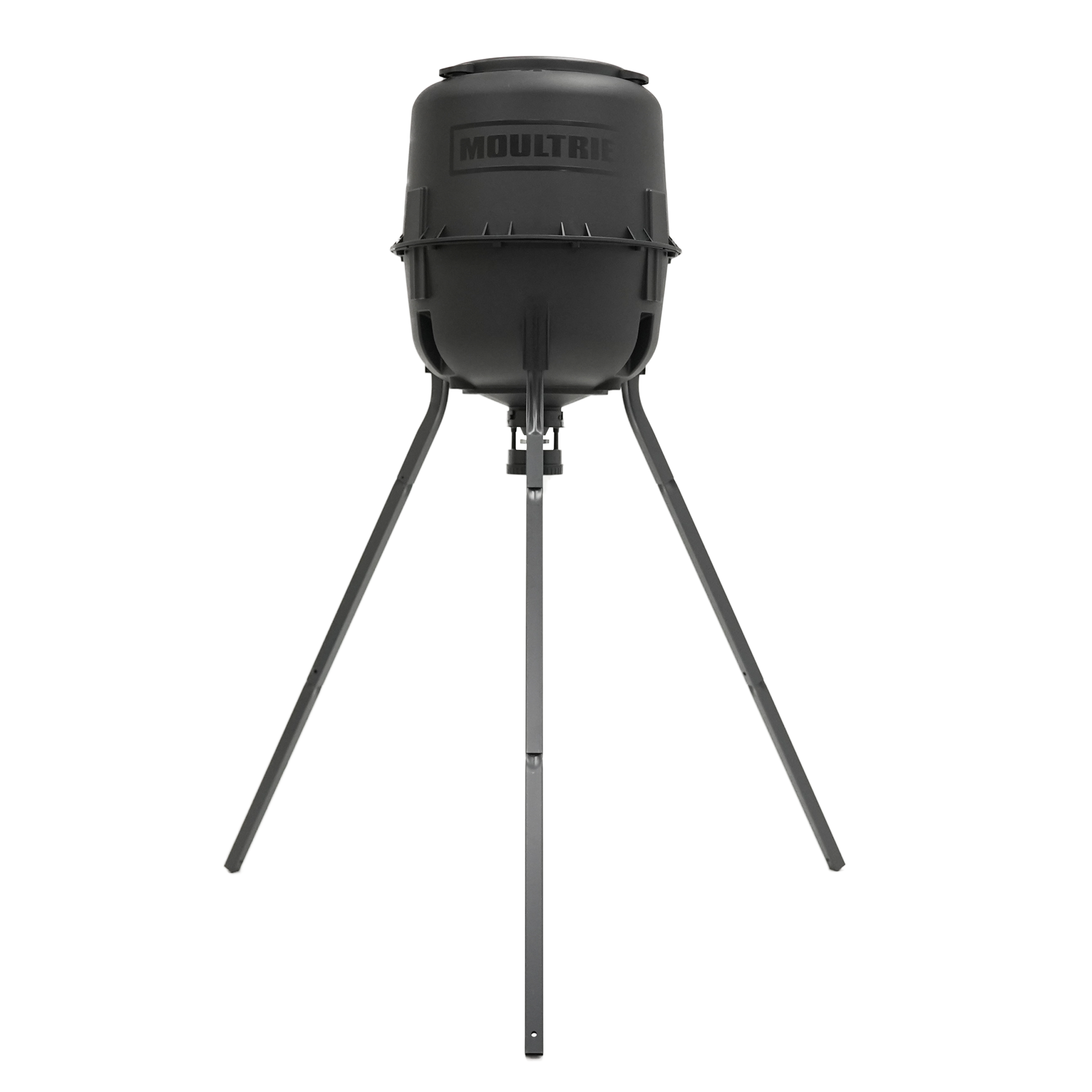
The FEED HUB Universal kit turns a standard spin-cast feeder you already own into a cellular feeder, which is the cheapest route to app control if your hopper is still sound. Where the Pro Hunter II kit is built for Moultrie’s own feeder kits, the Universal version is designed to fit major-brand feeders, so it is the option for a mixed-brand property where the hoppers are fine and only the control is out of date.
What it adds is the full cellular set: monitor feed and battery levels from the app, run the feeder on command, receive alerts when the feeder clogs, and adjust feed times remotely. Set up to 10 daily feed times for different days and seasons, and trigger feed on demand when you are heading to the stand. The feeder keeps doing the mechanical job; the phone takes over the decisions.
It also needs an active subscription, and it only fits feeders its cellular timer is designed to replace, so check compatibility before you order. That compatibility check is the whole job with this kit: measure nothing, assume nothing, and confirm the timer fits your feeder model. A kit that does not fit is a return, not an upgrade.
Think of the Universal kit as a second-life purchase. If your hopper, legs, and spinner are sound and you only want remote control, it saves you from buying a whole new feeder. If the hopper is cracked, the legs are bent, or the motor is tired, put the money toward a complete feeder instead — the cellular timer cannot fix a worn-out machine.
From the field: Retailer descriptions of the Universal kit repeat the same buyer profile: owners with a good feeder who want remote control without replacing it. The recurring caution is fit — buyers are told to confirm the kit suits their feeder before ordering. That matches the general rule for any conversion kit: the five minutes spent checking compatibility saves the return label.
Pros
- Converts major-brand spin-cast feeders to cellular
- Full app control: schedules, feed on demand, alerts
- Cheapest route to cellular if your hopper is sound
- Up to 10 feed times a day
Cons
- Active subscription required
- Fit must be confirmed for your feeder model
- No verified Amazon listing — check the maker site
- Cannot fix a worn hopper, legs, or motor
Key details
| Spec | Detail |
|---|---|
| Capacity | Kit — uses your feeder’s hopper |
| Connection | Cellular timer, controlled in the Moultrie Mobile app |
| Control | Schedules, feed on demand, feed-level and battery checks, alerts |
| Best for | Adding cellular control to a sound existing feeder |
| Subscription | Active Moultrie Mobile plan required |
See it on the maker site — no verified Amazon listing was available for this kit at the time of writing, so there is no Amazon link here.
4. Moultrie Pro Hunter III 250 — Best Bluetooth Feeder with a Cellular Bridge
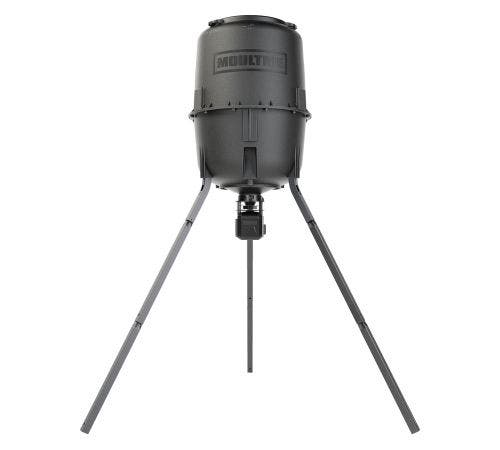
The Pro Hunter III 250 pairs with an EDGE 3 Series camera over Bluetooth, and the camera then acts as a cellular bridge, so you get remote control without buying a cellular feeder. This is the distinction this whole guide turns on, so it is worth stating plainly: the feeder itself is Bluetooth-only, and the cellular part belongs to the camera. If you already run an EDGE 3 camera at the site, that is a genuine advantage. If you do not, this feeder alone gives you no remote control at all.
Once linked, the setup works well. The camera must stay within about 300 feet of the feeder for the Bluetooth link to hold, and the camera needs its own active plan. From the app you can trigger feed on demand and manage up to 10 feed times a day. Moultrie notes that a feed-on-demand command takes around three minutes to reach the feeder, and that running on-demand feeding can noticeably affect the camera battery — both worth knowing before you lean on it daily. The feeder must stay within about 300 feet of the camera, and the camera needs its own active plan, so this is a bridge, not a standalone cellular feeder.
As a feeder, the Pro Hunter III 250 is a solid 250 lb timed spinner: a big hopper for a single site, a straightforward timer, and a design that has been around long enough for parts and advice to be easy to find. It is a good feeder first and a connected feeder second, and that order matters — buy it because you want the feeder, and treat the camera link as a bonus.
Do not buy it as a cellular feeder on its own. Without the paired camera, you change settings at the feeder, the way you would with any standard timed feeder. That is fine for a site you visit weekly. For a remote site you cannot visit, buy a true cellular feeder from the top of this guide instead.
From the field: Owners who pair this feeder with an EDGE camera generally describe the link as useful once set up, with feed on demand the feature they use most. The complaints are about range and battery: a feeder placed too far from the camera drops the link, and heavy on-demand use drains the camera faster. Both are setup problems, not feeder problems — place the camera close, and keep a battery routine.
Pros
- Remote control via a paired EDGE 3 camera — no cellular feeder needed
- Feed on demand and up to 10 feed times a day from the app
- 250 lb hopper for a single site
- No extra subscription beyond the camera plan
Cons
- Bluetooth-only — NOT a cellular feeder on its own
- Feeder must stay within about 300 feet of the camera
- Camera needs its own active plan
- On-demand use can drain the camera battery faster
Key details
| Spec | Detail |
|---|---|
| Capacity | 250 lb |
| Connection | Bluetooth (Moultrie Connect) to an EDGE 3 Series camera |
| Control | App control only through the paired camera; on-demand takes around 3 minutes |
| Best for | Sites that already have an EDGE 3 camera nearby |
| Subscription | Camera plan required; no extra feeder subscription |
5. Moultrie Pro Hunter III Directional 250 — Best Directional Bluetooth Feeder
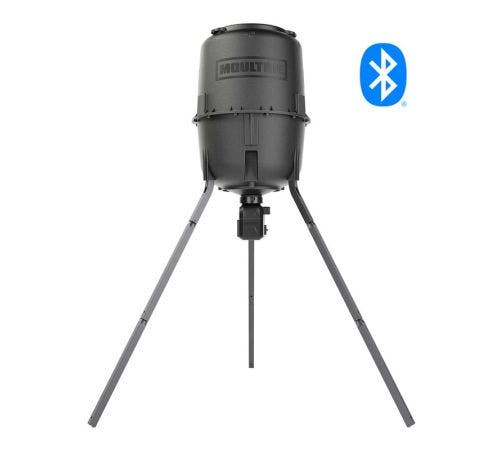
The Pro Hunter III Directional 250 is the same Bluetooth feeder idea as the standard Pro Hunter III, with one difference that matters on tight sites: it throws feed in a direction you choose, instead of broadcasting it in a full circle. On a narrow lane, a field edge, or a site where you want corn landing on open ground and nowhere else, that control is worth having.
Like its broadcast sibling, this is a Bluetooth-only feeder, not a cellular feeder. It pairs with an EDGE 3 Series camera over Moultrie Connect, the camera acts as the cellular bridge, and the feeder must stay within about 300 feet of the camera. Without the camera, you set the timer at the feeder. Nothing about the directional spinner changes that — the connection is the same, only the throw pattern differs.
Directional feeding suits sites where a full broadcast wastes corn or puts feed where deer will not use it. Think of a feeder on a woodland edge throwing into a lane, or a feeder near a boundary throwing back onto your ground. On a wide-open site, the broadcast model is simpler and covers more ground, so do not pay for direction you will not use.
The 250 lb hopper matches the broadcast version, so refill routines are the same. Choose between the two on throw pattern alone: open ground favors broadcast, a lane or an edge favors directional, and the connection story is identical either way.
From the field: Owners of directional feeders tend to be specific about why they chose one: a lane, a boundary, or a spot where broadcast corn landed in brush. The recurring advice is to aim the throw at open ground deer already use, and to check where the corn actually lands on the first few feedings rather than trusting the setting. The Bluetooth link draws the same comments as the broadcast model — it works when the camera is close, and it does not when it is not.
Pros
- Directional throw puts corn where you want it
- Bluetooth link to an EDGE 3 camera for remote control
- 250 lb hopper for a single site
- Good for lanes, edges, and boundary sites
Cons
- Bluetooth-only — NOT a cellular feeder on its own
- Needs a paired EDGE 3 camera within about 300 feet
- Directional throw covers less ground than broadcast
- Camera plan required for any remote control
Key details
| Spec | Detail |
|---|---|
| Capacity | 250 lb |
| Connection | Bluetooth (Moultrie Connect) to an EDGE 3 Series camera |
| Control | App control only through the paired camera |
| Best for | Lanes, field edges, and boundary sites |
| Subscription | Camera plan required; no extra feeder subscription |
6. Moultrie 200 lb Standard — Best Feeder to Convert with FEED HUB
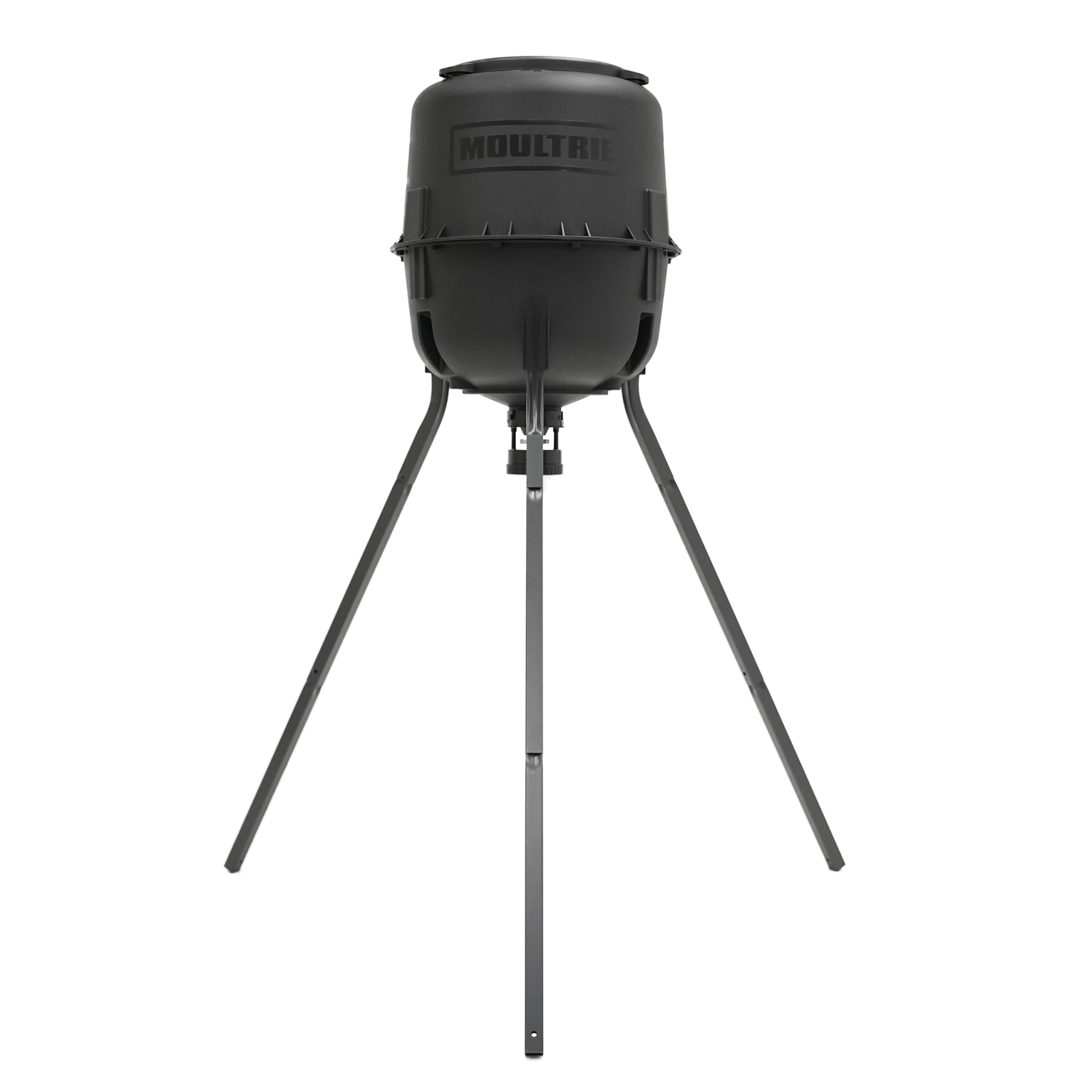
The Moultrie 200 lb Standard is the honest workhorse of this guide: a timed spin-cast feeder with no connectivity at all, included because it is the best base for a FEED HUB conversion. Its hopper, legs, and spinner are the parts that last, and the timer is the part FEED HUB replaces. If you want cellular control eventually but not today, this is the feeder to start with.
At 200 lb it suits a single hunting site that you visit regularly. It holds enough corn for weeks of scheduled feeding on a moderate site, and it is light enough for one person to install and fill. The standard timer is simple to program, which is a real virtue on a feeder you will hand to a lease partner or a family member who does not want to learn an app.
The limit is obvious and worth saying once: this feeder cannot be controlled from anywhere. You change times at the feeder, you check feed level by looking at the hopper, and you learn about a clog when you arrive. For a site you visit weekly, that is fine. For a remote site, add the FEED HUB kit or buy the Connected 250 instead.
Pair it with a solar panel if the site is rarely visited, because a timed feeder lives or dies by its battery. The Moultrie 6V solar panel in our accessories coverage keeps a 6V feeder battery topped up, and it is the cheapest insurance against a feeder that stops throwing in October.
From the field: Owners describe the 200 lb Standard as the feeder they buy second or third — one for each site, because the design is familiar and the parts are easy to find. The common complaint is the one every timed feeder gets: a dead battery or a clogged spinner discovered too late. Owners who add a solar panel and a battery routine report far fewer dead-feeder visits.
Pros
- Proven, simple timed feeder design
- Best base for a FEED HUB cellular conversion
- 200 lb suits a single site for weeks
- Easy to program and easy to find parts for
Cons
- No connectivity of any kind
- Settings change only at the feeder
- No feed-level or clog alerts
- Needs a battery routine or a solar panel
Key details
| Spec | Detail |
|---|---|
| Capacity | 200 lb |
| Connection | None — standard timer only |
| Control | On-site timer programming |
| Best for | Single sites visited weekly; FEED HUB conversion base |
| Subscription | None |
7. Moultrie 30 lb Hanging — Best Small Cellular-Free Feeder for Tight Sites
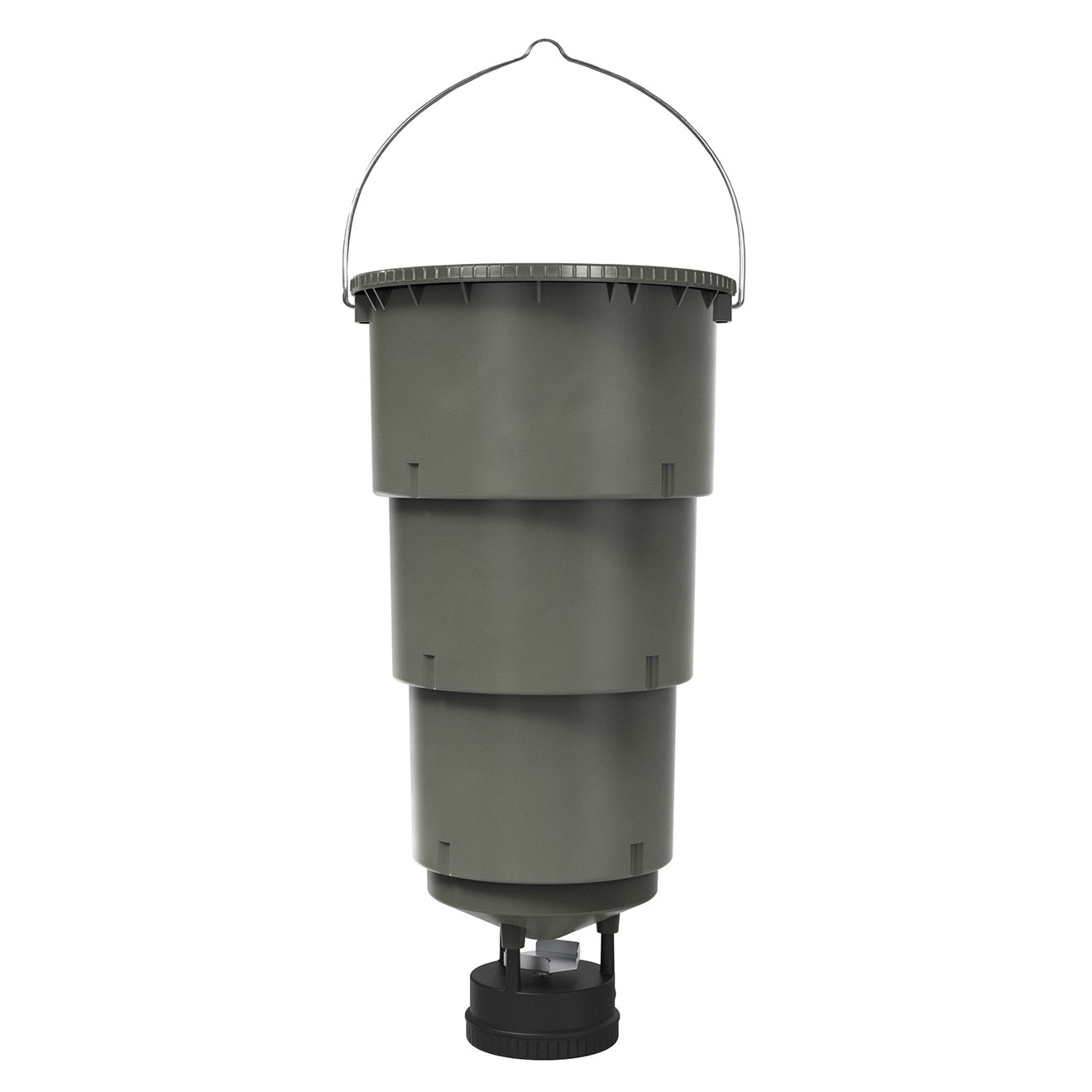
The Moultrie 30 lb Hanging feeder is the smallest feeder in this guide, and it is here as a deliberate contrast: a feeder with no connectivity, no app, and no subscription, for a site where none of that is needed. It hangs from a branch or a mount, throws on a timer, and does the one job a small site needs — a little corn, on a schedule, where deer already travel.
Small feeders suit small jobs. A 30 lb hopper will not run a lease, and it will not survive a week on a site with heavy deer traffic. But on a back-corner site, a first feeder for a new hunter, or a spot you want to learn before committing a big hopper to it, 30 lb is enough to find out whether deer use the site at all.
Hanging feeders have their own rules. Hang it high enough that deer cannot reach the hopper, keep the spinner clear of branches, and check the mount on every visit — a hanging feeder that slips feeds the ground, not the deer. Raccoons will investigate any hanging feeder, so a varmint guard and a tight lid matter more here than on a legged feeder.
Do not buy this one expecting remote control. It has none, and adding it would cost more than the feeder. Buy it for what it is: a cheap, light, simple way to feed a small site, and a good first step before you spend on cellular control for your main site.
From the field: Owners use hanging feeders as scouts and second sites: hang one, learn the traffic, then decide whether the spot deserves a bigger feeder. The praise is for weight and simplicity — one person, one branch, ten minutes. The complaint is capacity, always capacity: 30 lb goes fast once deer find it, and owners refill far more often than they planned.
Pros
- Light, cheap, and quick to hang
- Good first feeder or second-site scout
- Simple timer, no app or subscription
- Fits tight sites where a tripod will not
Cons
- Only 30 lb — refills come fast once deer find it
- No connectivity of any kind
- Needs a sound branch or mount and regular checks
- Raccoons investigate hanging feeders
Key details
| Spec | Detail |
|---|---|
| Capacity | 30 lb |
| Connection | None — standard timer only |
| Control | On-site timer programming |
| Best for | Small sites, first feeders, and scouting new spots |
| Subscription | None |
Video guides: height, timing, and timer setup
These videos come from our own channel and cover the three setup questions that decide whether a new feeder gets used or ignored. Watch the height guide first, then the timing guide, then the timer walkthrough if you buy a spin feeder.
How High Should a Deer Feeder Be? (The Real Answer)
Feeder height decides whether deer feed calmly or stay nervous, and this guide walks through the heights that work for gravity and spin feeders alike.
Best Time to Run a Deer Feeder (Morning vs Evening — Exact Times)
Timed and cellular feeders only help if the schedule matches deer movement, so this video covers morning and evening windows before you program anything.
How to Set a Tripod Deer Feeder Timer
A short walkthrough of setting a tripod feeder timer, useful before you mount any spin feeder in this guide.
What Cellular Feeding Really Costs
A cellular feeder costs more than its purchase price, because the remote control is a service. The honest way to judge it is to add up everything the feeder needs over a season, not just the box it arrives in.
| Cost item | What owners report | Notes |
|---|---|---|
| Feeder or kit | One-time purchase; kits cost less than complete feeders | A FEED HUB kit is the cheapest route if your hopper is sound |
| Cellular plan | Ongoing plan for Connected feeders and FEED HUB kits | Required for remote control; without it, the app features stop |
| Camera plan (bridge route) | Ongoing plan for the EDGE 3 camera | Only for the Pro Hunter III bridge route; no extra feeder plan needed |
| Feed | Corn by the bag, bought through the season | A cellular feeder does not use less feed — it only times it better |
| Batteries and solar | Batteries through the season, or a solar panel up front | The Moultrie 6V solar panel keeps a 6V feeder battery topped up on rarely visited sites |
| Trips saved | Fewer wasted drives to check feed level | The real saving is time and fuel, not feed |
The takeaway is simple: a cellular feeder pays for its plan in trips it saves, not in feed it saves. If you visit the site weekly anyway, the plan buys you convenience. If the site is hours away, the plan buys you the season — fewer wasted drives, fewer empty-hopper surprises, and a feeding schedule you can still change in November.
One accessory fits this guide well. The Moultrie 6V Solar Panel keeps a 6V feeder battery topped up, which matters more for cellular and bridge setups than for ordinary timed feeders, because a dead battery silences the feeder and the app at the same time.
How to Choose a Cellular Deer Feeder
Cellular, Bluetooth, or neither — which do you actually need?
Start with distance, not features. If the feeder sits hours away and you cannot visit weekly, you need true cellular: a Connected feeder or a FEED HUB kit. If you already run an EDGE 3 camera at the site, Bluetooth plus the camera bridge is enough. If you visit weekly, you need neither — a standard timed feeder does the job, and the money is better spent on feed and a solar panel.
Check signal before you buy anything cellular
A cellular feeder is only as good as the signal at the feeder, not the signal at your house. Walk the site with your phone and check coverage where the feeder will stand, not where you park. A feeder in a dead zone cannot check in, cannot take commands, and cannot send a low-feed alert — it becomes an ordinary timed feeder that also needs a plan.
Budget the plan, not just the feeder
Every true cellular option here needs an active plan, and the plan runs for as long as you want remote control. Add a season of the plan to the feeder before you compare it with a standard feeder. If the total still makes sense against the trips it saves, buy it. If it does not, a standard feeder and a solar panel is the honest choice.
Match the feeder to the site, not the app
App control does not fix a bad site. A 250 lb hopper on a high-traffic site still empties fast, a directional feeder still needs open ground to throw onto, and a hanging feeder still needs a sound mount. Choose capacity and throw pattern for the ground first, then choose the connection for the distance. The best cellular feeder is the one that feeds deer well and happens to be controllable — not the other way round.
Resources: More Feeder Guides
Cellular control is one piece of a feeder setup. These guides cover the rest — cameras, timers, batteries, solar, height, and timing.
- Best Deer Feeder with Camera and App Control
- Best Cellular Trail Camera
- Best Deer Feeder Timer
- Best Moultrie Deer Feeder
- Best Solar Powered Deer Feeders
- Deer Feeder Solar Panel Guide
- Best Deer Feeder Batteries (6V and 12V)
- Best Tripod Deer Feeders
- How High Should a Deer Feeder Be Off the Ground
- Best Time of Day to Run a Deer Feeder
- Spin vs Gravity Feeders
- Best Automatic Deer Feeders
- Best Deer Feeders for Remote Properties
- How to Program a Deer Feeder Timer, Step by Step
For the maker’s own words on the connection, see Moultrie’s support guide on linking a Pro Hunter III feeder to an EDGE 3 camera, which states the 300-foot Bluetooth range and the camera-bridge setup plainly.
Frequently Asked Questions About the Best Cellular Deer Feeders
What is a cellular deer feeder?
A cellular deer feeder has its own cellular connection, so you can control it from the Moultrie Mobile app from anywhere with phone signal. You can change feed times, trigger feed on demand, and check feed level and battery status without visiting the feeder. A feeder that only uses Bluetooth is not a cellular feeder.
Is the Moultrie Connected 250 a true cellular feeder?
Yes. The Connected 250 has cellular control built in and is managed through the Moultrie Mobile app from anywhere. An active Moultrie Mobile plan is required for the cellular features — without a plan, the remote control does not work.
Do cellular deer feeders need a subscription?
The true cellular options in this guide do. Moultrie Connected feeders and FEED HUB kits need an active Moultrie Mobile plan to be controlled and checked from the app. Bluetooth feeders linked to a camera need the camera plan instead. Budget for the ongoing plan as well as the feeder itself.
Is a Bluetooth feeder the same as a cellular feeder?
No, and the difference matters. A Bluetooth feeder only talks to a phone or camera within about 300 feet. A cellular feeder talks to the network from anywhere. The Pro Hunter III feeders in this guide are Bluetooth-only — they become remotely controllable only when paired with an EDGE 3 Series camera that acts as a cellular bridge.
What is Moultrie FEED HUB?
FEED HUB is a cellular timer kit that turns a spin-cast feeder into a cellular feeder. It replaces the standard timer, and the Moultrie Mobile app then controls schedules, feed on demand, and alerts. The Pro Hunter II kit fits Moultrie feeder kits; the Universal kit is designed to fit major-brand feeders.
How does Moultrie Connect work with a camera?
Moultrie Connect uses Bluetooth Low Energy to pair a compatible feeder, such as the Pro Hunter III, with an EDGE 3 Series camera. The camera acts as a cellular bridge, so you can control the feeder from the app from anywhere. The feeder must stay within about 300 feet of the camera, and the camera needs its own active plan.
Can I trigger a feeding from the stand?
With a true cellular feeder or a FEED HUB kit, yes — feed on demand is triggered from the Moultrie Mobile app. With a Pro Hunter III linked to a camera, feed on demand also works from the app, but Moultrie notes it takes around three minutes for the command to reach the feeder, so trigger it before you climb in.
Do cellular feeders work where there is no signal?
No. A cellular feeder needs cellular coverage at the feeder site to check in and receive commands. If your property is a dead zone, a cellular feeder will not help — check coverage on the property before you buy, and consider a standard timed feeder with a solar panel instead.
What happens if I cancel the subscription?
The remote control stops. A cellular feeder without an active plan cannot be controlled or checked from the app, and a FEED HUB kit likewise needs its plan to work. The feeder itself still has its timer and motor, so it can still feed on a schedule set at the feeder where the model allows — but the anywhere control is gone.
Is the Moultrie Timer III still available?
No — the Moultrie Timer III is sold out at Amazon, and the Timer II is the in-stock option. If you are replacing a timer on a standard feeder, buy the Timer II. Do not pay a premium for a sold-out Timer III from an unknown seller.
Are cellular feeders legal everywhere?
Feeder legality depends on state rules and on the property, and rules can change. A cellular feeder is still a feeder, so the same baiting rules apply. Check current rules for your state and property before you feed, and read our state legality guides for the detail.
Which cellular feeder should I buy first?
Buy the Moultrie Connected 250 if you want a complete cellular feeder with no extra hardware. Buy a FEED HUB kit if you already own a sound spin-cast feeder and only want to add cellular control. Buy a Pro Hunter III only if you already run an EDGE 3 camera at the site and are happy with a Bluetooth bridge.
Final Verdict: The Best Cellular Deer Feeders
Buy the Moultrie Connected 250 if you want a complete cellular feeder with its own connection and app control from anywhere. Buy a FEED HUB kit if you already own a sound spin-cast feeder and only want to add cellular control — check fit and stock first, and remember the plan is required. Buy a Pro Hunter III only if you already run an EDGE 3 camera within 300 feet of the feeder. And if you visit the site weekly, skip cellular entirely and buy the Moultrie 200 lb Standard with a solar panel — the feed matters more than the app.
Check current feeder rules for your state and property before you feed, and confirm availability and plan details before you order, because stock and plan terms change. The best cellular deer feeders are the ones that match your distance, your signal, and your willingness to keep a plan running — get those three right and the feeder will do the rest.
Last updated: November 2026.
Products mentioned in this guide
Moultrie Connected 250 lb Deer Feeder
Check Price on Amazon →Confirm price and availability on AmazonMoultrie Pro Hunter III 250 lb Deer Feeder
Check Price on Amazon →Confirm price and availability on AmazonMoultrie Pro Hunter III Directional 250 lb Feeder
Check Price on Amazon →Confirm price and availability on AmazonSee this product on Amazon
Check Price on Amazon →Confirm price and availability on Amazon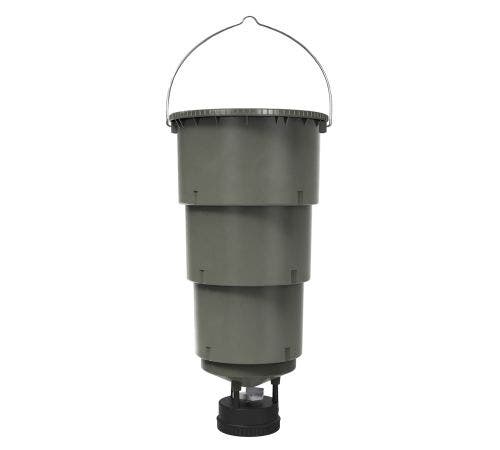
Moultrie 30 lb All-in-One Hanging Feeder
Check Price on Amazon →Confirm price and availability on Amazon
Moultrie 6V Feeder Solar Panel
Check Price on Amazon →Confirm price and availability on AmazonAs an Amazon Associate, we earn from qualifying purchases.